

Free LiDAR software sounds great—until you’re 8 hours into manually classifying a single flight. Open source tools handle viewing and format conversion well, but automated classification? That’s where they hit a wall.
Top 5 Open Source LiDAR Tools
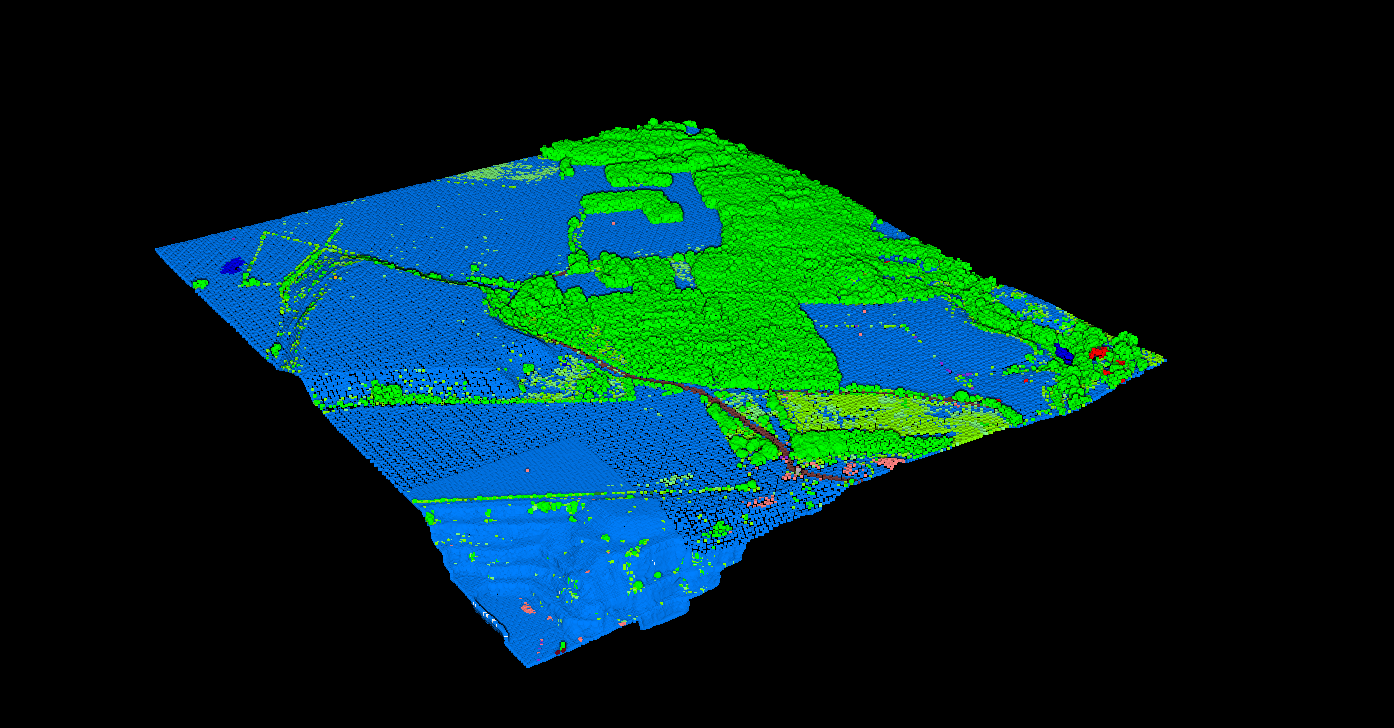
Automated classification requires AI—open source tools require hours of manual work.
1. CloudCompare
Best for: Visualization, manual editing, basic filtering
The most popular open source point cloud viewer. Originally developed by EDF R&D, it’s the go-to free tool for anyone working with 3D point data.
Capabilities: View 50M+ points, basic filtering, point cloud comparison, manual segmentation, qCSF plugin for ground classification.
Limitations: No automated classification—every class must be manually selected. No batch processing. Slow with very large datasets.
2. PDAL
Best for: Pipeline processing, format conversion, scripting
The open source equivalent of GDAL for point clouds. Command-line toolkit for reading, writing, and processing point cloud data.
Capabilities: 15+ formats, JSON pipelines, SMRF ground classification, noise filtering, DTM/DSM generation, Python bindings.
Limitations: CLI only, no GUI. Basic ground classification. No building, vegetation, or wire classification. Requires programming knowledge.
3. GRASS GIS
Best for: Terrain analysis, hydrology, raster GIS integration
Full GIS with LiDAR processing capabilities. Strong for terrain modeling and hydrological analysis.
Capabilities: Import LAS via r.in.lidar, create DTM/DSM, terrain analysis, hydrological modeling, contour generation.
Limitations: No point cloud classification. Expects pre-classified data. Steep learning curve. Dated GUI.
4. LAStools (Partial)
Best for: Fast processing, format conversion
Some tools are open source (MIT), advanced classification is commercial.
Free tools: lasinfo, laszip, las2las, lasmerge, txt2las
Commercial (NOT free): lasground, lasclassify, lasnoise, lasheight, lascanopy—these require a license for production use.
5. WhiteboxTools
Best for: Terrain analysis, hydrology, academic use
Modern geospatial analysis platform by Dr. John Lindsay at University of Guelph.
Capabilities: Ground classification (slope-based), DTM/DSM generation, canopy height models, point cloud thinning.
Limitations: Ground only—no building, vegetation, or wire classification. Some tools are commercial (Whitebox Pro).
Open Source Comparison
| Feature | CloudCompare | PDAL | GRASS | LAStools Free | Whitebox |
|---|---|---|---|---|---|
| Point Cloud Viewer | ✅ Excellent | ❌ No GUI | ⚠️ Basic | ❌ No GUI | ❌ No GUI |
| Ground Classification | ⚠️ Plugin | ⚠️ SMRF | ❌ No | ❌ Commercial | ⚠️ Slope |
| Building Classification | ❌ Manual | ❌ No | ❌ No | ❌ Commercial | ❌ No |
| Vegetation Classes | ❌ Manual | ❌ No | ❌ No | ❌ Commercial | ❌ No |
| Wire/Pole Extraction | ❌ No | ❌ No | ❌ No | ❌ No | ❌ No |
| DTM/DSM Generation | ⚠️ Basic | ✅ Yes | ✅ Yes | ❌ Commercial | ✅ Yes |
Open source tools excel at viewing and basic processing but lack automated multi-class classification.
The Classification Gap
The biggest limitation of open source LiDAR software is automated multi-class classification. Professional workflows require separating point clouds into ground, vegetation, buildings, wires, poles, and water.
The Real Cost of ‘Free’ Software
$200–400
Manual classification per km²
(4-8 hours × $50/hr labor)
$35–100
Automated cloud processing
(Minutes, not hours)
Wire & Pole Extraction
Wire and pole extraction requires specialized algorithms not available in any open source tool. For utility corridor work, you need commercial solutions or cloud AI.
Lidarvisor automatically extracts:
- Power lines and cables
- Utility poles and towers
- Vegetation encroachment zones
- Clearance measurements
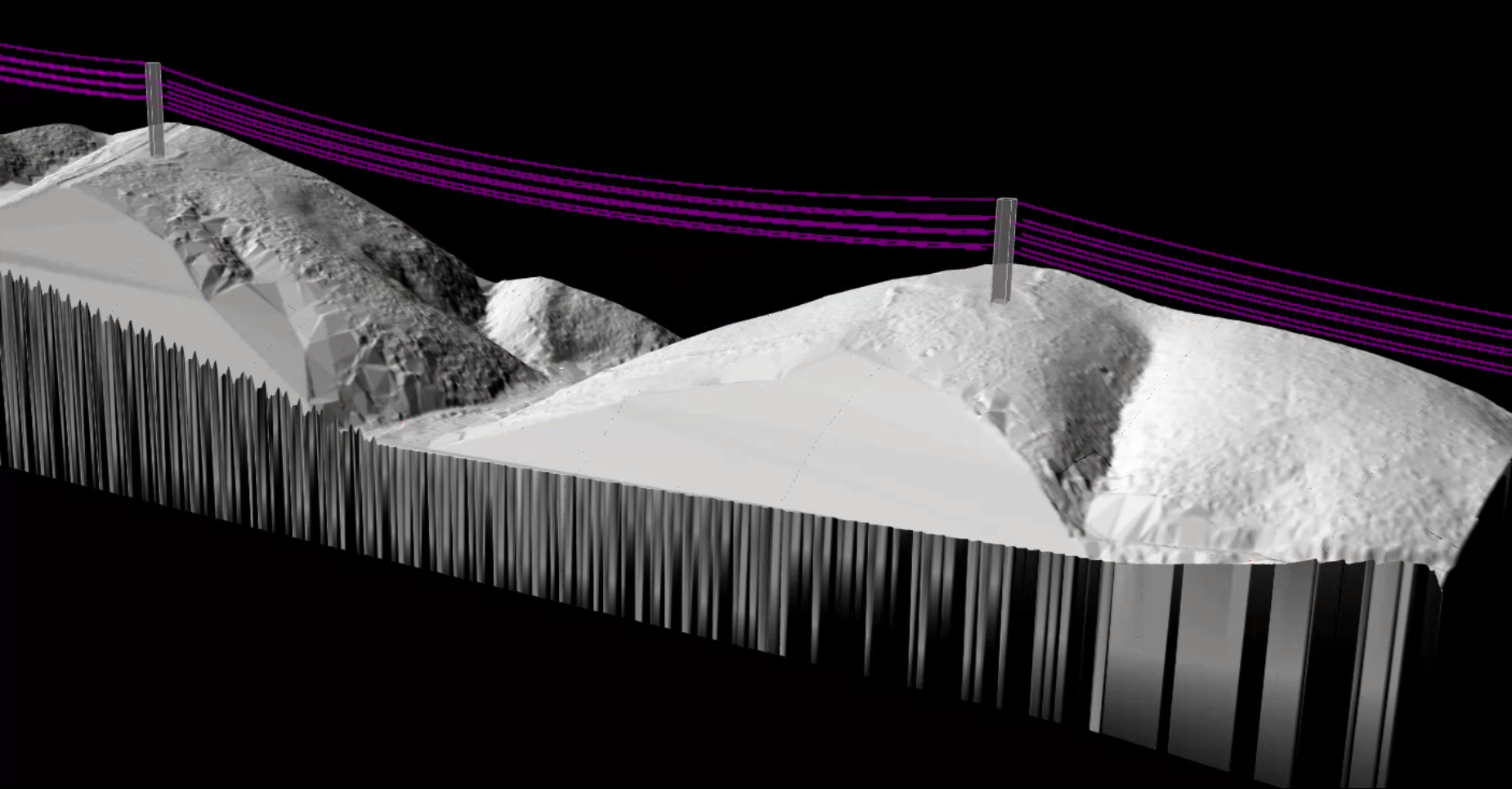
Power line extraction from LiDAR—requires AI, not available in open source.
When Open Source Is Enough
✓ Open Source Works For
- Viewing only: Visualize and navigate point clouds
- Pre-classified data: Working with already-classified LAS
- Simple terrain: Flat areas with minimal vegetation
- Format conversion: LAS, LAZ, and other formats
- Learning: Developing skills before commercial tools
- Research: Academic projects with time flexibility
→ You Need Cloud AI When
- Classification required: Ground, buildings, vegetation, wires
- Production workflows: Client deadlines matter
- Complex terrain: Urban, forests, mixed environments
- Volume: Hundreds of hectares regularly
- Deliverables: Classified LAS, DTM, DSM, contours
- Utility work: Wire and pole extraction needed
The Best of Both Worlds
Smart professionals combine free tools with automated classification. Use open source for viewing and QC, let cloud AI handle the classification work.
01
Upload
Upload to Lidarvisor for AI-powered 12-class classification in minutes
02
Download
Get DTM, DSM, contours, and vectors—all included automatically
03
QC
Use Lidarvisor’s built-in manual tools to refine edge cases, or export to CloudCompare
04
Convert
Use PDAL for any format conversions needed for delivery