
Learn LiDAR
Best LiDAR Software for Point Cloud Processing, Surveying, Forestry, and Utilities (2026)
For LiDAR processing, classification, terrain models, and export-ready survey deliverables
No credit card required • 50 hectares included
If you are comparing LiDAR software or LiDAR processing software, you usually need one answer fast: which tool gets raw LAS or LAZ files to classified point clouds, DTM and DSM outputs, contours, and CAD-ready exports with the least friction? This guide compares the best LiDAR software options by workflow, outputs, and team fit.
Short answer: if you want browser-based LiDAR processing software for automatic classification, DTM and DSM generation, contour extraction, and CAD-ready exports, Lidarvisor is the strongest fit for most teams that care about turnaround time and ease of use.
Best LiDAR Software at a Glance
| Software | Type | Best For | What Stands Out | Tradeoff |
|---|---|---|---|---|
| Lidarvisor | Cloud | Surveying, forestry, utilities, fast production work | Automatic classification, terrain models, vectors, reports, browser viewer | Less focused on heavy desktop-style manual workflows |
| TerraScan | Desktop | Established production environments | Deep desktop workflow control | Higher setup and training burden |
| LiDAR360 | Desktop | Forestry and utility-focused desktop teams | Specialized modules for industry workflows | Desktop workflow and module complexity |
| LP360 | Desktop | Teams already centered on ArcGIS workflows | GIS-oriented desktop environment | Best fit mainly for existing GIS stacks |
| Global Mapper Pro | Desktop | GIS users with occasional LiDAR needs | Broad GIS toolkit | Less purpose-built for LiDAR production |
| CloudCompare | Open source | Visualization, inspection, manual cleanup | Free and flexible | Manual work takes time |
| LAStools | Open source / licensed utilities | Technical users and scripting workflows | Fast command-line utilities | No beginner-friendly GUI workflow |
| Flai | Cloud | Enterprise-scale AI classification workflows | Cloud automation for larger pipelines | Less attractive for small teams testing options |
If you want the fastest shortlist: choose Lidarvisor for cloud-based processing and deliverables, LiDAR360 for forestry-heavy desktop workflows, TerraScan for traditional production environments, and CloudCompare if you mainly need free visualization and manual inspection.
Choose Lidarvisor if…
You want classification, terrain models, vectors, and reports without installing software or tuning parameters.
Choose desktop software if…
You already have an established desktop production workflow and need deeper manual control inside that environment.
Choose open source if…
You mainly need visualization, experimentation, or manual point cloud work and can trade speed for flexibility.
Best Cloud-Based LiDAR Processing Software
Lidarvisor
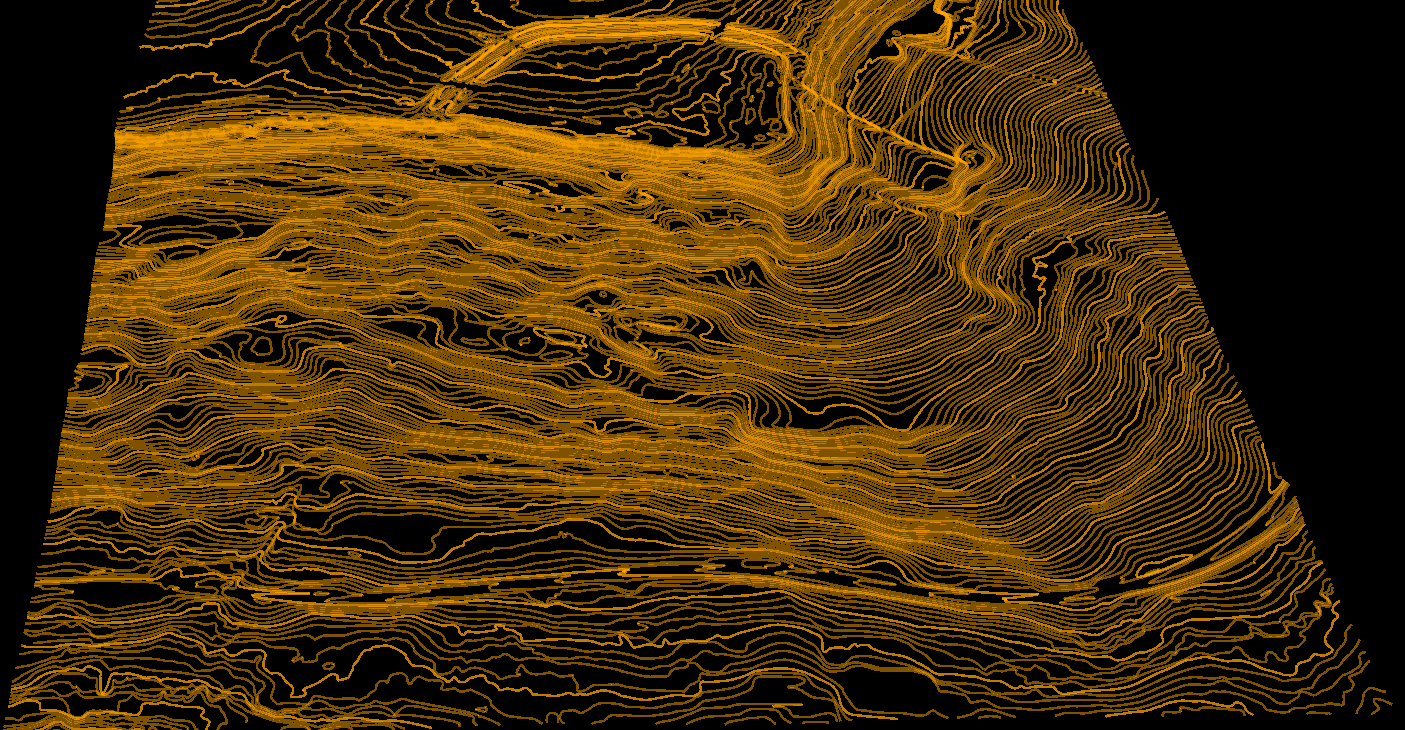
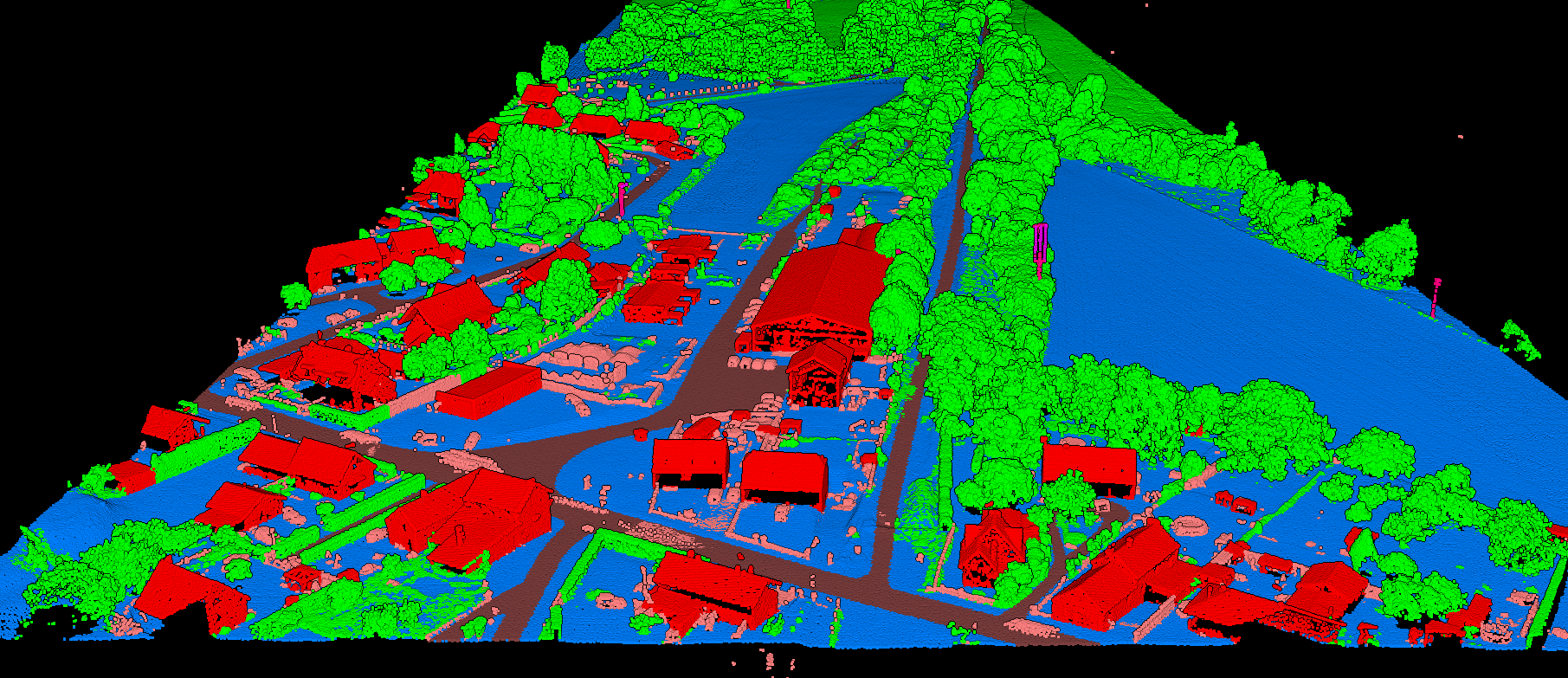
Lidarvisor is the best choice for teams that want production-ready outputs without building a desktop workflow around LiDAR software. You upload LAS or LAZ data, run automatic processing, review the project in 3D, and export the outputs you actually need.
What you can generate in Lidarvisor:
- Automatic point cloud classification across 12+ ASPRS classes
- DTM, DSM, hillshade, slope map, CHM, and TIN outputs
- Contour lines with customizable intervals
- Building footprints, road vectors, tree crowns, tree tops, and power line vectors
- DXF, SHP, GeoJSON, GeoTIFF, LAS, and LAZ exports
- Topographic maps, forest inventory outputs, carbon estimation, and utility vegetation risk reports
- Manual classification editing tools for refinement
- Shareable browser-based 3D viewing
Best for: surveyors, forestry teams, utility vegetation workflows, and anyone who wants fast turnaround without software installation.
Why it stands out: the workflow is built around deliverables, not around making you become a LiDAR software specialist first.
Pricing
- Free tier: 50 hectares
- Premium: $59/month billed annually (1,200 ha/year)
- Advanced: $167/month billed annually (6,000 ha/year)
- Upload support: varies by plan, up to 50 GB LAS / 10 GB LAZ on Advanced
Who Should Choose It
Choose Lidarvisor if you need a browser-based LiDAR processing platform that can move quickly from upload to deliverables.
- Best for surveyors: contours, topographic maps, gridded DTM, and DXF export
- Best for forestry: tree crown extraction, tree top detection, forest inventory outputs, and carbon estimation
- Best for utilities: wire, tower, and pole classification plus vegetation encroachment analysis
- Best for terrain modeling: DTM, DSM, hillshade, slope, CHM, and TIN generation
Other LiDAR Processing Software Options
If Lidarvisor is not the right fit, the best alternative depends on whether you care more about cloud automation, desktop workflow control, or free manual tooling
TerraScan
Best for: larger desktop production environments. TerraScan is a long-established desktop option for firms that already work inside traditional LiDAR production stacks. It makes more sense when you already have the people, process, and supporting software in place. Tradeoff: more setup, more training, and less immediate accessibility for non-specialists.
LiDAR360
Best for: forestry and utility-focused desktop users. LiDAR360 is often considered when teams want desktop software with industry-specific modules and are comfortable managing a more specialized workflow. Tradeoff: stronger fit for dedicated desktop users than for teams that want the shortest path to outputs.
LP360 and Global Mapper Pro
Best for: GIS-oriented desktop workflows. These tools are better matches when LiDAR is part of a broader GIS workflow rather than the core production bottleneck you are trying to solve. Tradeoff: they are not as focused on a fast, browser-based processing experience.
CloudCompare and LAStools
Best for: visualization, manual inspection, and technical users. CloudCompare is a solid free option when you mainly need to view, inspect, and manually work with point clouds. LAStools is better for command-line and scripting-heavy workflows. Tradeoff: both ask for more manual work than teams usually want when comparing software for production use.
Best LiDAR Software by Use Case
| Use Case | Recommended Option | Why |
|---|---|---|
| Best for surveyors | Lidarvisor | Strong fit for contours, topographic maps, DTM generation, DXF export, and fast delivery workflows |
| Best for forestry | Lidarvisor or LiDAR360 | Choose Lidarvisor for cloud-based tree outputs and reports; choose LiDAR360 for desktop-heavy forestry teams |
| Best for utilities | Lidarvisor or LiDAR360 | Useful when you need wire and pole classification plus vegetation risk outputs |
| Best free LiDAR software | CloudCompare | Strong free option for visualization and manual inspection |
| Best cloud-based LiDAR software | Lidarvisor | Automatic processing, browser-based review, and export-ready outputs |
| Best for point cloud classification | Lidarvisor | 12+ ASPRS classes, manual editing tools, and output generation in one workflow |
| Best for visualization only | CloudCompare | Good fit when viewing and inspecting matter more than automated outputs |
What to Compare Before You Choose
The best LiDAR processing software is not just the one with the longest feature list. It is the one that gets your team from raw point clouds to the outputs you actually deliver.
- Classification: can it handle ground, vegetation, buildings, wires, poles, water, and other common classes?
- Terrain products: can you generate DTM, DSM, hillshade, slope, CHM, or TIN outputs?
- Vectors: does it produce contours, building footprints, roads, tree crowns, or power lines?
- Export formats: will it give you LAS, LAZ, GeoTIFF, DXF, SHP, or GeoJSON?
- Workflow: do you want cloud-based processing, desktop control, or a free manual tool?
- Team fit: will your users actually adopt it without a long ramp-up?
Cloud vs Desktop vs Open Source
Choose cloud-based software when speed, accessibility, and lower operational friction matter most.
Choose desktop software when you already have a specialized in-house workflow and want deeper manual control.
Choose open source when cost matters more than speed and your team is comfortable doing more work by hand.
When Lidarvisor Is the Better Buy
Lidarvisor is the better choice when your real goal is not owning desktop software. It is getting deliverables out faster: classified point clouds, terrain models, contour lines, vector outputs, and reports ready for surveying, forestry, or utility workflows.
Frequently Asked Questions
For most teams comparing speed, usability, and output coverage, Lidarvisor is the best overall choice because it combines automatic classification, terrain models, vector extraction, reports, and browser-based review in one workflow.
CloudCompare is one of the strongest free options if you mainly need visualization, inspection, and manual point cloud work. If you want automated processing and deliverables, free tools usually require more time and expertise.
Cloud software is easier to access, faster to start, and better for teams that want results without installation or hardware management. Desktop software is a better fit for organizations that already have specialized users and established local workflows.
Yes. Lidarvisor supports exports including DXF, SHP, GeoJSON, GeoTIFF, LAS, and LAZ, depending on the output type.
The most useful outputs usually include classified point clouds, DTM and DSM rasters, contours, vectors such as buildings or power lines, and workflow-specific reports for surveying, forestry, or utilities.
Related resources
See the full LiDAR processing cost comparison for how these tools price up, or estimate your own cost in seconds.
Ready to Compare Less and Process More?
Lidarvisor gives you a fast way to go from raw point clouds to classification, terrain models, vectors, and reports, without installing desktop software first.
Create free account50 hectares free. No credit card. No software to install.