
01
Upload your photos
Pick the folder of each flight, as many as you have. Only the JPEG photos are kept. A LiDAR cloud is optional, and so is a control point file.
Features
Point Cloud Viewer Point Cloud Preprocessing Point Cloud Classification Point Cloud Rasterization Point Cloud Vectorization Photogrammetry Processing APIIndustry
Land Surveying Utility Vegetation Management Forestry Hydrology & WaterMore
Pricing ContactFully automated processing
Upload the photos from your drone flight and click Process. Everything after that is automatic, control point marking included. You get a coloured point cloud and an orthophoto, then everything you already use on a LiDAR cloud: classification, terrain models, contours and vectors.
On every plan, Free included • 1 credit per hectare, like LiDAR
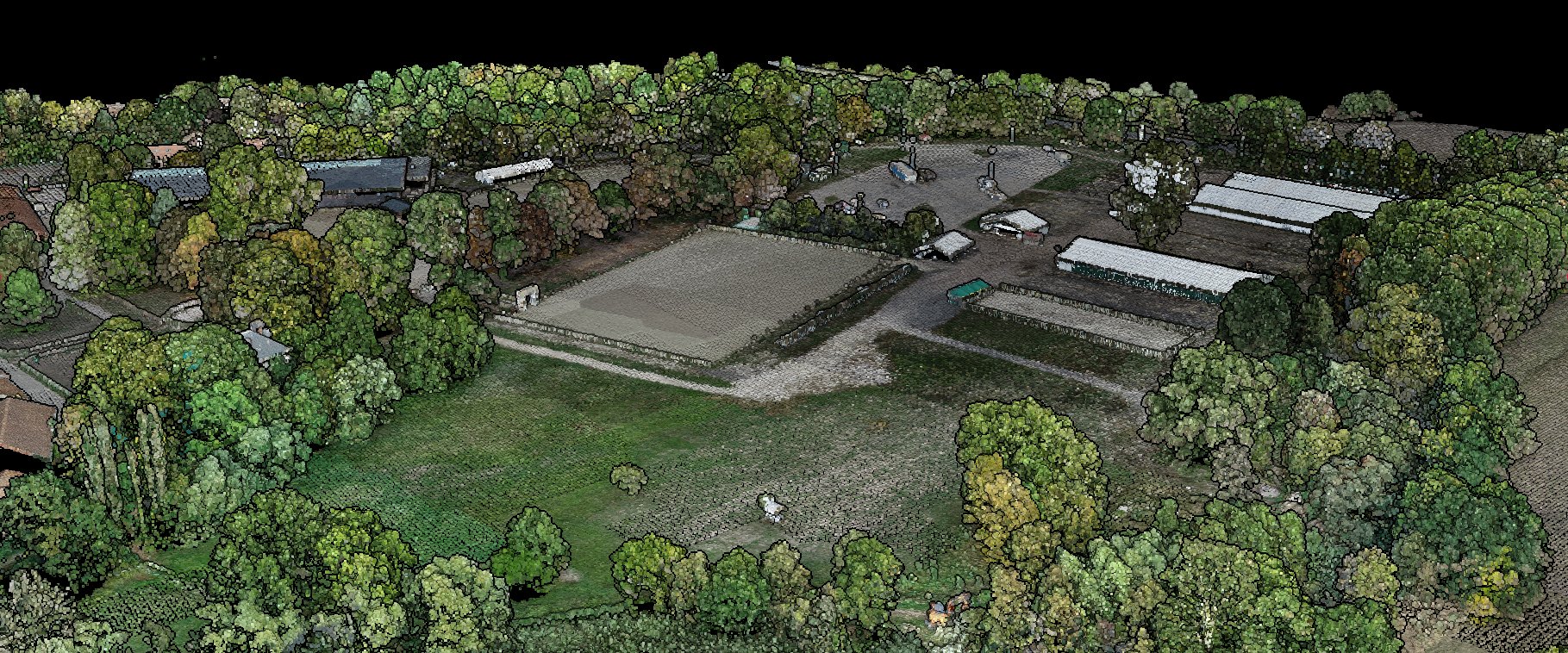
Fully automated
Placing each control point in the photos is the hardest manual step of a photogrammetry job. Here it runs on its own, like the rest of the processing.
The whole flow
Fully automated from the upload to the report, with no photo to open. The photos go through the same project, the same processing panel and the same progress bar as a LiDAR cloud.
Pick the folder of each flight, as many as you have. Only the JPEG photos are kept. A LiDAR cloud is optional, and so is a control point file.
Before you process anything, the photos are read: positions, overlap, blur, RTK status and camera calibration. It flags what is worth a look and never stops the run.
The cameras appear in 3D over the map, and the photo panel shows every thumbnail, grouped by flight.
If you imported control points, Lidarvisor finds each one in the photos and marks it, with no click from you. You can reject any mark but never have to, and Process does not wait: the run finishes the placement itself.
Tick Compute photogrammetric point cloud, the orthophoto and any other option, then click Process once. Photogrammetry runs first, then the rest of the run.
The point cloud, the orthophoto, the terrain and surface models, everything else you ticked, and an accuracy report on the control points.
Before you process
The photo panel
It docks along the bottom of the viewer, like the control point panel.
Each photo appears as a camera in 3D at the position it was taken from. The panel lists the thumbnails by flight, and a click flies the view to that camera or opens the photo at full resolution. Filter by flight, by nadir or oblique, or to the photos that see a given control point, and check each mark where it was placed.
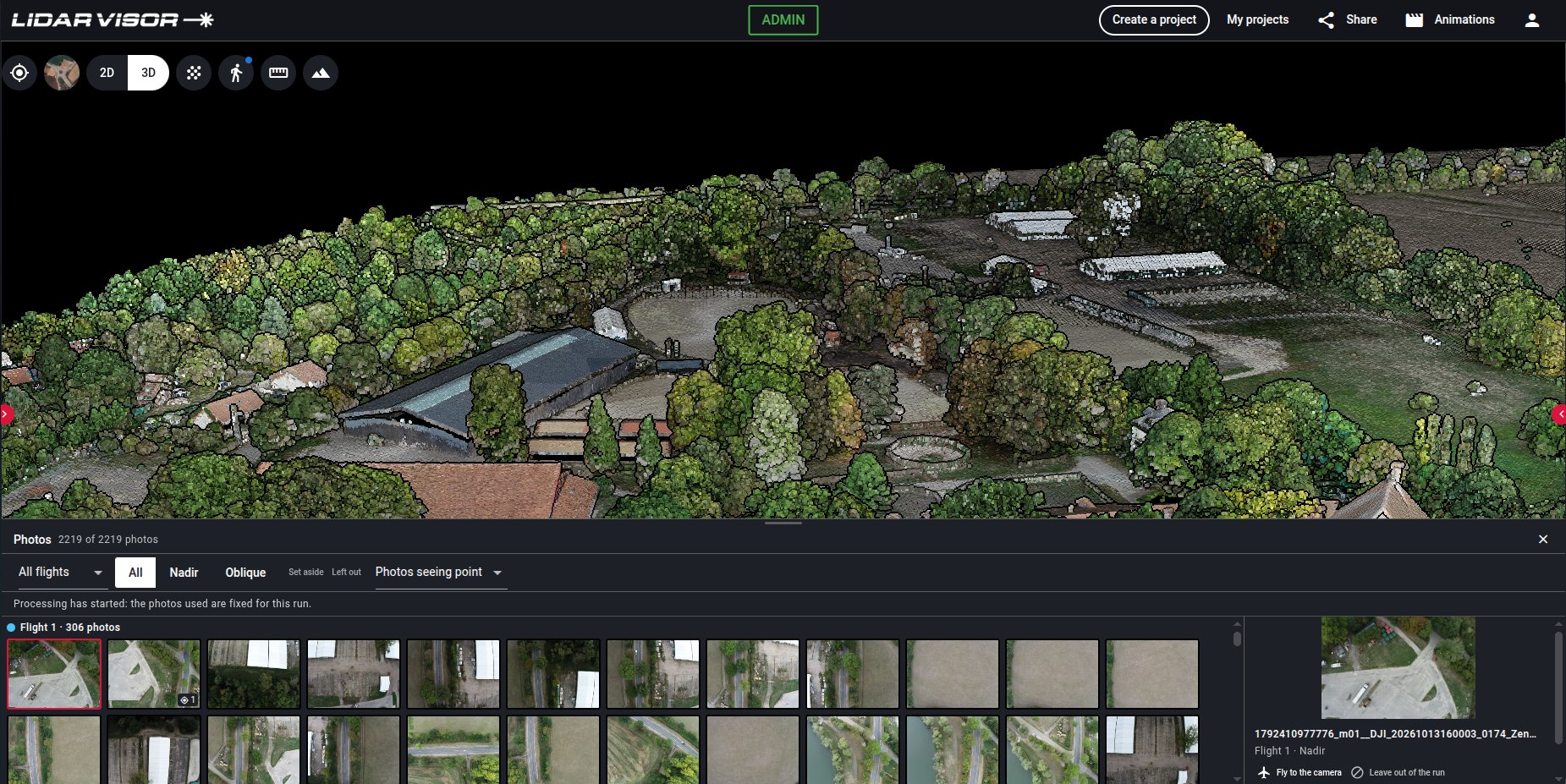
Camera positions
Each photo is drawn as a camera at the position it was taken from, one colour per flight. You see how the flights cover the site and where they overlap before you process anything.
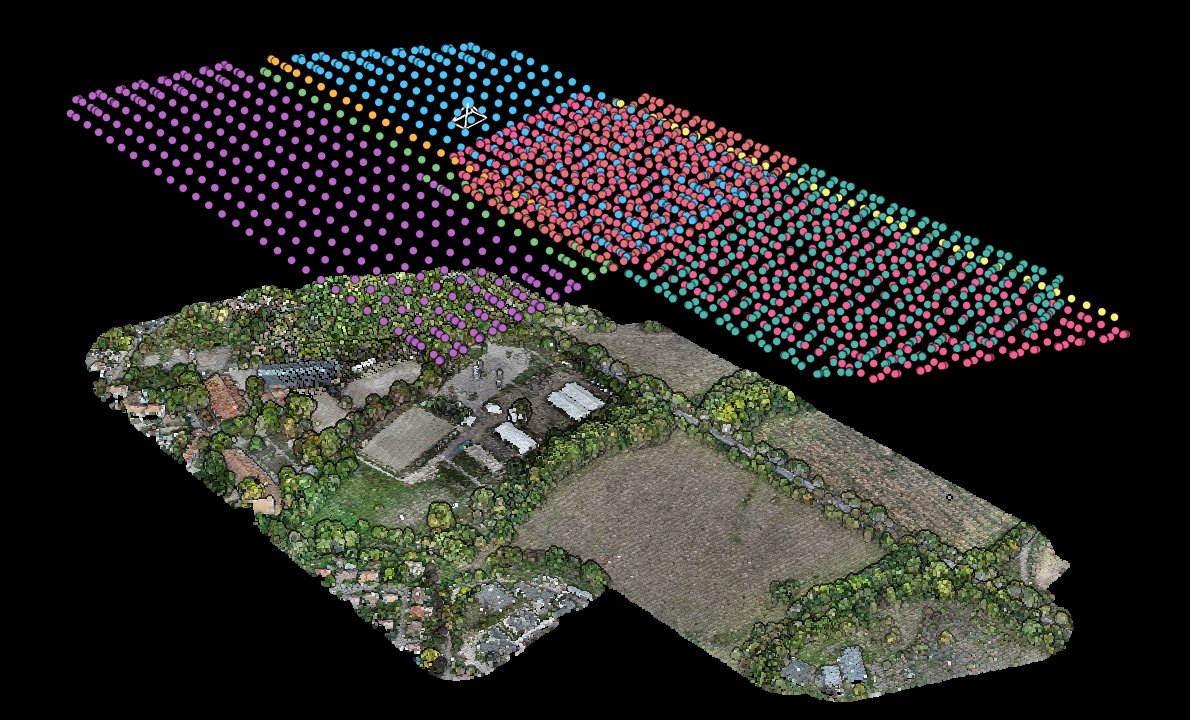
What you get
The terrain and surface models come from the same pipeline as for a LiDAR cloud, so both kinds of project get the same products from the same rules.
| You upload | You tick | You get |
|---|---|---|
| Photos only | Photogrammetric point cloud | A coloured point cloud, then everything you ticked runs on it: classification, terrain and surface models, contours, vectors. |
| Photos only | Orthophoto | An orthophoto assembled from your photos. Without the point cloud it is computed on a simplified surface: right on open ground, buildings and trees may lean. |
| LiDAR and photos | Orthophoto | The orthophoto is built from your photos instead of the cloud colours or satellite imagery, and road, marking, water and rail extraction read it. |
| LiDAR and photos | Photogrammetric point cloud | Your LiDAR cloud is classified as usual. The photogrammetric cloud is delivered beside it as an extra layer, not classified. |
Every run that uses photos also delivers the accuracy report. An orthophoto you upload yourself still takes precedence over a computed one.
Up close
One site, built from the 146 photos of a single flight, then zoomed in as it looks in the viewer.
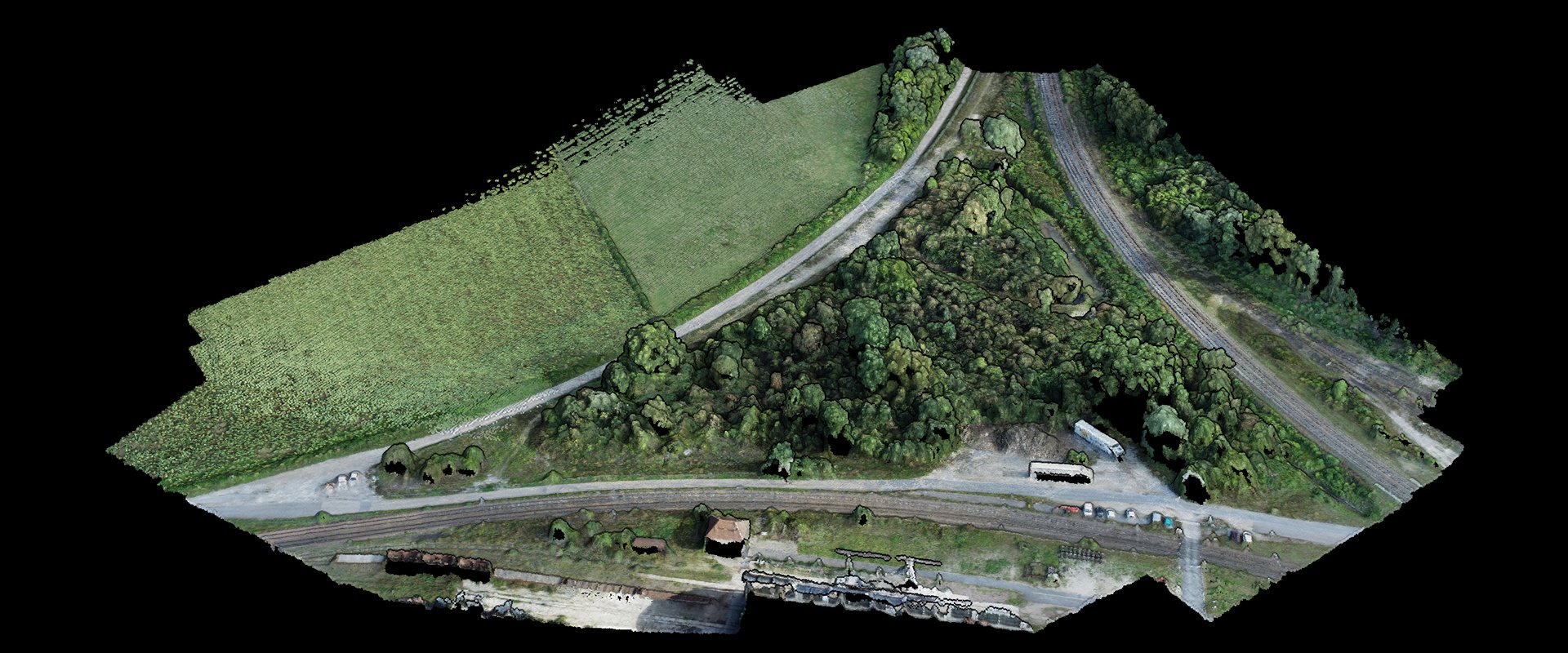
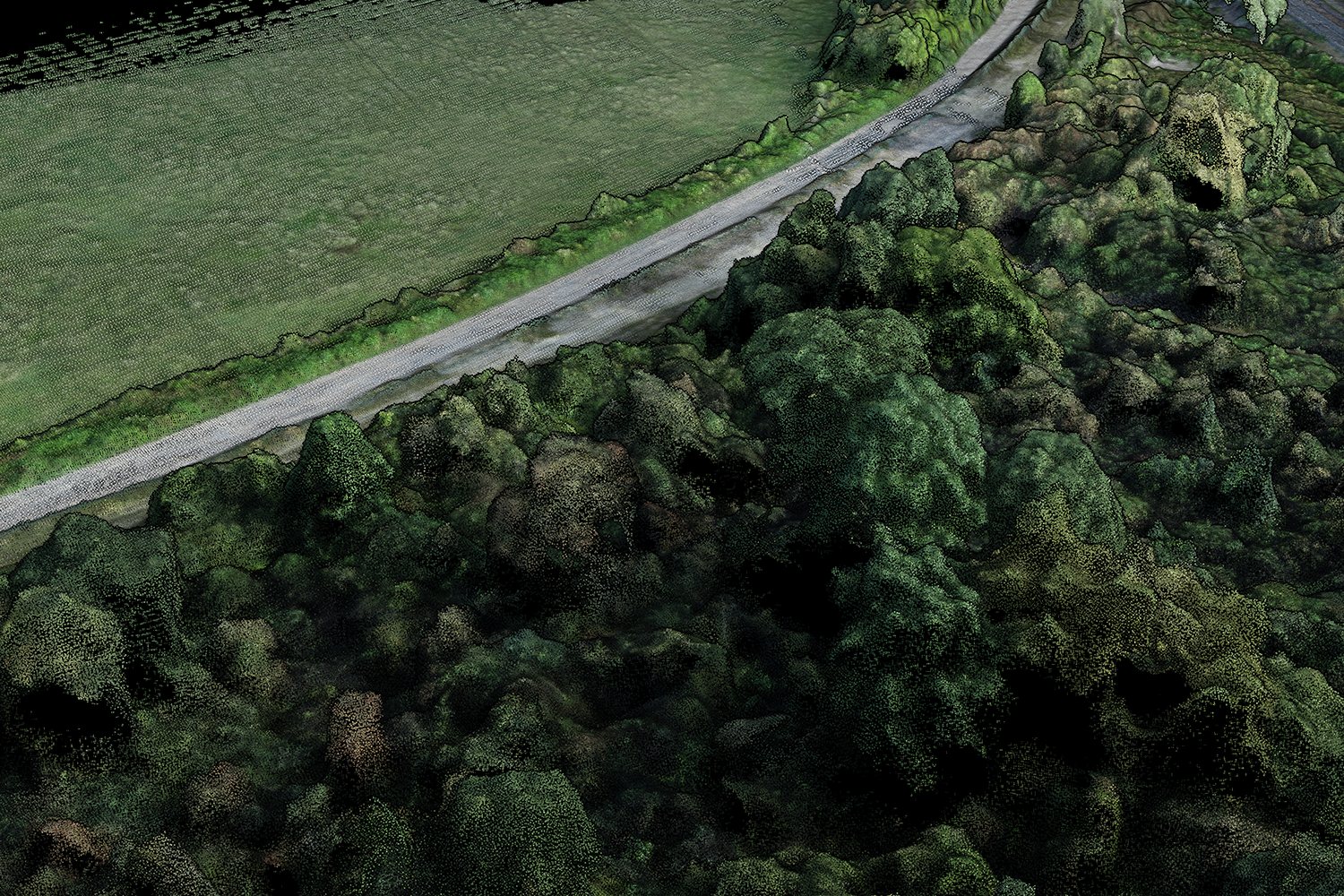
Vegetation
Crowns, gaps and the track along the field edge, coloured from the photos themselves. Classification then separates ground from vegetation, and the terrain model is built from the ground.
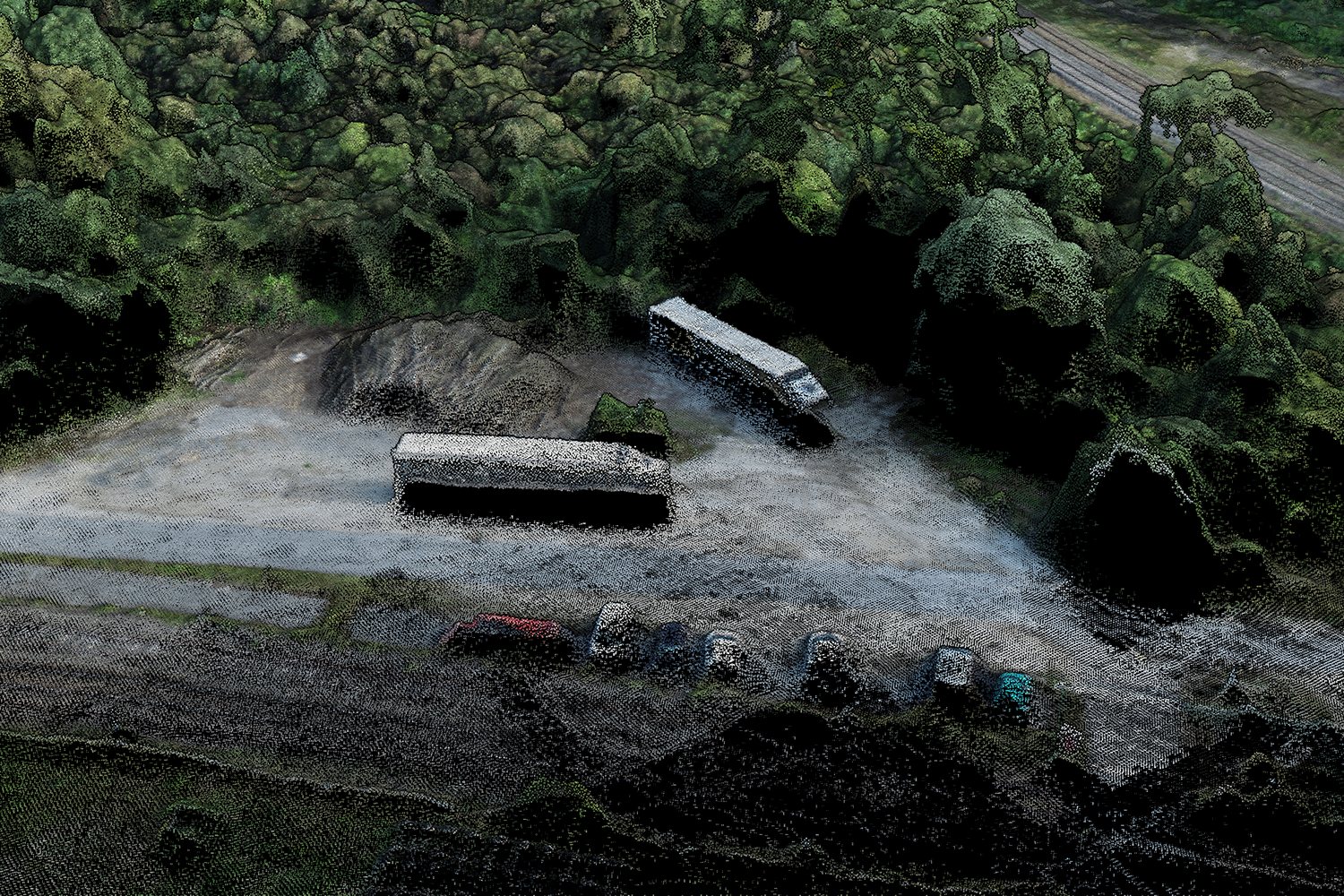
Vehicles
Two trucks in a yard and a row of parked cars along the road, each one in 3D with the colours of the photos.
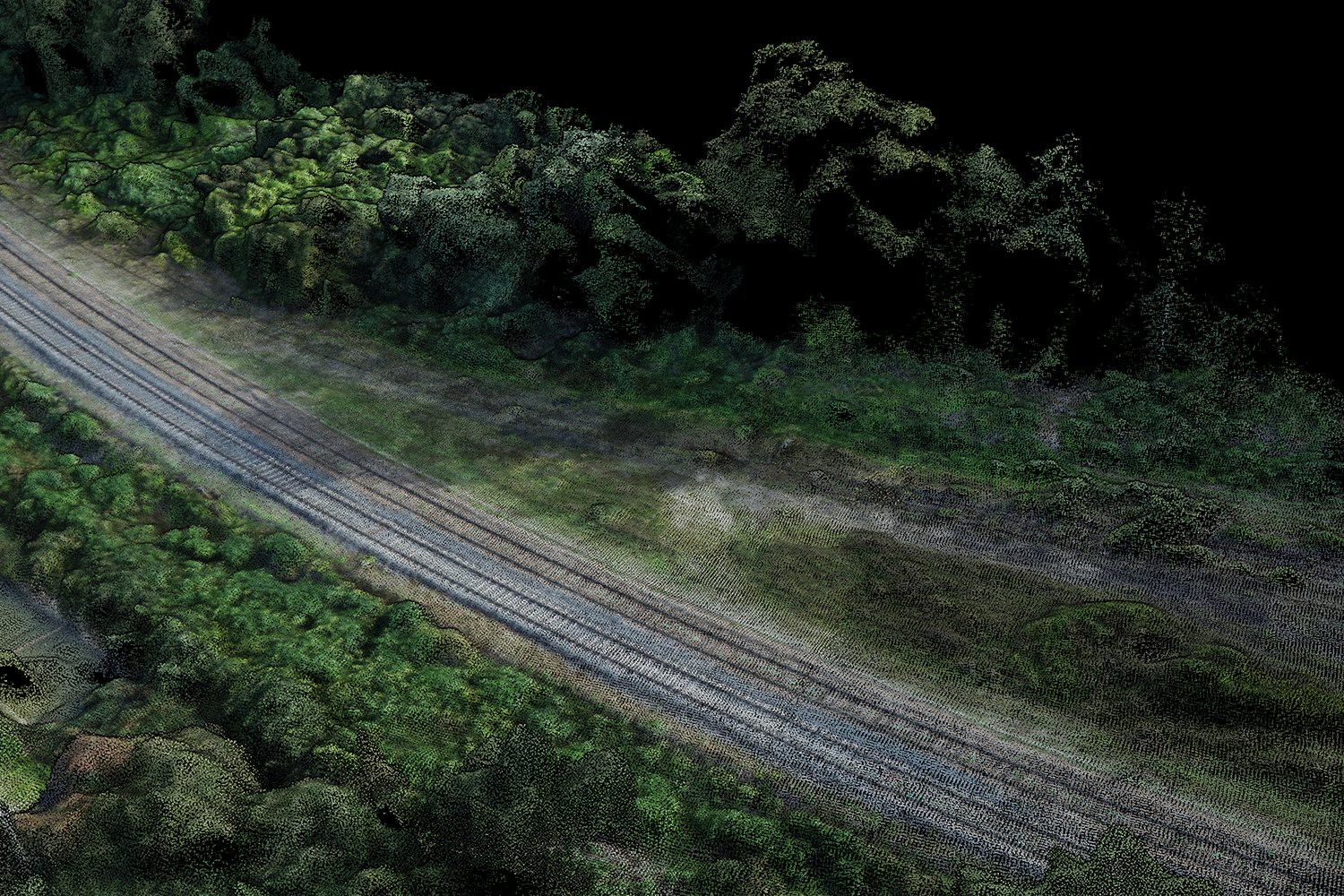
Rail and roads
The rails and the trees beside them, in 3D. The orthophoto built from the same photos is the one road, marking, water and rail extraction read.
Control points
Import your survey the way you already do, and nobody marks anything. For each point, Lidarvisor predicts where it should appear, finds the mark, and keeps it only if it agrees across the views.
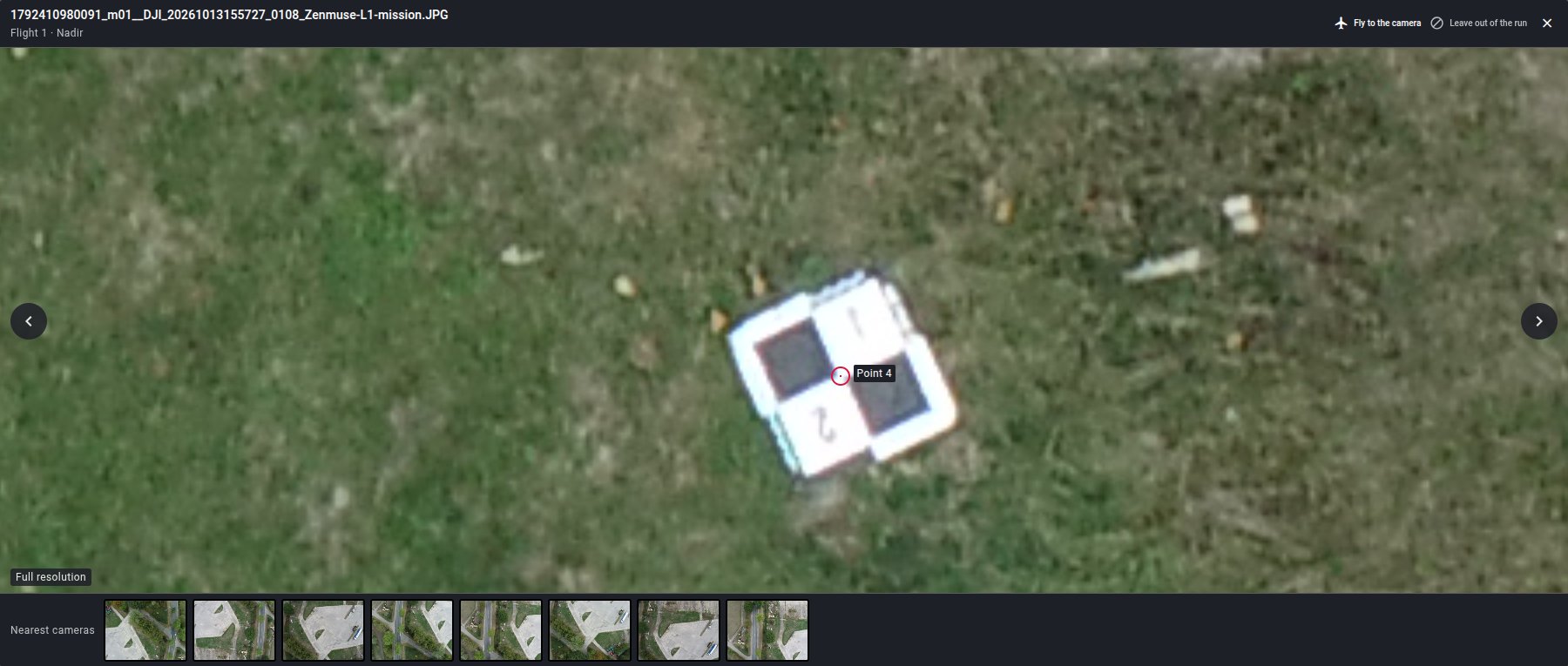
An AI agent confirms which candidate in the photo is your mark, on two or three views, and correlation finds the same mark in the other photos.
The exact position comes from a detector and from correlation across photos, never from the agent's eye.
A mark that disagrees with the reconstruction or with your survey is dropped, and a point needs several views to be kept.
Used in the adjustment, or held back as an independent check point.
Not seen in any photo. Reported, and not a defect.
In the photos but rejected. Reported with its thumbnails, and the run goes on without it.
The deliverable
Every run with photos ends with a report section on the reconstruction and its accuracy. It states how many photos were aligned out of those supplied, how the camera was calibrated, the ground sample distance, and a verdict on the block, with the thresholds stated in ground sample distance so they mean the same on every site.
No run is refused or failed on accuracy. A block that did not hold together is delivered with a red verdict that says in plain words what went wrong.
Questions
The same as LiDAR: 1 credit per hectare, charged once when you click Process. For a photo project the area is the ground your photos cover, and that one charge covers the photogrammetry and the rest of the run.
Every plan, Free included, within the hectares of your plan.
Any JPEG photo with a GPS position in its metadata is accepted, nadir or oblique, from one or several flights. The best results come from RTK drones with a FIX position on every photo. When the positions or the camera calibration cannot support a guaranteed accuracy, the photo check and the report say so, and the run still goes ahead.
No. Without them, the cloud is positioned by the drone's own GPS and the report says that this is its absolute accuracy. With them, they are placed in the photos for you and the accuracy is measured on independent check points.
No. Lidarvisor finds each point in the photos that should see it, marks it and checks it against the reconstruction and your survey. The marks show in the photo panel before you process, and you can reject one in a click, but the run never waits for you.
Yes. Photogrammetry runs first, so the orthophoto from your photos is ready for the road, marking, water and rail extraction, then the LiDAR processing runs as usual.
Not yet. Upload every flight when you create the project.
Upload the photos, tick the products you need, and click Process once. The rest is automatic, control points included.
Create free accountPhotogrammetry is included on every plan. Questions? Contact our team or see pricing