

From Raw Point Clouds to CAD Deliverables in Minutes
WHY SURVEYORS CHOOSE DRONE LIDAR
Traditional surveying methods require boots on the ground for every measurement. Drone LiDAR changes the equation dramatically.
THE PROCESSING BOTTLENECK
Collecting LiDAR data is the easy part. Processing those millions of points into deliverables your clients can actually use? That’s where things get complicated.
Manual Point Cloud Classification
Raw LiDAR returns include everything: ground, vegetation, buildings, vehicles, wires, noise. Traditional software requires hours of parameter tuning.
Expensive Desktop Software
Professional tools come with professional price tags: thousands of dollars plus annual maintenance fees.
Complex Multi-Software Workflows
Classification, terrain modeling, vectorization, CAD export, each step in a different application.
Client Collaboration Challenges
How do you show clients their point cloud without asking them to install specialized software?
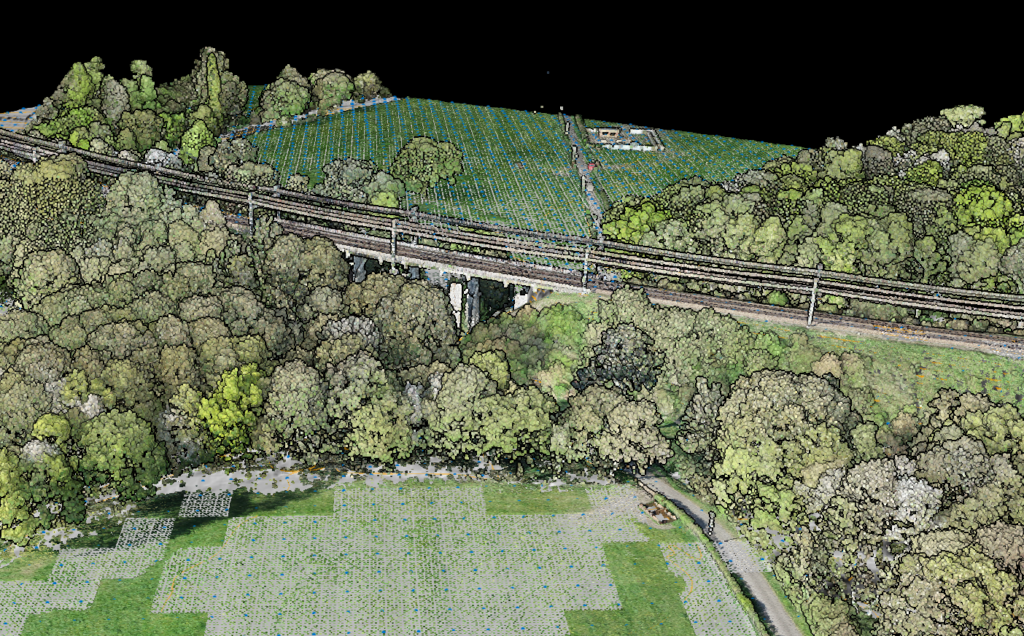
What Surveyors Need
- Accurate ground classification: the foundation of any terrain model
- Fast DTM/DSM generation: standard format exports
- CAD-ready output: DXF that imports cleanly
- No parameter tuning: software should adapt automatically
- Easy client sharing: no software installation required
How Lidarvisor Simplifies the Workflow
Built specifically for aerial LiDAR: take your data and produce survey-grade deliverables with minimal manual intervention.
Upload and Process — No Configuration
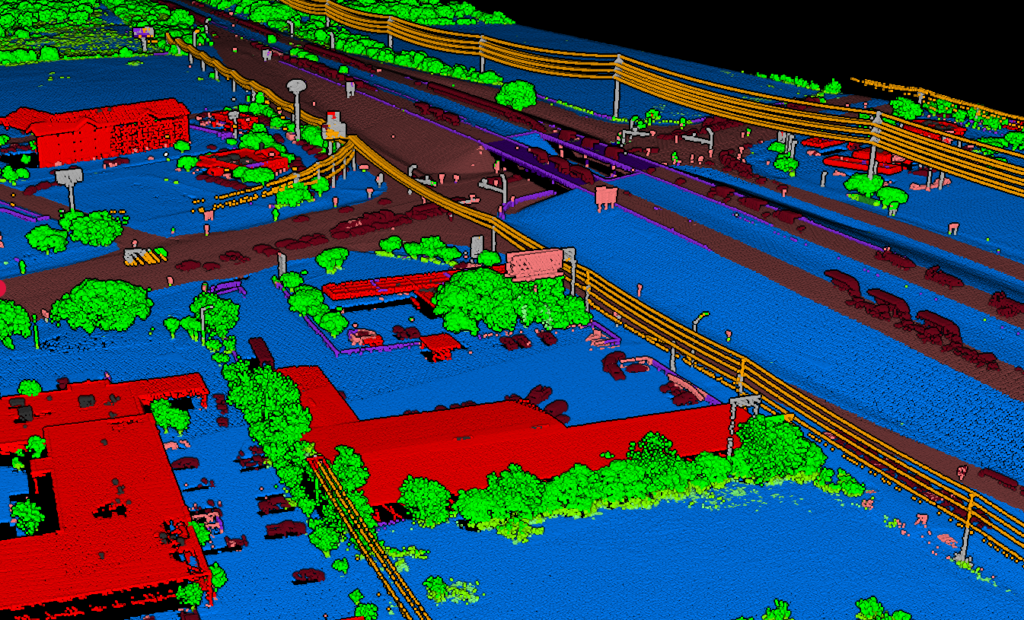
Upload your LAS or LAZ file. That’s it. Lidarvisor’s algorithms automatically classify your point cloud into standard LAS classes. Need to adjust results? Built-in manual tools (brush selection, class permutation, filtering) let you refine edge cases:
• Ground
• Low/medium/high vegetation
• Buildings and roof objects
• Transmission towers, poles, and wires
• Vehicles, water bodies, walls, hedges
• High noise filtering
No parameters to configure. No algorithms to select.
Instant Terrain Models
From your classified point cloud, Lidarvisor generates:
• DTM (Digital Terrain Model): Bare earth elevation, exportable as TIFF
• DSM (Digital Surface Model): Including vegetation and structures
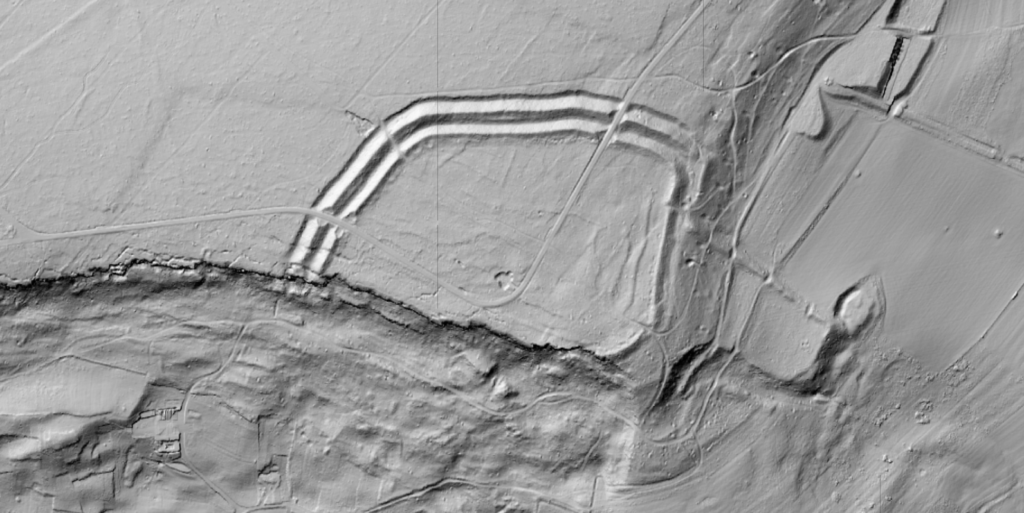
• Hillshade: For visualization and presentation
• TIN: Triangulated Irregular Network in TIFF, DXF, or SHP
• Slope Map: Terrain gradient analysis
One-Click Vectorization
Generate topographic linework directly from your data:
• Contour lines: Major and minor intervals, configurable
• Grid DTM: Structured elevation points
• Building footprints: Automatically extracted
• Tree crowns and tree tops: For vegetation management
• Wires: Utility line extraction
Export in DXF, SHP, or GeoJSON: whatever your CAD or GIS workflow requires.
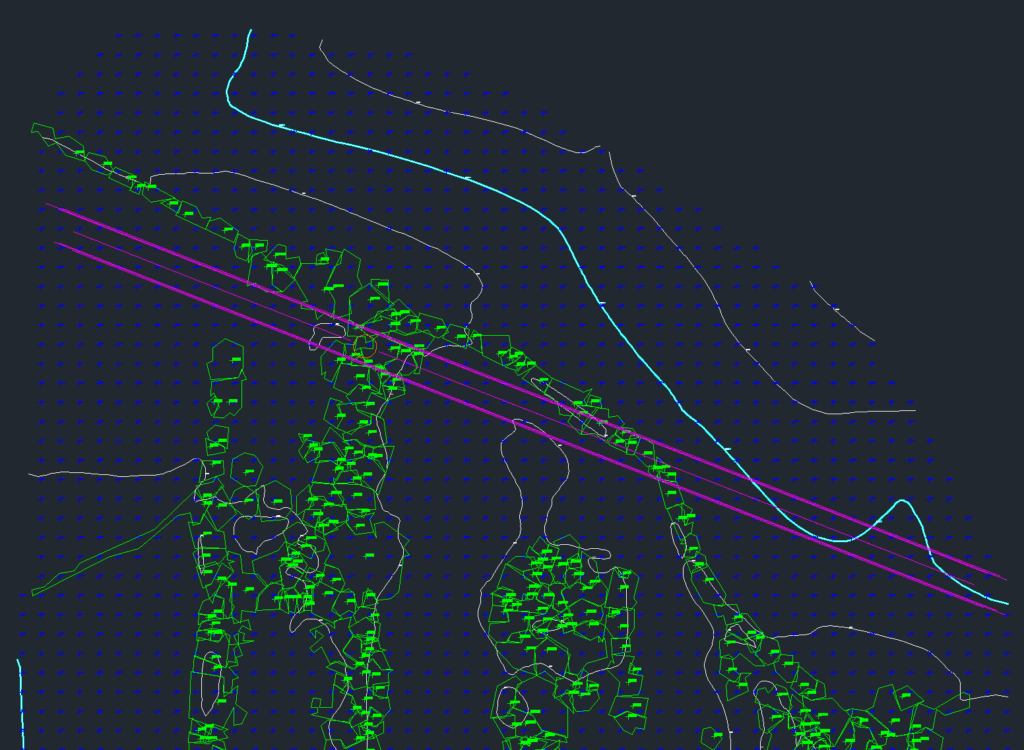
Complete Topographic Map in DXF
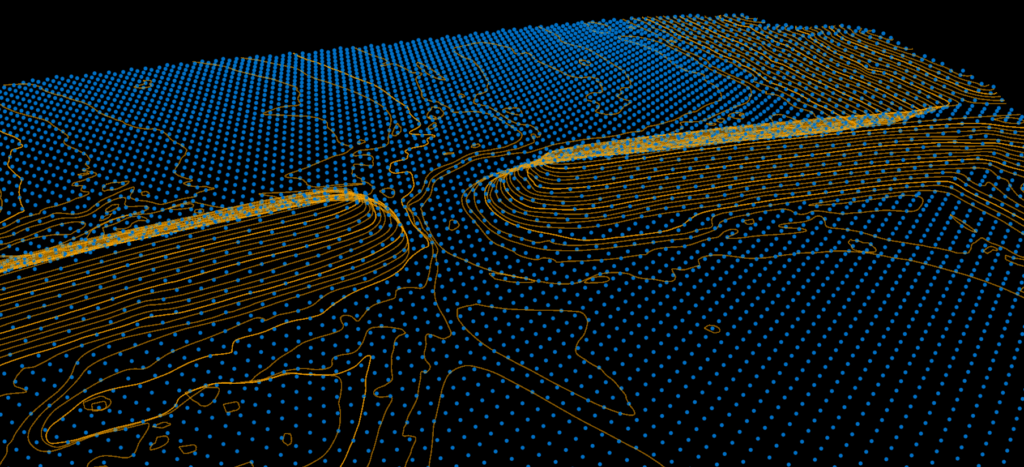
Lidarvisor outputs a fully layered DXF file ready for CAD software. Each element, grid lines, contours, tree tops, building footprints, is organized on its own layer.
Open it in AutoCAD and start editing immediately. No manual layer setup required.
Share with Clients Instantly
Generate a shareable link to your project. Clients view the point cloud, terrain models, and deliverables directly in their browser. No software installation. No large file transfers.
REAL-WORLD APPLICATIONS
Lidarvisor handles the workflows surveyors actually use
Pricing That Makes Sense for Survey Firms
Pay by the hectare processed, not by software license. No perpetual licenses. No workstation requirements. No maintenance fees.
| Plan | Price | Processing |
|---|---|---|
| Free | $0 | 10 hectares |
| Premium | $89/month | 100 hectares/month |
| Advanced | $249/month | 500 hectares/month |
Frequently Asked Questions
LAS and LAZ formats. Most drone LiDAR systems and terrestrial scanners export to these standard formats.
Lidarvisor is optimized for aerial LiDAR data. Terrestrial scans have different characteristics and may not classify optimally.
Classification accuracy depends on data quality and terrain complexity. For typical aerial survey data, automatic classification produces results comparable to manual classification by experienced operators, in a fraction of the time.
No. All processing happens in the cloud. You just need a web browser and an internet connection to upload files and view results.
Yes. Share project links with team members and clients. They can view the data without needing their own Lidarvisor account.
Create a FREE account now and start processing your point cloud
Get 2 GB of storage space and classify up to 10 hectares for free.