

Complete Step-by-Step Tutorial
What is Poland Geoportal?
Geoportal.gov.pl is Poland’s national spatial data infrastructure, operated by GUGiK (Główny Urząd Geodezji i Kartografii). The portal provides free, unrestricted access to LiDAR measurements from the ISOK project, which collected airborne laser scanning data across Poland between 2011 and 2020.
📡
Point Clouds
LAZ format, classified data
🎯
High Density
4-20 points/m²
🇵🇱
Full Coverage
Entire Poland (312,696 km²)
🔓
Free Access
No registration required
Step-by-Step Download Guide
Navigate the Polish Portal Interface
Follow these steps to access and download LiDAR point cloud data from Poland’s national geoportal. The interface is in Polish, but navigation is straightforward.
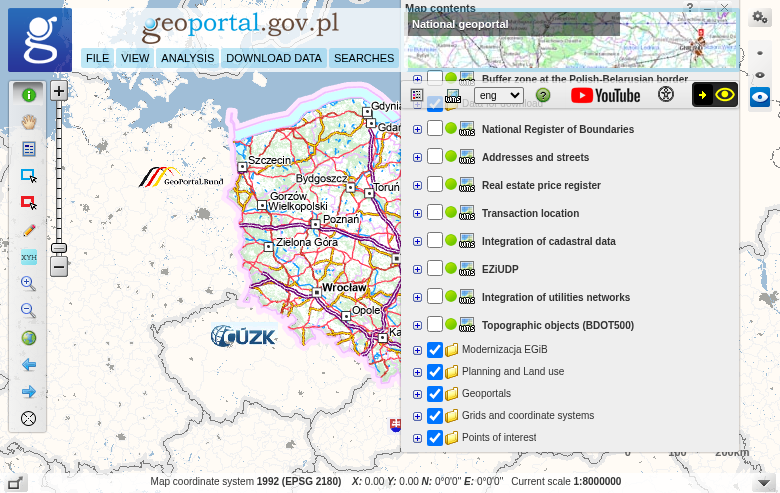
Main Geoportal interface showing the map viewer
01
Access the Map Viewer
Navigate to mapy.geoportal.gov.pl to access the interactive map viewer. The portal provides both visualization tools and direct download access.
Getting started:
- Search bar: Find locations by place name or coordinates
- Zoom/pan: Navigate to your area of interest
- No account needed: Downloads are completely free
02
Enable the LiDAR Download Layer
In the layer panel, find “Dane do pobrania” (Data for download). Look for the layer group “Dane pomiarowe NMT” (DEM measurement data):
Two elevation systems available:
- Dane pom NMT-PL-KRON86-NH — Kronstadt 86 system (2011-2019 data)
- Dane pom NMT-PL-EVRF2007-NH — EVRF2007 European system (2018-2020)
Enable one of these layers to see available data tiles on the map.
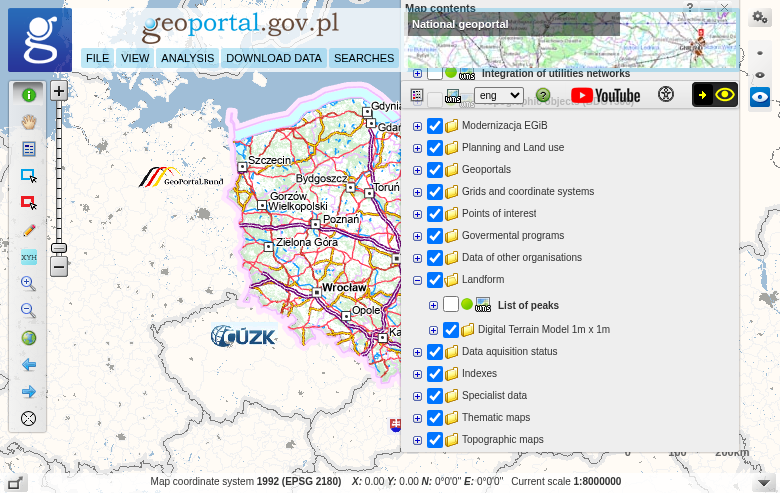
Layer panel showing LiDAR data download options
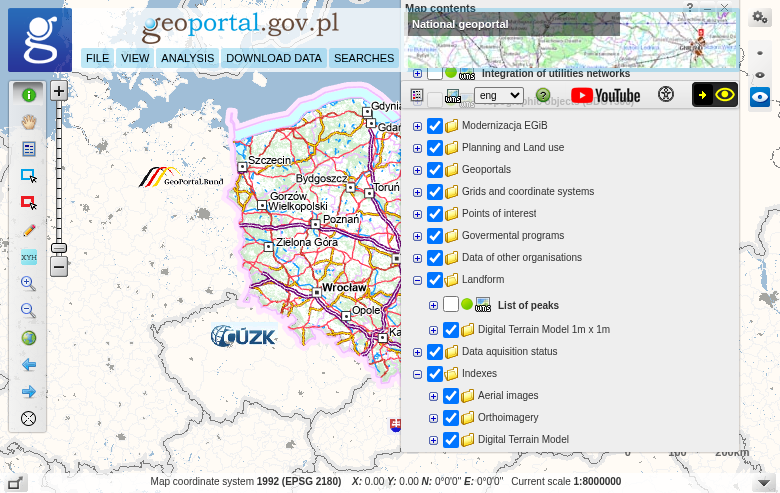
Tile grid showing available LAZ files for download
03
Download LAZ Files
With the download layer enabled and zoomed to your area, you’ll see rectangular tiles representing available LAZ files:
Download process:
- Click on any tile to open a popup with file information
- Click “Link do pobrania” (Download link) to get the LAZ file
- Save the file — no registration or login required
Each tile typically covers 500m × 500m or 1km × 1km. For larger areas, download multiple tiles.
04
Preview Point Clouds Online
Before downloading, preview the LiDAR data directly in your browser:
How to preview:
- Zoom in to your area of interest
- Right-click on the map
- Select “Widok chmury punktów” (View point cloud)
The portal’s built-in 3D viewer loads the point cloud, allowing you to rotate, zoom, and make simple measurements before downloading.
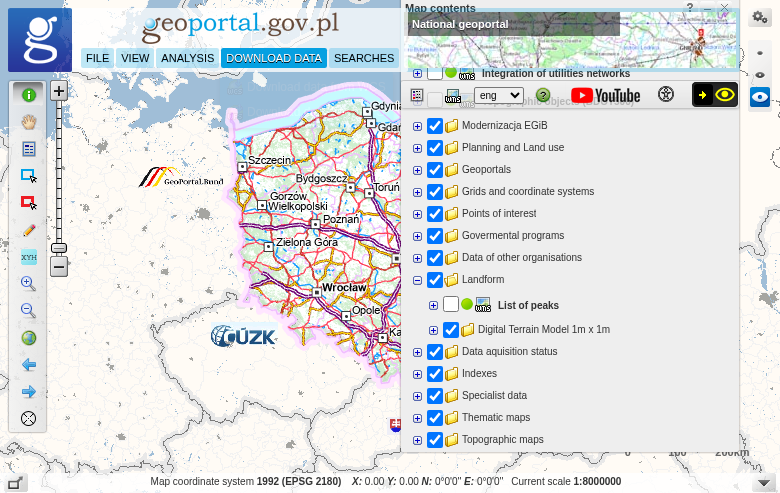
Download data menu in the Geoportal interface
Bulk Downloads with QGIS
Efficient Method for Large Areas
For downloading multiple tiles efficiently, connect QGIS to the Geoportal WMS/WFS services to extract download links and automate batch downloads.
🔗 WMS Service URLs
KRON86:
https://mapy.geoportal.gov.pl/wss/service/PZGIK/DanePomNMT/WMS/SkorowidzeWUkladzieKRON86
EVRF2007:
https://mapy.geoportal.gov.pl/wss/service/PZGIK/DanePomNMT/WMS/SkorowidzeWUkladzieEVRF2007
⚙️ Batch Download Steps
1. Add WMS layer to QGIS
2. Use Identify Features tool on tiles
3. Extract download URLs from attributes
4. Use wget or curl for batch downloads
Technical Specifications
📡 Data Specifications
File Format: LAZ (compressed LAS)
Point Density: 4 pts/m² (rural) to 20 pts/m² (urban)
Vertical Accuracy: ±0.15m (flat terrain)
Collection Period: 2011-2020 (ISOK project)
🗺️ Coordinate Systems
Horizontal CRS: EPSG:2180 (PL-1992)
Vertical (older): PL-KRON86-NH (Kronstadt 86)
Vertical (newer): PL-EVRF2007-NH (European)
Coverage: 100% of Poland
Tips for Polish LiDAR Data
Understanding the ISOK Project
🛡️ Project Background
ISOK (Informatyczny System Osłony Kraju) is Poland’s IT System of the Country’s Protection Against Extraordinary Hazards. The project collected airborne LiDAR data across Poland from 2011-2020 primarily for flood modeling and hazard assessment.
The data is now freely available for all uses — commercial, academic, and personal projects.
📊 Point Classification
Polish LiDAR data includes standard ASPRS classification:
✦ Ground (Class 2)
✦ Vegetation (Classes 3-5)
✦ Buildings (Class 6)
✦ Water (Class 9)
Processing Your Downloaded Data
Once you have downloaded your Polish LAZ files, you’ll need to process them to extract useful products. Lidarvisor offers a streamlined workflow for processing point clouds.
Frequently Asked Questions
Yes! All LiDAR measurements (LAZ files) from Poland Geoportal are completely free to download and use for any purpose. No registration is required. The data is provided by GUGiK (Head Office of Geodesy and Cartography) as part of Poland’s open data initiative.
Point density varies by location and collection period. Standard coverage is 4 points per square metre, while urban areas can have up to 20 points per square metre. This high density enables detailed terrain modeling and building extraction.
ISOK (Informatyczny System Osłony Kraju) is Poland’s IT System of the Country’s Protection Against Extraordinary Hazards. The project collected airborne LiDAR data across Poland from 2011-2020 primarily for flood modeling and hazard assessment, but the data is freely available for all uses.
These are two vertical (height) reference systems used in Poland. PL-KRON86-NH is based on the Kronstadt tide gauge and contains older data (2011-2019). PL-EVRF2007-NH uses the European Vertical Reference Frame and includes newer collections (2018-2020). Both systems are accurate; choose based on data recency or project requirements.
Polish LiDAR data uses EPSG:2180 (PL-1992) for horizontal coordinates. This is Poland’s national projected coordinate system based on the GRS80 ellipsoid with a single central meridian at 19°E. Most GIS software recognizes this CRS automatically.
LAZ files from Poland Geoportal can be opened with any LAS-compatible software. Free options include CloudCompare, QGIS (with LAStools plugin), and Fugro Viewer. Commercial options include Global Mapper, ArcGIS Pro, and AutoCAD. For cloud-based processing without software installation, upload directly to Lidarvisor.
More Free LiDAR Data Tutorials
Explore our complete collection of free LiDAR data download tutorials: