
Buildings, Trees, and Surface Elevation
Best Digital Surface Model Software for LiDAR Workflows
Digital surface model software should preserve the details your team actually needs to review: rooftops, tree canopies, poles, towers, and the full visible surface.
No credit card required • 50 hectares included
The best DSM workflows turn raw LiDAR into clean, usable elevation deliverables without forcing every project through a slow desktop bottleneck.
The best digital surface model software should let you upload LiDAR, preserve buildings and vegetation in the surface, review the result clearly, and export deliverables that fit the rest of your GIS, CAD, and reporting workflow. If your team also needs terrain comparison, canopy analysis, or downstream vector outputs, the same workflow should connect cleanly to those steps too.
Quick answer: what the best DSM software should do
Support LAS and LAZ point clouds directly instead of forcing an image-first workaround.
Keep buildings, trees, and utility-relevant features visible where the job calls for the real surface.
Inspect rooftops, treetops, corridor edges, and elevation continuity before handoff.
Export GeoTIFF and related deliverables that move cleanly into downstream mapping and drafting.
Turn raw point clouds into a usable DSM
The strongest DSM workflows follow a repeatable sequence. The deliverable matters, but so do the production steps that lead to it.
If your workflow also needs a bare-earth model, pair the DSM with a digital terrain model. For canopy-focused work, Lidarvisor also connects cleanly to canopy height model workflows.
Where DSM software creates the most value
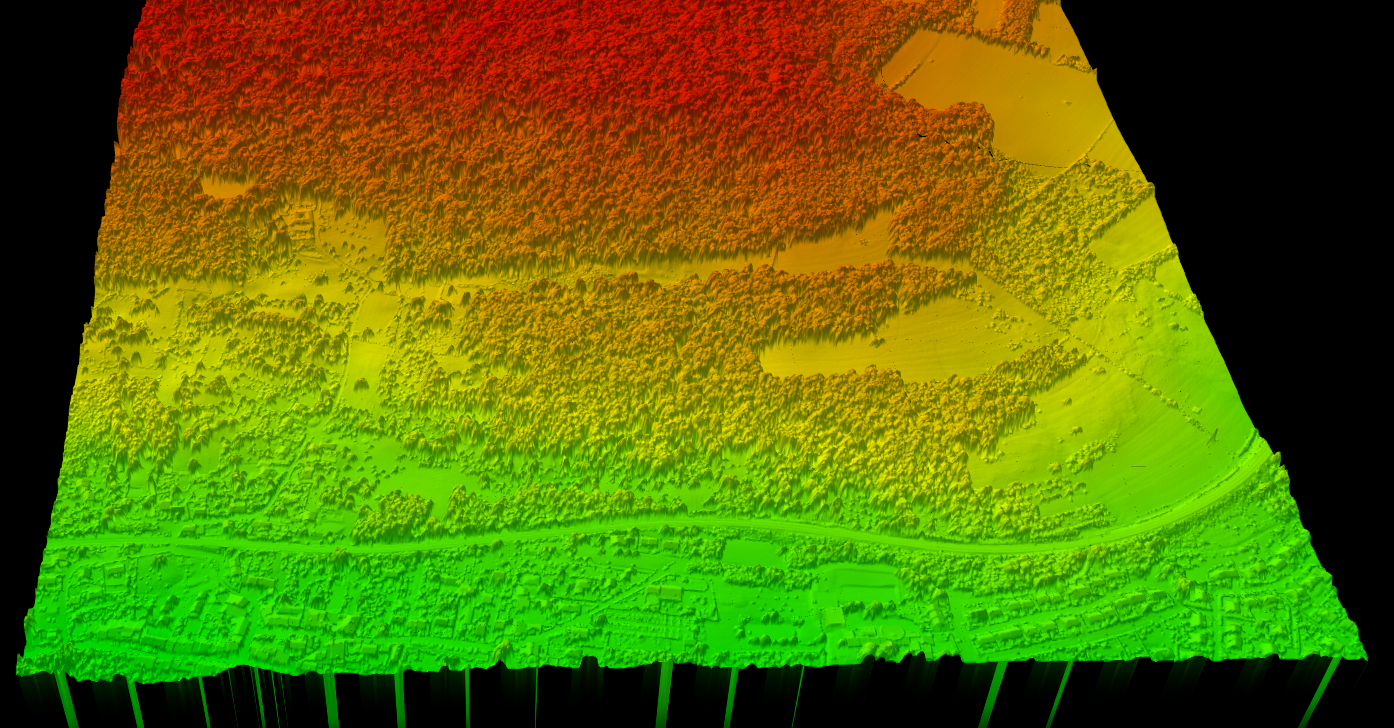
A DSM keeps the visible surface intact. That makes it especially useful when buildings, trees, corridors, and site-condition detail matter more than bare-earth terrain alone.
Urban planning
Review rooftops, building massing, tree cover, and height context for site and zoning decisions.
Forestry
Combine DSM and DTM outputs for canopy-height, crown, treetop, and vegetation analysis.
Utilities
Visualize vegetation, poles, wires, and nearby structures along transmission and corridor routes.
Survey and civil
Document the real site condition before design, grading, or construction decisions move downstream.
Evaluation checklist
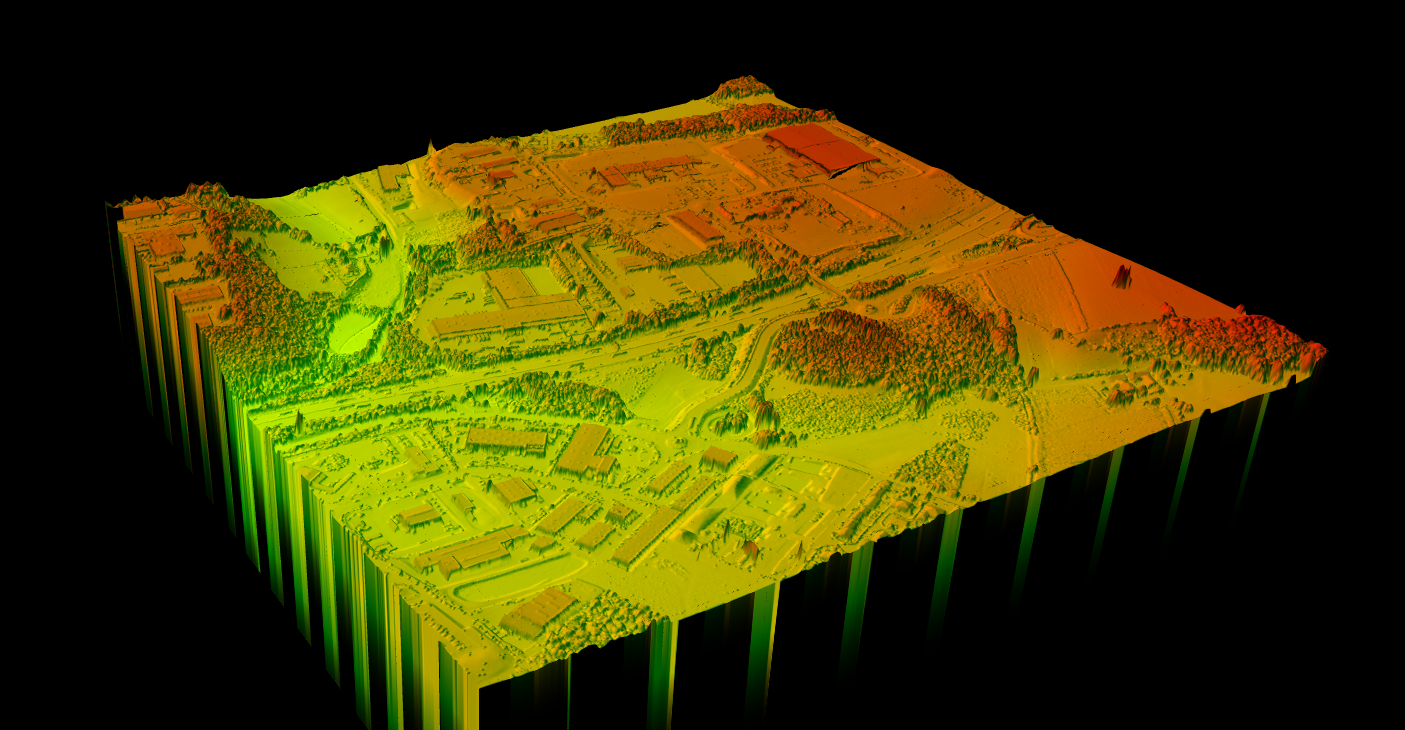
What to look for before you choose a DSM tool
Good digital surface model software should help you import LiDAR, preserve surface features correctly, generate a raster without losing critical detail, and export outputs that fit GIS, CAD, and review workflows.
- Surface preservation: buildings, vegetation, and other above-ground detail should stay visible where expected.
- Quality control: teams need a practical way to inspect the surface before handing it off.
- Output flexibility: GeoTIFF and GIS/CAD-ready exports should fit the next step cleanly.
- Workflow range: it helps when DSM work also connects to DTM, contours, hillshade, slope, and related products.
- Collaboration: browser access or cloud delivery removes friction for review-heavy teams.
If your team also needs derived products such as building outlines or terrain comparisons, it helps when the same workflow can support building footprint extraction, slope review, and downstream vector exports.
Why teams move DSM work out of desktop bottlenecks
Desktop-heavy workflow
Desktop GIS and CAD stacks still matter, especially for final drafting and organization-specific standards. But many teams do not want DSM generation to depend on one workstation, repeated local installs, or manual handoff loops.
Cloud DSM workflow
Cloud-based DSM workflows are attractive when you want faster review, easier sharing, and less setup friction for the people who mainly need outputs. The right choice depends on who needs the surface, how fast they need it, and how often the workflow repeats.
Lidarvisor fit
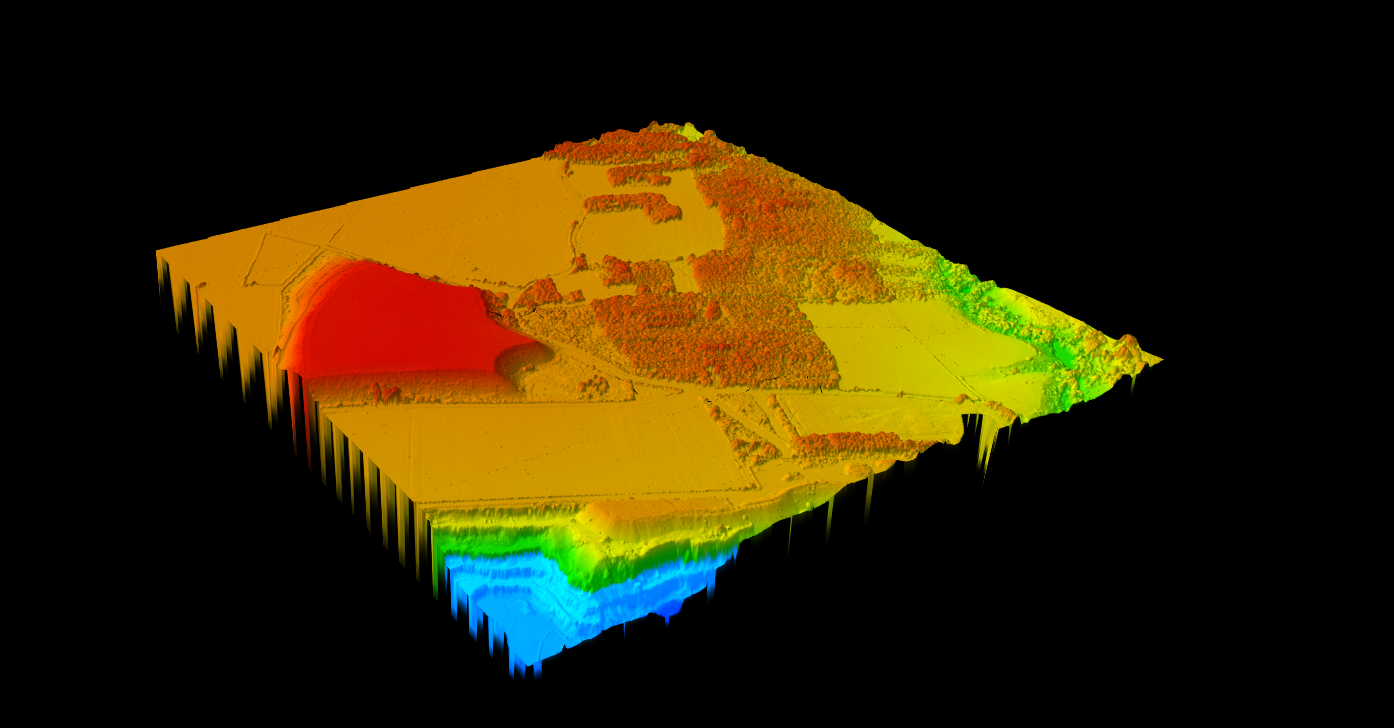
How Lidarvisor fits DSM production
Lidarvisor is built for LiDAR workflows that need usable surface outputs quickly. For DSM-focused projects, that means teams can process point clouds, review elevation results in the browser, and move into exports without building a long manual chain around the core job.
- Browser-based LiDAR workflow for upload, review, and export
- DSM-related processing that fits buildings, vegetation, and surface-elevation use cases
- Useful pairing with DTM, slope, hillshade, contours, and other terrain outputs
- Export options that support GIS, CAD, and QA handoff workflows
If you want broader background first, start with the main digital surface model guide. If you are comparing software options and workflow fit, this page is the faster shortlist.
See terrain and surface outputs
Many teams do not buy digital surface model software just to create a raster. They buy it to speed up a downstream decision, handoff, or client deliverable.
That is why the best-fit tool depends on which DSM output matters most after processing.
DSM deliverables that actually affect software choice
| If your team needs… | Prioritize software that does this well | Why it matters |
|---|---|---|
| Urban surface review | Preserves roofs, trees, and structure edges clearly in the DSM | Planning and site teams need a readable surface, not just a generated raster. |
| Canopy and vegetation analysis | Connects DSM output cleanly to DTM and canopy-height workflows | Forestry teams usually need more than a surface image. They need a path to tree metrics and QA. |
| Utility corridor review | Keeps poles, wires, vegetation, and nearby structures visible in context | Corridor work depends on vertical relationships, not only terrain elevation. |
| GIS or CAD handoff | Exports GeoTIFF and related deliverables without extra conversion loops | The best workflow saves time after DSM creation, not only during generation. |
This is also where cloud-first and desktop-heavy tools separate. Competitor platforms like TerraModeler and LiDAR360 emphasize deeper desktop editing and specialist controls, while a browser-based workflow is a better fit when faster review and easier handoff matter more than workstation-bound setup.
Teams do not buy digital surface model software for the same reason. Some need canopy detail, some need rooftops, and some need corridor context. Compare tools based on the output that affects the next decision.
DSM software buyer decision matrix
| If your main job is… | Prioritize this DSM capability | Related Lidarvisor outputs |
|---|---|---|
| Urban roof and building review | Sharp structure edges, easy browser review, exportable raster handoff | DSM, building footprints, GeoTIFF, SHP, GeoJSON |
| Forestry canopy analysis | Reliable canopy preservation plus clean pairing with bare-earth terrain | DSM, DTM, canopy height model inputs, tree crowns, tree tops |
| Utility corridor screening | Visible poles, wires, vegetation, and terrain context in one workflow | DSM, wire lines, pole locations, slope maps |
| Survey and design handoff | Fast exports into GIS and CAD without extra conversion steps | GeoTIFF, DXF, SHP, GeoJSON, LAS |
That is the real decision point: choose software that preserves the above-ground detail your team needs, then exports that surface into the rest of the workflow without creating another cleanup loop.
DSM vs DTM
When you need a digital surface model, and when you do not
A DSM is the right choice when the visible surface matters. If the job depends on rooftops, canopy height, poles, or the real site condition before design, stripping everything down to bare earth too early removes useful information.
- Choose DSM first for roof review, tree-canopy analysis, utility corridor context, and above-ground site condition mapping.
- Choose DTM first for contour generation, drainage modeling, cut-and-fill review, and other bare-earth terrain tasks.
- Use both together when teams need canopy-versus-ground comparisons, site planning, or more complete deliverable packages.
That is why software flexibility matters. Good DSM software should not trap your workflow inside one raster product.
It should connect cleanly to DTM vs DSM comparisons, bare-earth terrain workflows, and downstream exports.
Quick rule of thumb
If the question starts with What is on the surface?, you probably need DSM software.
If the question starts with What does the ground look like underneath?, you probably need DTM software.
Many LiDAR projects need both outputs from the same dataset. The software choice gets easier when the workflow can generate both without duplicating work.
Related DSM and terrain guides
If you are comparing DSM software, these supporting guides help you verify whether you also need a bare-earth model, contour workflow, or canopy-height analysis on the same project.
Digital Surface Model (DSM) guide
DTM vs DSM
What is a canopy height model?
Create terrain and surface outputs
Frequently Asked Questions
What is digital surface model software used for?
It is used to create and review elevation models that include buildings, trees, and other above-ground features. Common uses include urban planning, forestry, utility-corridor review, and site-condition mapping.
What is the difference between DSM and DTM software?
DSM software preserves the visible surface, including structures and vegetation. DTM workflows remove those objects to create a bare-earth terrain model.
Can digital surface model software work directly from LiDAR?
Yes. LiDAR-native workflows can generate DSM outputs directly from point-cloud data, which is often more useful for survey, planning, and infrastructure work than forcing an image-based path.
What file formats matter for DSM workflows?
GeoTIFF is common for raster output, while GIS and CAD workflows may also require formats such as DXF, SHP, GeoJSON, LAS, or LAZ depending on the deliverable chain.
Is DSM software only for surveyors?
No. Survey teams use DSMs often, but planners, forestry teams, utilities, construction groups, and environmental consultants also rely on surface models that preserve real-world features above ground.
Ready to test a DSM workflow on your own LiDAR data?
Move from raw point cloud to a usable digital surface model without dragging the job through a long desktop chain. Start free, process up to 50 hectares, and review the outputs in your browser.
Create free account50 hectares free. No credit card. No software to install.