
Learn LiDAR
Manual Point Cloud Classification: Save Hours with This Workflow
Automate 90%+ of Classification Work
No credit card required • 50 hectares included
Manual point cloud classification is tedious, time-consuming, and error-prone. Even skilled technicians can spend days labeling millions of points by hand.
This guide shows you how to combine AI automation with targeted manual refinement to save hours on every project.
What is Manual Point Cloud Classification?
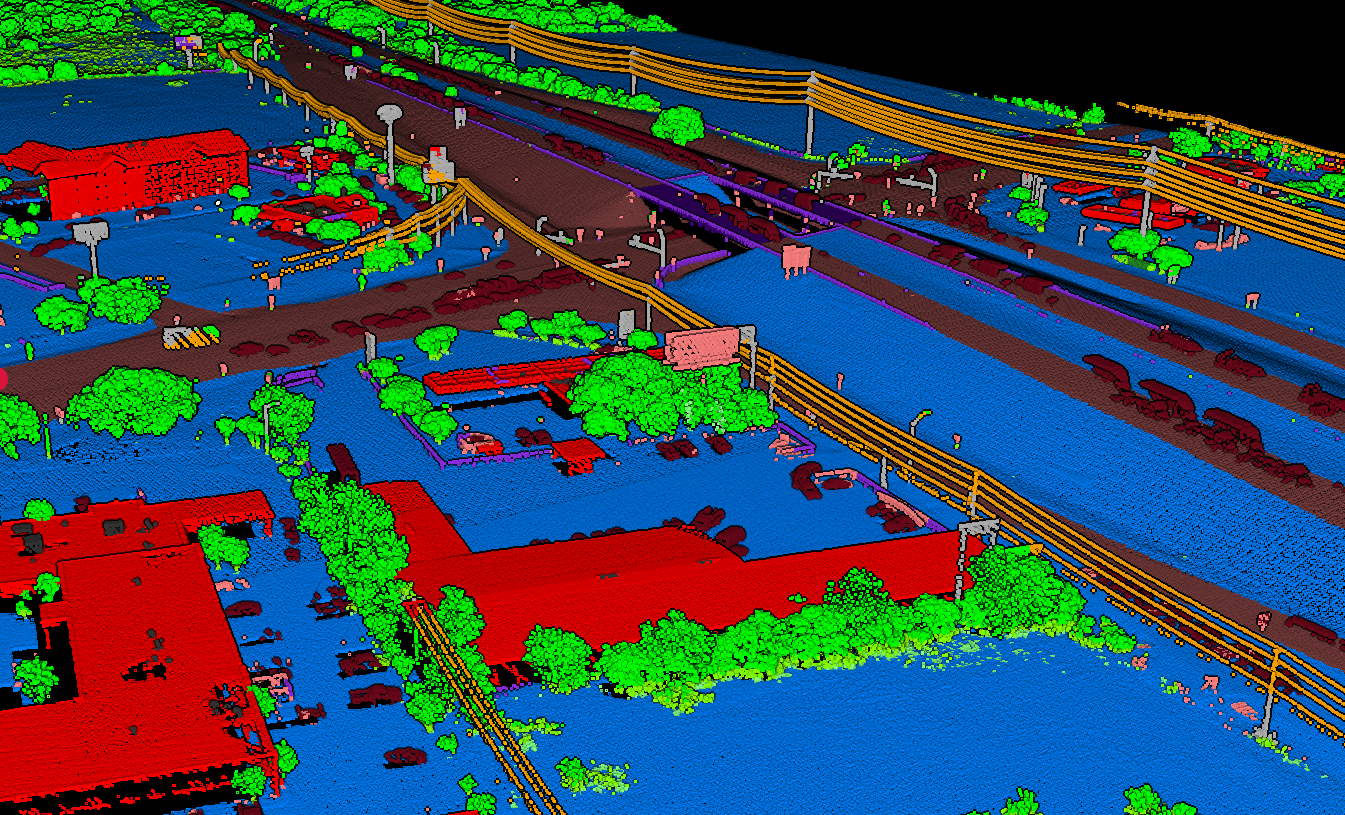
Manual classification means selecting groups of points and assigning class labels (ground, vegetation, building, noise, etc.) by hand rather than relying on algorithms. You work directly with the 3D point cloud, visually identifying features and correcting misclassified points.
Every classification workflow involves some manual work. Even the best automated algorithms produce errors that require human review. The real question is: how much time do you spend on manual corrections?
When Manual Classification Makes Sense
Manual classification is appropriate in specific scenarios where human judgment outperforms algorithms
Quality Assurance
Reviewing automated results and fixing edge cases where algorithms failed
Complex Terrain
Areas with bridges, tunnels, overhanging cliffs, or dense vegetation that confuse automated ground classification
Small Datasets
When you have limited data and spending time on manual classification is cost-effective
Training Data
Creating accurately labeled samples to train machine learning classifiers
Specialized Features
Identifying custom classes that standard algorithms don’t support (archaeological features, specific vegetation species)
Lidarvisor classification uses machine learning to automatically identify ground, vegetation (low, medium, high), buildings, power lines, poles, bridges, and more. Upload your data, get classified results in minutes, then refine edge cases using built-in manual tools (brush selection, class permutation, filtering) — no need to export to another application.
The Smarter Approach: Automate First, Fix Later
Run AI Classification
Automated AI classification labels ground, vegetation, buildings, and infrastructure in minutes instead of days.
Review Results
Check for problem areas: bridges, complex terrain, dense canopy, and edge cases where algorithms struggle.
Targeted Corrections
Make manual corrections only where automation failed. This targeted approach saves hours compared to classifying from scratch.
Free Tools for Manual Point Cloud Classification
CloudCompare
Most popular open-source point cloud software Features: Point selection by polygon/rectangle, segment selection, scalar field editing, cross-section views Limitation: No automated ground classification — requires external tools first
QGIS with LAStools
Free GIS platform with point cloud plugins Features: Combined automated and manual classification through LAStools integration Note: Free LAStools has point cloud size limits; production use requires licensing
Potree & Online Viewers
Browser-based visualization tools Features: Visualize classified data, review classification quality, browser-based access Limitation: Limited editing capabilities — best for review before detailed corrections
Manual Classification Workflow
Pre-Classification
Start with automated classification to handle the bulk of the work. Upload to Lidarvisor, get AI-classified results in minutes.
Visual Review
Load classified data into CloudCompare. Color by classification and look for vegetation/ground misclassifications, building edges, bridge decks, and noise.
Targeted Corrections
Use selection tools to isolate problem areas. In CloudCompare: Segment → Edit Scalar Fields → Classification → Assign correct class → Merge back.
Export & Validate
Export corrected LAS and generate DTM/contours to verify classification produces clean results without vegetation spikes or artifacts.
Pure Manual Classification
A 10-hectare site with 50+ million points could take days of manual work. Point-by-point selection is tedious, inconsistent, and prone to human error. Time-intensive for every project.
AI-Assisted Workflow
Automated classification in minutes instead of days. Algorithms apply consistent logic across the entire dataset.
Manual review catches edge cases. Less billable time on repetitive labeling.
Why Professionals Are Moving to AI-Assisted Workflows
Speed
Minutes vs. days
Consistency
Same logic everywhere
Quality
Human review for edge cases
Cost Savings
Less billable hours
Ready to Automate Your Classification Workflow?
Stop spending days on manual classification. Let AI handle the heavy lifting while you focus on quality control. Start with 50 Hectares of free processing.
Create free account50 hectares free. No credit card. No software to install.