
Tutorials
How to Download Free LiDAR Data from IGN France
Step-by-Step Tutorial
No credit card required • 50 hectares included
France’s national mapping agency IGN (Institut national de l’information géographique et forestière) provides high-resolution LiDAR data covering the entire country through its LiDAR HD program. This guide shows you how to download free point cloud data, DTMs, DSMs, and more.
LiDAR HD is France’s national high-density LiDAR program, producing a complete 3D map of the country’s terrain and above-ground features. The data is collected at 10+ points per square meter and released under an open license (Etalab 2.0).
What is IGN LiDAR HD?
Classified Point Clouds
LAZ files with ground, vegetation, buildings, water, and bridge classifications at 10+ points/m².
Digital Terrain Models
MNT (DTM), MNS (DSM), and MNH (nDSM/CHM) at 50cm resolution in GeoTIFF format.
National Coverage
Data acquisition runs from 2021-2025, progressively covering all of metropolitan France and overseas territories.
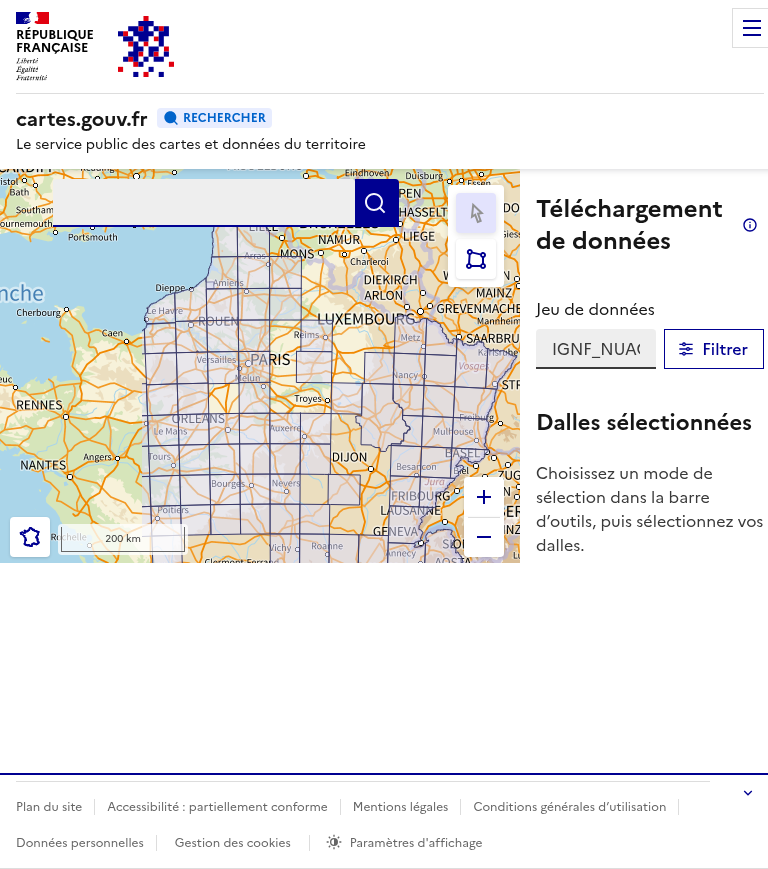
- Point Clouds (Nuages de points) – LAZ classified point cloud files
- MNT – Digital Terrain Model (bare earth)
- MNS – Digital Surface Model (including buildings/vegetation)
- MNH – Normalized Height Model (vegetation/building heights)
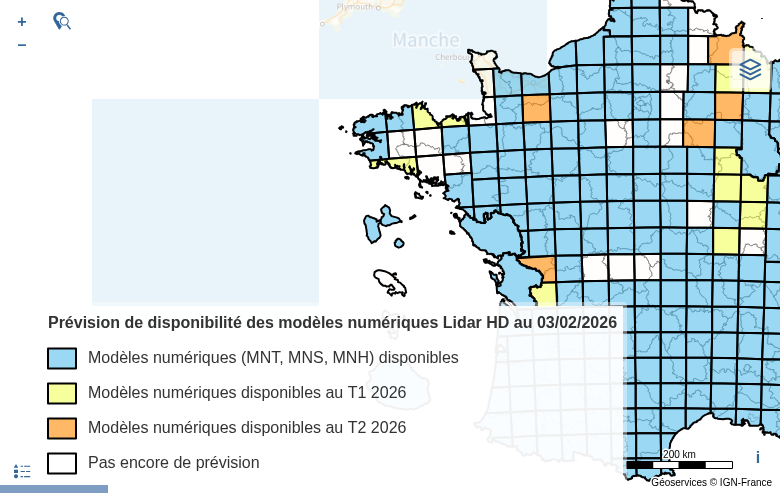
The map shows current data availability with orange/blue tiles indicating available data.
As you zoom in, the data grid becomes visible showing the 1km × 1km tiles available for download. Blue/orange shaded areas indicate where LiDAR HD data has been collected and processed.
Tip: Check the coverage map to see current and planned data availability across France.
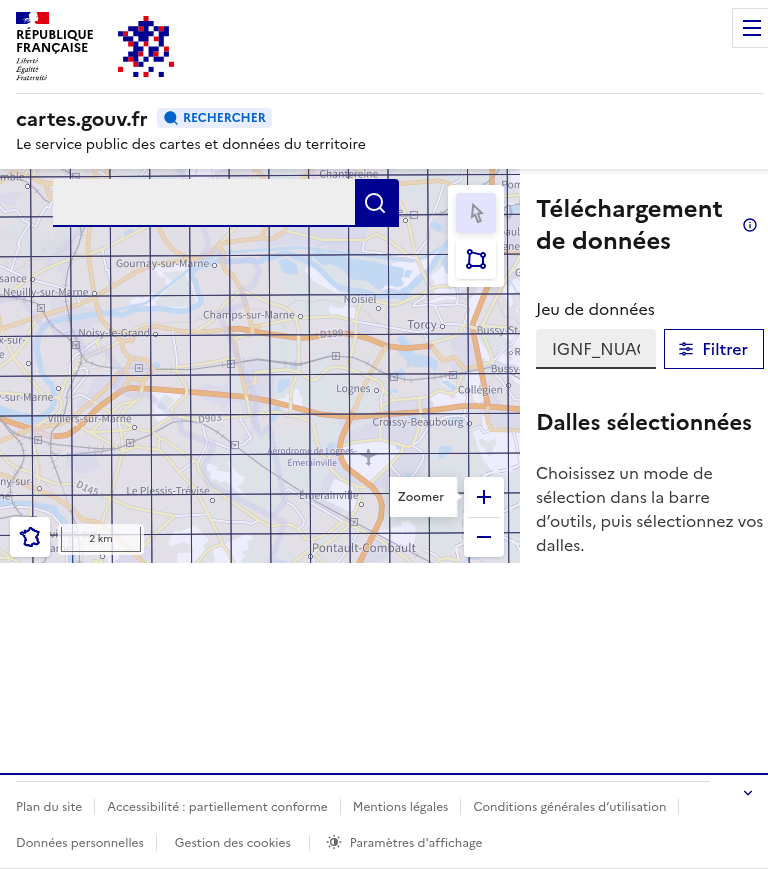
Navigate to the Download Portal
Go to cartes.gouv.fr to access the LiDAR HD download interface. You can choose between:
Zoom to Your Area of Interest
Use the zoom controls or scroll to navigate to your area of interest. You can also use the search bar to find a specific location by name.
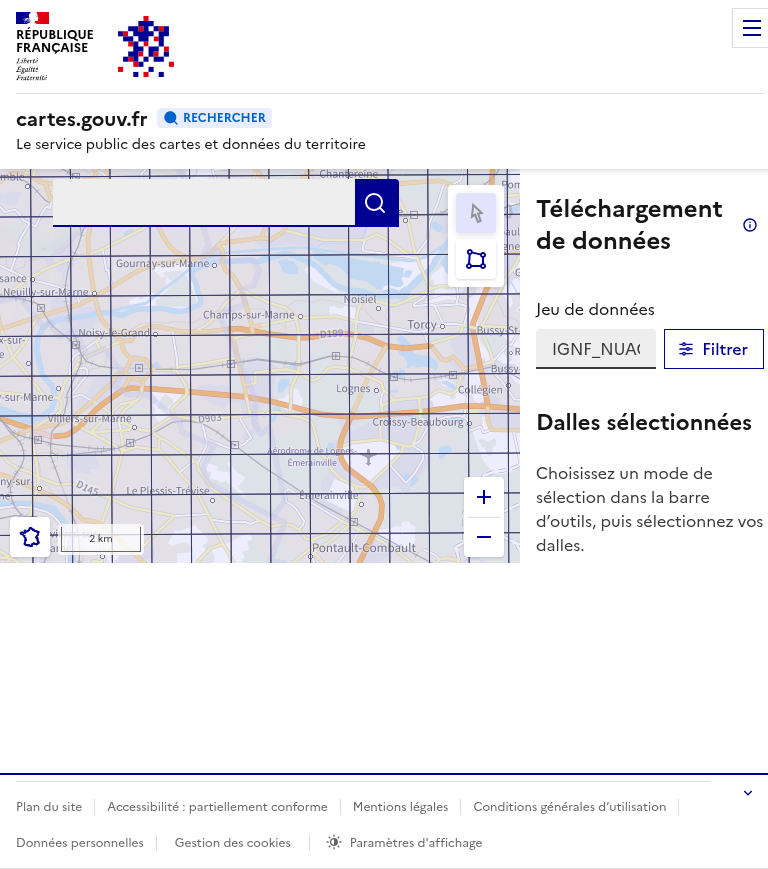
- Select by Click – Click individual tiles one at a time
- Select by Area – Draw a rectangle to select multiple tiles at once
Selected tiles will appear in the “Dalles sélectionnées” (Selected Tiles) panel on the right side of the interface.
Note: Each 1km tile of classified point cloud data is typically 50-200 MB in LAZ format.
- List of selected tile names
- Direct download links for each tile
- File format and size information
Click the download button for each tile, or use a download manager extension like DownThemAll to batch download multiple tiles at once.
The data is provided under the Etalab 2.0 open license – free for commercial and non-commercial use with attribution.
Select Data Tiles
Use the selection tools in the toolbar to choose your data tiles:
Review and Download
After selecting your tiles, the panel shows:
- MNT (DTM) – Bare earth elevation model
- MNS (DSM) – Surface model including buildings and vegetation
- MNH (nDSM) – Normalized height model (DSM minus DTM)
All derived products are provided at 50cm resolution in GeoTIFF format, using the Lambert-93 (EPSG:2154) coordinate system.
Access Derived Products
In addition to raw point clouds, IGN provides derived products from the same interface:
Available File Formats
IGN LiDAR HD data is distributed in standard geospatial formats compatible with most GIS and point cloud software
| Format | Type | Best For |
|---|---|---|
| LAZ | Point Cloud | Compressed point cloud data with classifications – ideal for detailed analysis |
| GeoTIFF | Raster | DTM/DSM/nDSM elevation models at 50cm resolution – GIS-ready |
| COG | Cloud Raster | Cloud Optimized GeoTIFF for streaming large datasets |
Tips for Working with IGN LiDAR HD
Coordinate System
All IGN data uses Lambert-93 (EPSG:2154). Reproject to your local CRS if needed, or use EPSG:4326 for global applications.
Batch Downloads
Use browser extensions like DownThemAll or wget scripts to download multiple tiles. Each tile is named by its Lambert-93 coordinates.
Point Classifications
Classes include: Ground (2), Low/Medium/High Vegetation (3-5), Buildings (6), Water (9), and Bridges (17). Use these for filtering and analysis.
Preview First
Use the LiDAR HD Viewer to visualize point clouds in your browser before downloading (Ctrl+click on tiles in the download interface).
Frequently Asked Questions
Is IGN LiDAR HD data free to use?
Yes! All IGN LiDAR HD data is released under the Etalab 2.0 open license, which allows free use for both commercial and non-commercial purposes. Attribution to IGN is required.
What areas of France are currently covered?
The LiDAR HD program runs from 2021-2025, progressively covering all of metropolitan France and overseas territories. Check the coverage map for current availability and the release schedule.
What is the point density of IGN LiDAR HD?
IGN LiDAR HD data has a minimum density of 10 points per square meter, which is significantly higher than previous national datasets. This enables detailed terrain and vegetation analysis.
What coordinate system does IGN use?
All IGN LiDAR HD data uses the Lambert-93 (EPSG:2154) projected coordinate system, which is the official CRS for France. Heights are referenced to the NGF-IGN69 vertical datum (or IGN78 for Corsica).
How large are the download files?
Each 1km × 1km classified point cloud tile (LAZ format) is typically 50-200 MB depending on terrain complexity and point density. Derived products (DTM/DSM/nDSM) are smaller, usually under 10 MB per tile.
Can I view the data before downloading?
Yes! IGN provides a web-based LiDAR HD Viewer where you can explore point clouds directly in your browser. From the download interface, Ctrl+click on any tile to open it in the viewer.
More Free LiDAR Data Tutorials
Explore our complete collection of free LiDAR data download tutorials
Western Europe
• Germany NRW • Germany Bavaria • Netherlands AHN • Switzerland
Global Portals
Ready to Process Your IGN LiDAR Data?
Upload your downloaded LAZ files to Lidarvisor for instant visualization, analysis, and export. 5 GB free storage included.
Create free account50 hectares free. No credit card. No software to install.