
Learn LiDAR
LiDAR Change Detection Software: Compare Terrain, Vegetation, and Built Features Over Time
Multi-date LiDAR review for terrain, vegetation, and built-feature workflows
No credit card required • 50 hectares included
Strong LiDAR change detection software should help your team do more than open two point clouds side by side. It should make it easier to compare survey dates, separate terrain from vegetation and structures, and export outputs that make real changes easier to review and explain across terrain, canopy, and built-feature workflows.
The best workflow helps you review multi-date datasets consistently, isolate the feature classes that matter, and compare outputs that fit the decision you need to make. For terrain teams, that may mean grading, erosion, or stockpile change.
For vegetation workflows, it may mean canopy growth, clearing, or corridor encroachment. For built environments, it may mean changes to roofs, roads, structures, or site conditions.
What strong change detection software should help you compare
Terrain change
Review cut/fill, grading, erosion, drainage, and corridor surface changes with terrain outputs built from consistent ground classification.
Vegetation change
Compare canopy growth, clearing, regrowth, and vegetation encroachment using classified vegetation, canopy surfaces, and tree-related outputs.
Built-feature change
Review structures, roads, pads, utility corridors, and site features when project teams need a defensible before-and-after view.
Compare the ground surface without letting canopy or structures hide the answer
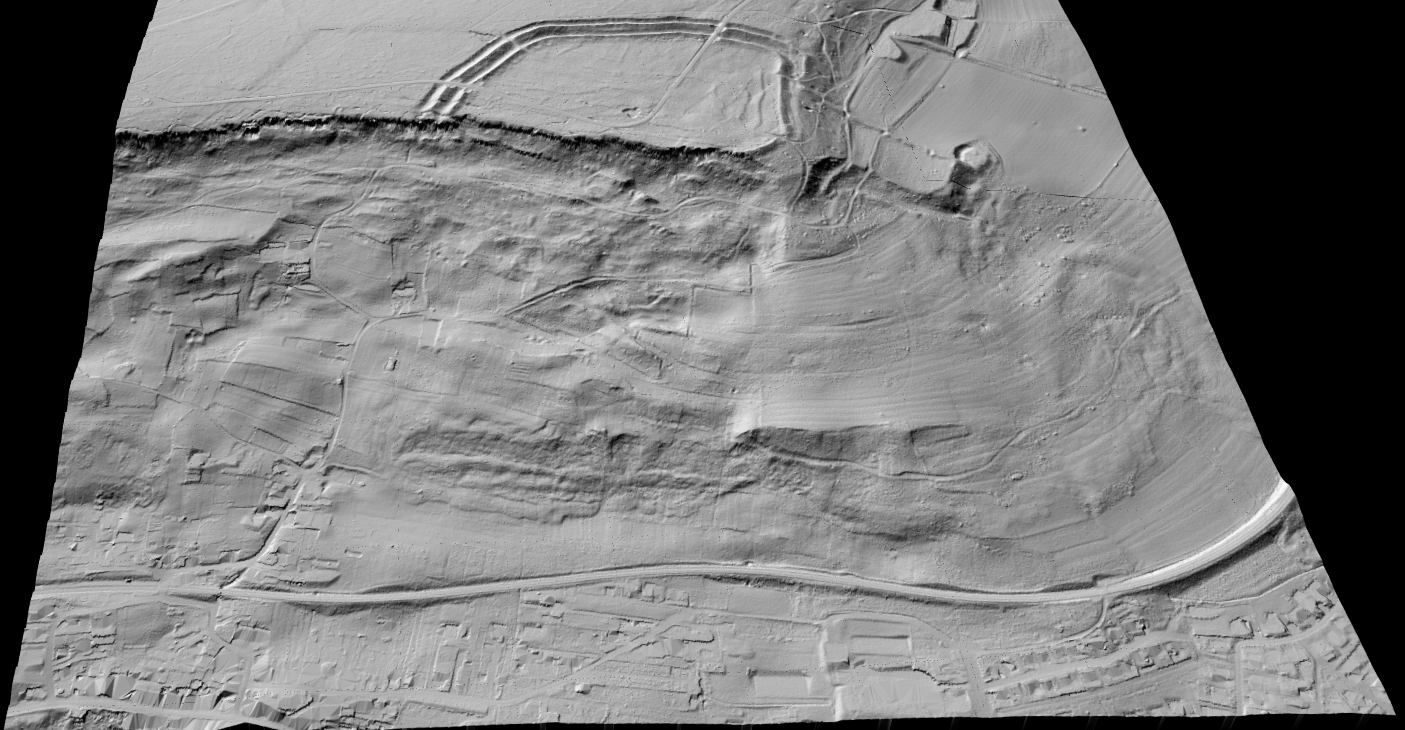
Terrain change gets messy fast when the two datasets were processed differently or when vegetation and above-ground objects are still mixed into the review. For grading, erosion, drainage, corridor, and stockpile work, teams usually need a consistent bare-earth view before they trust the comparison.
That is why DTM, hillshade, and slope outputs matter so much in multi-date workflows. They help teams compare the surface that actually moved instead of getting distracted by everything sitting on top of it.
- Use the same terrain workflow across both survey dates
- Compare DTM, hillshade, or slope outputs based on the decision at hand
- Export map-ready layers for GIS, CAD, QA, or reporting
Vegetation change
Track canopy growth, clearing, and corridor encroachment with the right layer
Separate canopy-related change from ground or built-feature noise
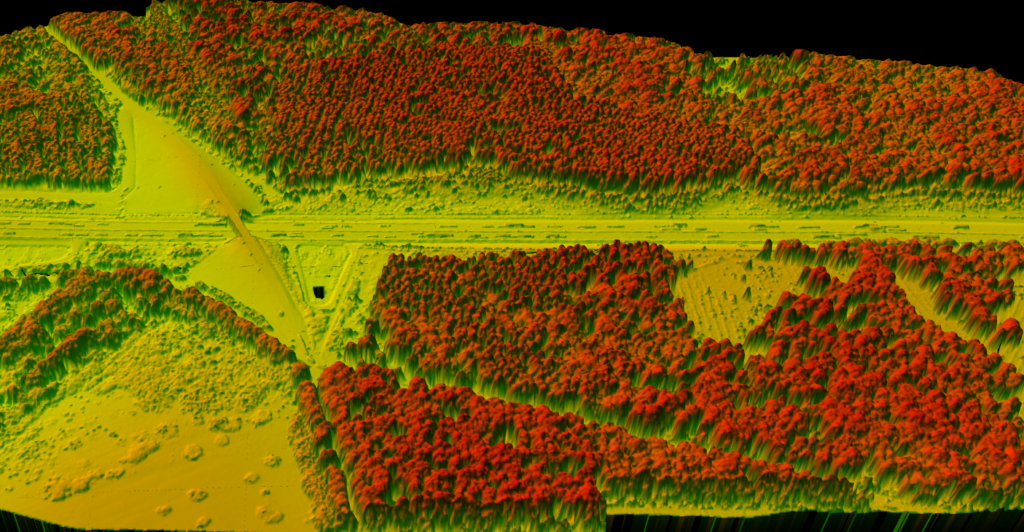
Vegetation workflows often break when teams compare raw points without first checking classification quality or choosing the right derived output. Canopy height, vegetation classes, and tree-related layers usually make growth, removal, and regrowth easier to explain than raw point clouds alone.
- Compare classified vegetation instead of mixed, noisy scenes
- Use CHM or tree-related outputs for canopy-focused review
- Support forestry, utility, and corridor inspection workflows
Review structures, roads, and site updates with outputs that communicate clearly
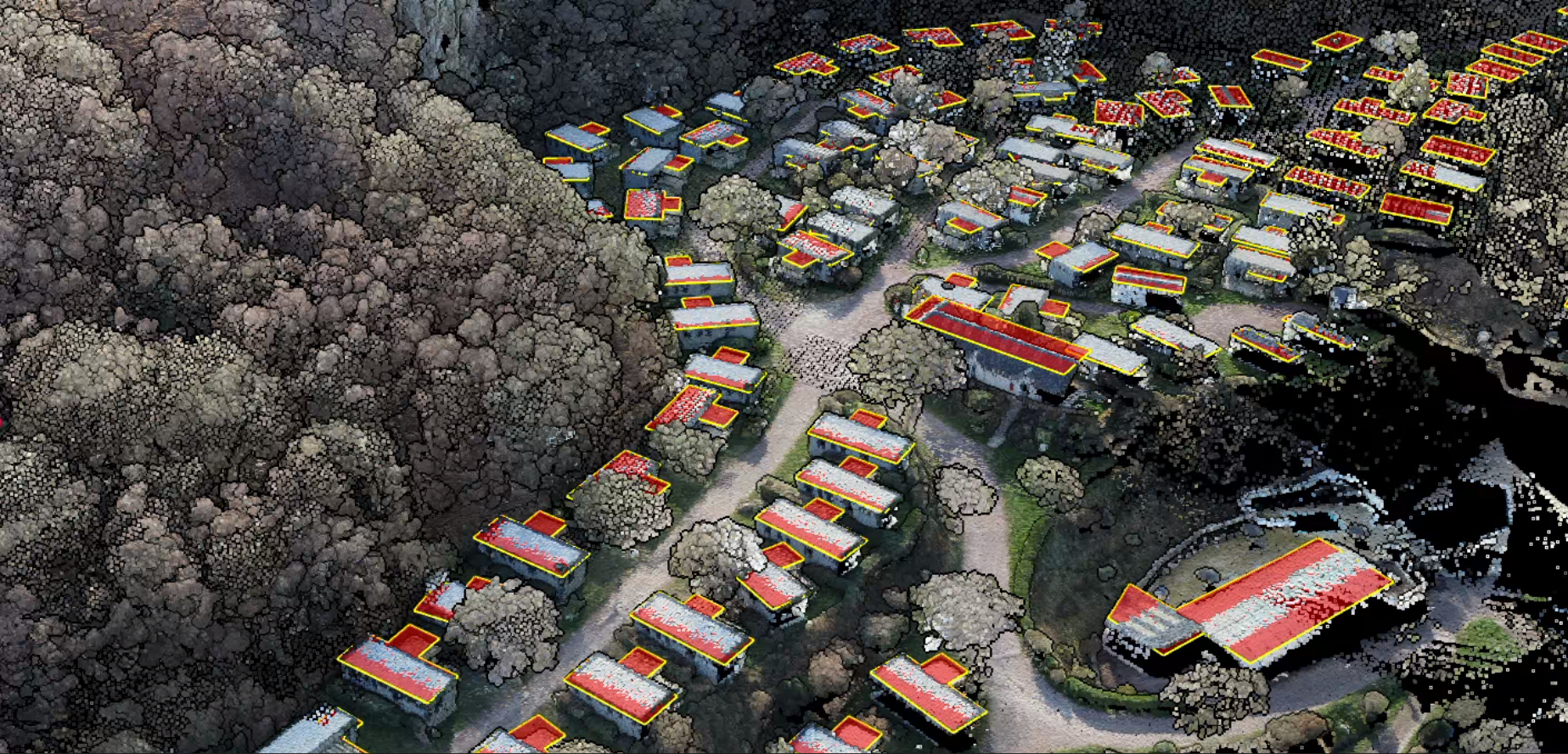
Built-environment change is easier to explain after the data has been cleaned, surfaced, or extracted into layers that match what reviewers care about. In many projects, map-ready footprints, corridor layers, or classified structure views communicate site change better than a raw cloud alone.
That matters for site progress checks, utility corridor review, and urban or civil workflows where people outside the LiDAR team still need a clear before-and-after story.
- Compare buildings, roads, pads, and corridor assets with less visual clutter
- Use extracted layers when stakeholders need simpler review artifacts
- Move outputs into CAD, GIS, and reporting workflows without extra friction
What to look for before you choose a LiDAR change detection tool
You need a workflow that makes comparison clearer before the final reporting step, not another black-box output that is harder to trust
| Capability | Why it matters for change detection |
|---|---|
| Multi-date review workflow | You need a consistent way to inspect datasets from different dates before you trust any comparison. |
| Classification support | Comparing the wrong points together can hide or exaggerate change, especially in vegetation-heavy or urban scenes. |
| Terrain outputs | DTM, DSM, hillshade, and slope products help teams compare surfaces based on the question they are actually answering. |
| Feature extraction | Contours, building footprints, tree outputs, and similar layers can make change easier to communicate than raw points alone. |
| Export flexibility | The results still need to move into GIS, CAD, reporting, or client-delivery workflows without extra friction. |
| Clear QA visibility | The software should make it easier to inspect what changed, not just generate another opaque result. |
Where Lidarvisor fits in a multi-date workflow
Lidarvisor is a strong fit for teams that need to upload LAS or LAZ files, review classified point clouds, generate terrain products, and export outputs that support downstream comparison. It helps prepare the layers your change review depends on without forcing every reviewer into a heavyweight desktop workflow.
Raw side-by-side review only
Comparisons stay noisy when terrain, canopy, and built features are still mixed together. Reviewers spend more time explaining clutter and less time explaining the change that matters.
Prepared layers with Lidarvisor
Review classified points, generate terrain products, inspect vegetation outputs, and export building or corridor layers so the downstream comparison starts from cleaner evidence.
Frequently asked questions
What is LiDAR change detection software?
LiDAR change detection software helps teams compare point clouds, surface models, or extracted outputs collected at different times so they can review what changed in a site, corridor, forest, or built environment.
Can it compare terrain, vegetation, and buildings separately?
It should. That separation is one of the main reasons classification, terrain modeling, and feature extraction matter before the final comparison step.
Does change detection software replace field verification?
No. It helps narrow the review, surface likely changes faster, and create clearer deliverables, but many workflows still need engineering judgment or field confirmation.
What outputs matter most for LiDAR change review?
That depends on the job. Terrain teams may focus on DTM, hillshade, or contours. Vegetation workflows may focus on canopy-related outputs. Site and urban workflows may need building, corridor, or map-ready vector layers.
When should you avoid comparing raw point clouds alone?
When the question is specific and the scene is complex. If vegetation, buildings, or surface clutter can hide the real change, it is often better to compare cleaned or derived outputs that match the decision you need to make.
Ready to compare LiDAR changes with less manual cleanup?
If your team needs clearer terrain, vegetation, or built-feature outputs before the comparison step, start with a workflow that helps you review, classify, and export usable layers first.
Create free account50 hectares free. No credit card. No software to install.