

Step-by-Step Tutorial
What is Høydedata?
Høydedata is Norway’s official elevation data portal operated by Kartverket (the Norwegian Mapping Authority). It provides free access to high-quality LiDAR data, digital terrain models, and digital surface models covering all of Norway.
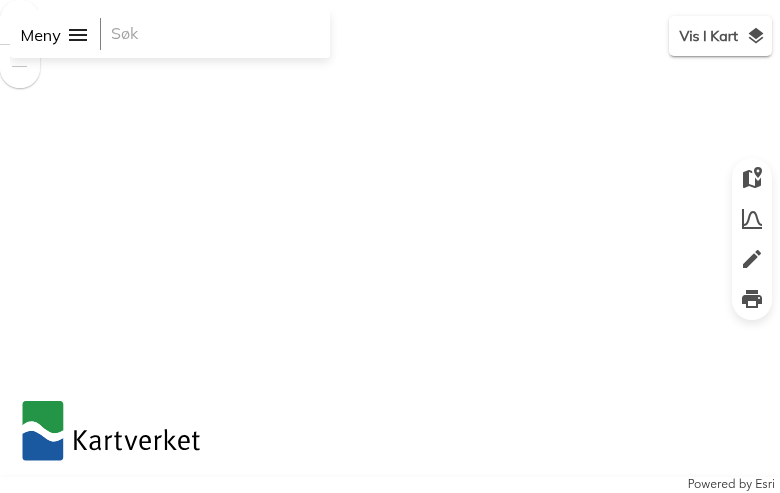
Høydedata main interface showing the search bar and map view
01
Navigate to Høydedata
Go to hoydedata.no/LaserInnsyn2 to access the Høydedata portal.
The interface features:
- Meny (Menu) – Access export options and settings
- Søk (Search) – Search for locations by name or coordinates
- Vis I Kart (Show in Map) – Toggle data layer visibility
- Map tools – Zoom, draw selection areas, and view terrain profiles
02
Search for Your Location
Use the Søk (Search) bar to find your area of interest.
You can search by:
- Place name – City, municipality, or landmark (e.g., “Oslo”, “Bergen”)
- Address – Street address or location
- Coordinates – UTM or geographic coordinates
The search results show available Prosjekter (Projects) – individual LiDAR survey datasets with their year and point density (e.g., “Oslo 10pkt 2024” = Oslo, 10 points/m², 2024).
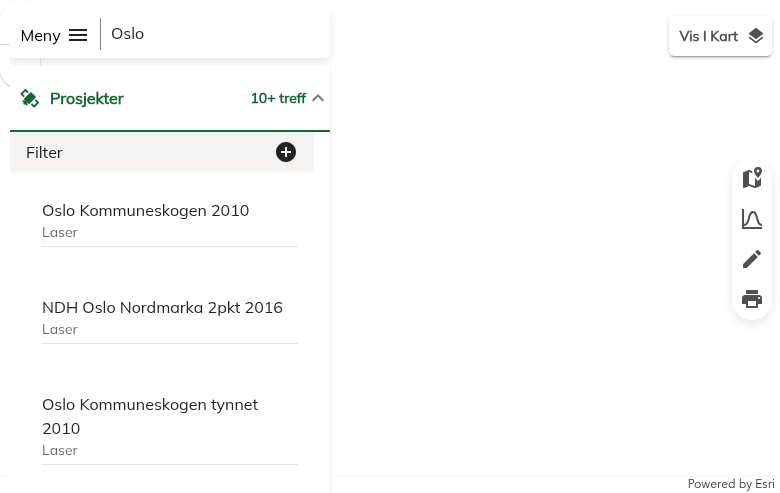
Search results showing available LiDAR projects for Oslo
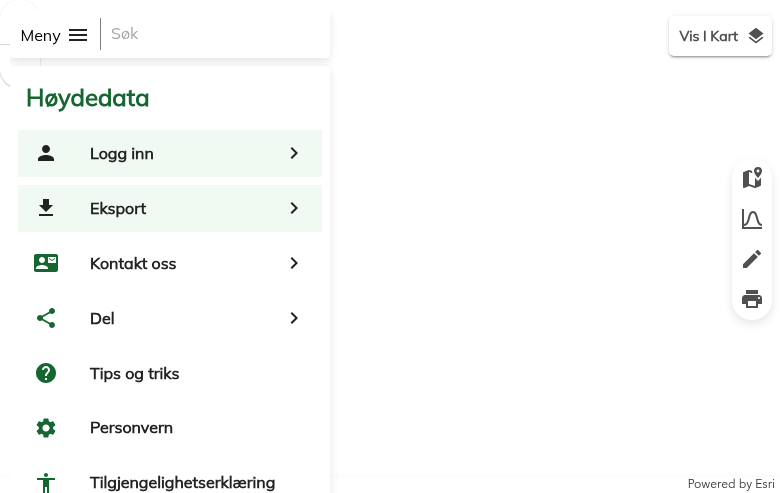
Menu panel showing Eksport (Export) option
03
Open the Export Panel
Click on Meny (Menu) in the top-left corner, then select Eksport (Export).
The menu also provides access to:
- Logg inn – Log in for additional features
- Kontakt oss – Contact information
- Del – Share your current map view
- Tips og triks – Tips and tricks for using the portal
Note: No account is required for basic downloads.
04
Configure Your Export
In the Export panel, configure your download:
Export Type:
- Lokal eksport – Download specific project data for your selected area
- Landsdekkende – Access nationwide datasets
Data Source:
- Prosjekt – Individual LiDAR survey projects
- Nasjonal Høydemodell – National height model (1m resolution DTM)
Area Selection:
Use Gjeldende kartutsnitt (current map view) or draw a custom polygon using the drawing tools.
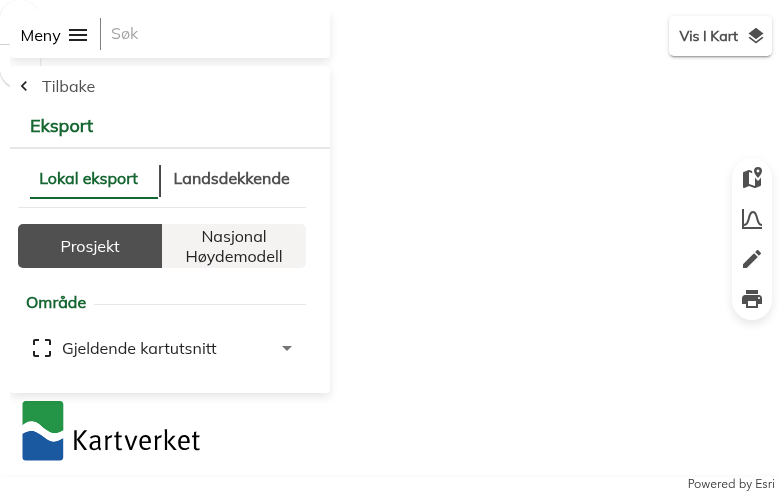
Export panel with Local export and Nationwide tabs
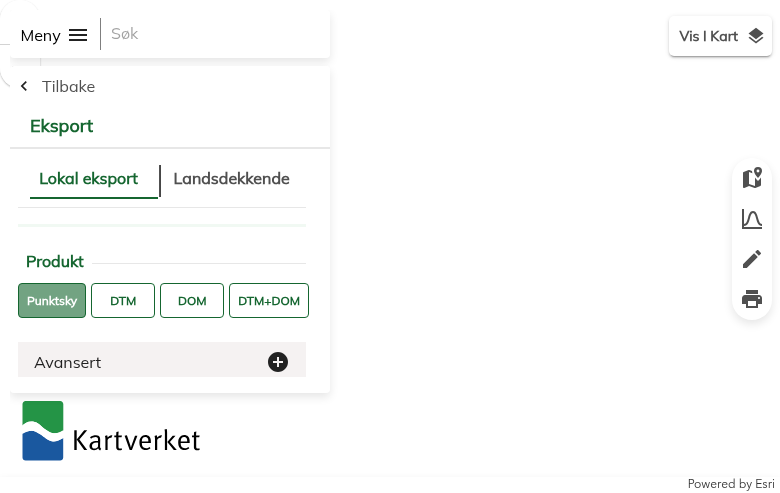
Product type selection: Point cloud, DTM, DSM, or combined
05
Select Product Type & Download
Choose your desired Produkt (Product):
- Punktsky – Point cloud data (LAZ format)
- DTM – Digital Terrain Model (ground only)
- DOM – Digital Surface Model (including objects)
- DTM+DOM – Both terrain and surface models
Expand Avansert (Advanced) for additional options:
- File format (LAZ, LAS)
- Coordinate system (UTM zones)
- Clipping options
Click Klargjør eksport (Prepare export) to generate your download.
Available File Formats
Høydedata offers multiple data formats optimized for different use cases:
| Format | Type | Best For |
|---|---|---|
| LAZ | Point Cloud | Compressed LiDAR – ideal for storage and processing in GIS software |
| LAS | Point Cloud | Uncompressed LiDAR – maximum compatibility with CAD/3D software |
| GeoTIFF | Raster | DTM/DSM elevation grids – standard format for terrain analysis |
| UTM 32/33/35 | Coordinate System | Regional UTM zones covering different parts of Norway |
Tips for Downloading Norwegian LiDAR
🎯 Check Project Density
Project names indicate point density (e.g., “2pkt” = 2 pts/m², “10pkt” = 10 pts/m²). Higher density provides more detail but larger file sizes.
📦 Use LAZ Format
LAZ files are 5-10x smaller than LAS with no data loss. Most modern software supports LAZ directly.
🗺️ Use Nasjonal Høydemodell
For nationwide consistent coverage, use the National Height Model. It’s preprocessed, seamless, and perfect for large-area analysis.
🔍 Select Small Areas First
Start with small test areas to verify data quality and format compatibility before downloading large datasets.
Process Your Norwegian LiDAR in Lidarvisor
Downloaded your Høydedata files? Process them instantly in the cloud with Lidarvisor.
With Lidarvisor, you can:
✦ Upload LAZ/LAS files directly to the cloud
✦ Automatically classify ground, vegetation, buildings, and water
✦ Generate DTMs, DSMs, and contour lines
✦ Export to CAD-ready formats (DXF, SHP)
✦ Process large datasets without hardware limitations
Frequently Asked Questions
Yes! All data from Høydedata is available free of charge under Norway’s open data policy. The data can be used for both personal and commercial purposes without requiring attribution, though citing Kartverket is appreciated.
No account is required for standard downloads. You can access and download LiDAR data, DTMs, and DSMs without registration. Some advanced features may require logging in.
LiDAR point density varies by project:
- Standard coverage: 2 points per m² (2pkt)
- Urban areas: 5-10 points per m² (5pkt, 10pkt)
- National Height Model (DTM): 1 meter resolution
Check the project name for density indicators (e.g., “Oslo 10pkt 2024” = 10 points/m²).
Norwegian data uses UTM coordinate systems based on location:
- UTM Zone 32N (EPSG:25832) – Southern and Western Norway
- UTM Zone 33N (EPSG:25833) – Central and Northern Norway
- UTM Zone 35N (EPSG:25835) – Far Northern Norway (Finnmark)
The export panel allows you to select your preferred coordinate system.
Norway continuously updates its LiDAR coverage. Project dates are shown in the dataset names (e.g., “2024” indicates 2024 acquisition). The National Height Model is regularly updated as new surveys are completed. Urban areas typically have more recent and higher-density data.
Prosjekt (Project) provides raw LiDAR point clouds from individual survey campaigns. These offer the highest detail and include classification.
Nasjonal Høydemodell (National Height Model) is a seamless, preprocessed DTM covering all of Norway at 1m resolution. It’s created from the best available data and is ideal for large-area terrain analysis.
More Free LiDAR Data Tutorials
Explore our complete collection of free LiDAR data download tutorials: