

Step-by-Step Tutorial
What is ELVIS?
ELVIS (Elevation Information System) is Australia’s national portal for accessing elevation and depth data. Operated by Geoscience Australia under the Foundation Spatial Data Framework (FSDF), it provides free access to LiDAR data collected across Australian states and territories. Data can be downloaded at no charge with a 15GB limit per request.
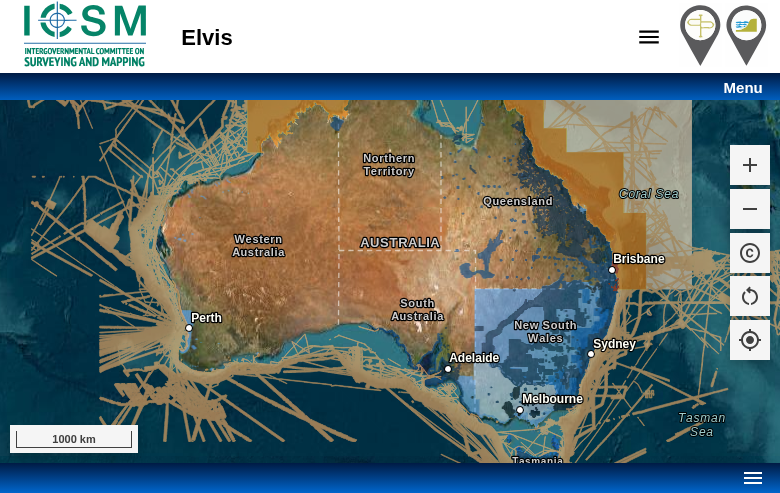
ELVIS homepage showing LiDAR coverage across Australia (blue areas)
01
Access the ELVIS Portal
Navigate to elevation.fsdf.org.au to access the ELVIS portal. When you first visit, you’ll see a welcome dialog explaining:
- Data can be downloaded at no charge
- 15GB limit per request
- Files are delivered via email as a zipped package
Click “I Agree” to proceed to the map interface. The blue-shaded areas on the map indicate where LiDAR data is available.
02
Navigate and Explore Data
Use the Menu button to access key functions:
- Layers: Toggle visibility of DEMs, bathymetry, imagery, and point clouds
- Order Data: Start the download selection process
- Location Search: Jump to a specific address or coordinates
- Tools: Access additional analysis tools
Pan and zoom the map to your area of interest. The coloured overlay shows data resolution and availability in each region.
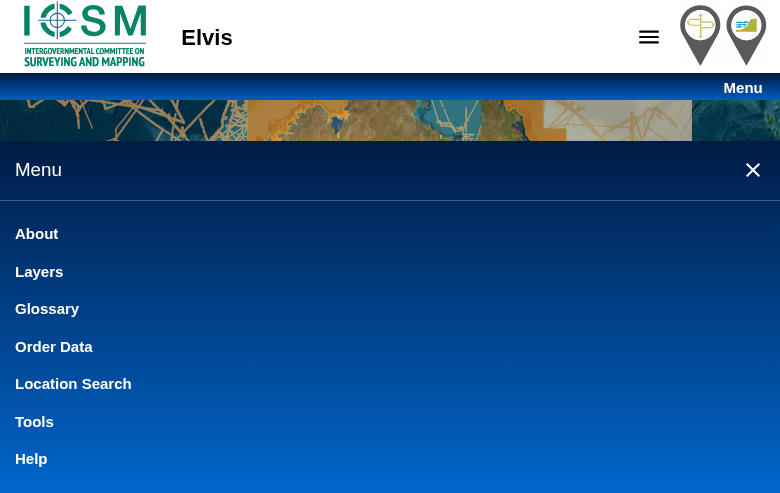
ELVIS menu showing navigation options
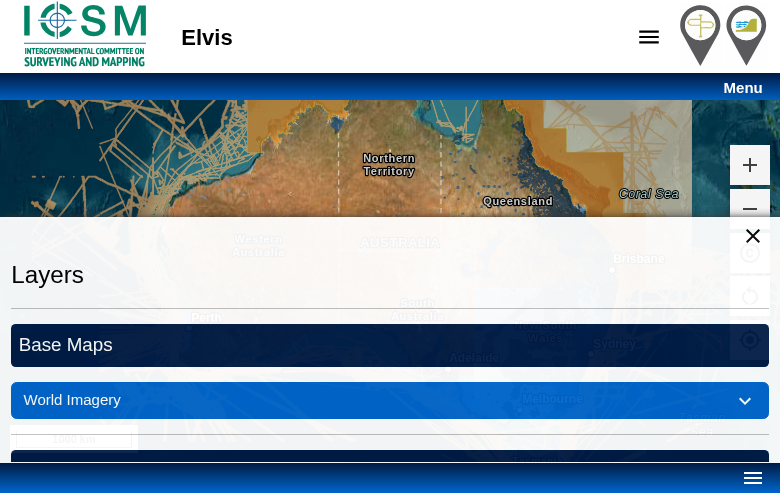
Layers panel showing available data types and opacity controls
03
Select Data Layers
Click Menu → Layers to control which datasets are visible on the map:
- Digital Elevation Model: Gridded elevation data at 1m, 2m, 5m, 10m, or 1-second resolution
- Bathymetry: Underwater depth data at various resolutions
- Point Cloud: Raw LAS/LAZ LiDAR data
- Imagery: Satellite and aerial imagery overlays
Use the opacity sliders to blend layers and the legend to understand resolution classes. Areas with no colour overlay have no data available yet.
04
Draw Selection Area
Click Menu → Order Data to open the download panel. To select your area of interest:
- Long press on the map to start drawing a bounding box
- Drag to define the extent of your selection
- Release to complete the selection
The system will show available datasets within your selection. Note the 15GB download limit – for larger areas, you may need to make multiple requests. Zoom in to reduce file sizes.
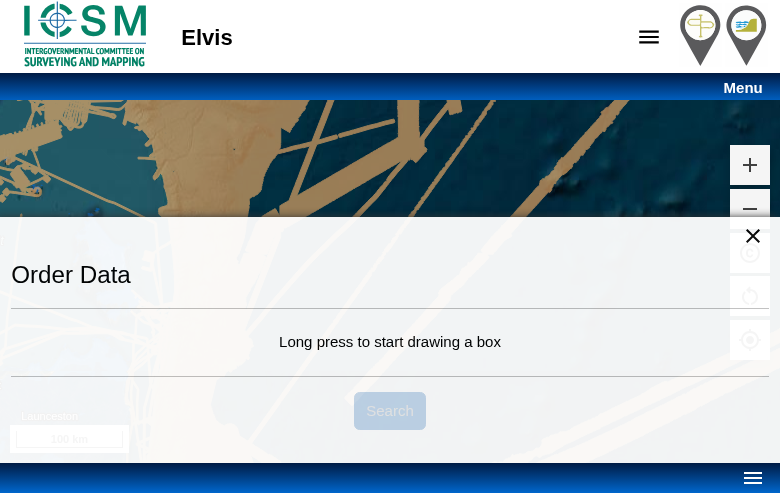
Order Data panel with drawing instructions
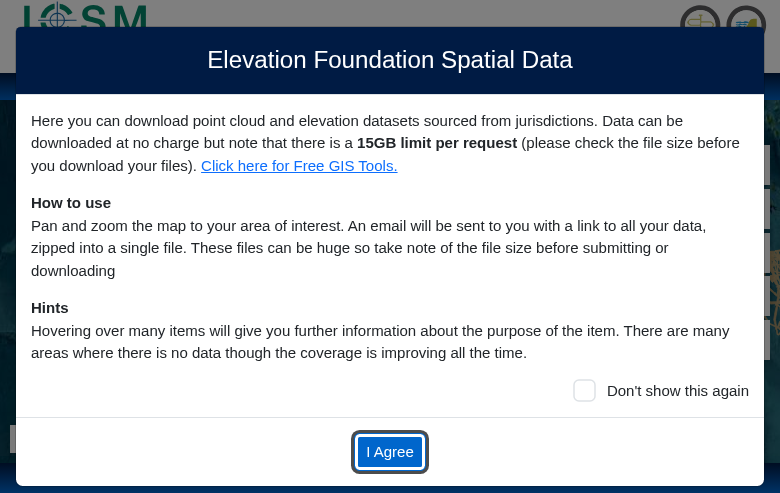
ELVIS welcome dialog explaining the download process
05
Submit Order and Download
After drawing your selection:
- Click Search to query available datasets
- Review the list of available files and total size
- Select the data products you need (DEM, point cloud, etc.)
- Enter your email address
- Click Submit to place your order
You’ll receive an email with a download link once your data package is ready. Files are delivered as a single ZIP archive containing all requested datasets.
Available File Formats
ELVIS provides data in industry-standard formats compatible with most GIS and CAD software.
| Format | Type | Best For |
|---|---|---|
| LAZ | Point Cloud | Compressed LiDAR data for detailed 3D analysis |
| GeoTIFF | Raster DEM | Gridded elevation data for GIS applications |
| ASC | ASCII Grid | Text-based raster format for simple processing |
| ESRI Grid | Raster | Native ArcGIS format for seamless integration |
Tips for Downloading ELVIS Data
📏 Check Coverage First
Use the Layers panel to see exactly which areas have data. Coverage is expanding but some inland areas have limited data. Coastal regions typically have the best coverage.
💾 Mind the 15GB Limit
LiDAR point clouds can be massive. For large areas, consider downloading DEMs first (smaller file sizes) or splitting your request into multiple orders.
📧 Check Your Email
Download links are sent to your email. Check spam/junk folders if you don’t receive it within a few minutes. Links may expire after a certain period.
🔍 Use Location Search
Instead of manually panning, use Location Search to jump directly to your area of interest. Search by place name, address, or coordinates.
Process Your ELVIS Data in Lidarvisor
Downloaded your ELVIS LiDAR data? Upload it to Lidarvisor for instant cloud processing.
With Lidarvisor, you can:
✦ Upload LAZ/LAS files directly to the cloud
✦ Automatically classify ground, vegetation, buildings, and water
✦ Generate DTMs, DSMs, and contour lines
✦ Export to CAD-ready formats (DXF, SHP)
✦ Process large datasets without hardware limitations
Frequently Asked Questions
Yes, all data on ELVIS is free to download. There is no registration required, and data can be used for both commercial and non-commercial purposes under the Creative Commons Attribution 4.0 licence. The only limitation is a 15GB per request download limit.
LiDAR coverage is most comprehensive along coastal areas, major cities, and flood-prone regions. Coverage includes most of Queensland, New South Wales, Victoria, South Australia (coastal), Western Australia (Perth region and coast), and Tasmania. Inland and remote areas have limited coverage, though this is expanding. Check the Layers panel on ELVIS to see current data availability.
DEM resolutions vary by location: 1-metre, 2-metre, 5-metre, 10-metre, and 1-second (approximately 30m) grids are available depending on the source data. Point cloud density also varies by survey, typically ranging from 1-8 points per square metre. Higher resolution data is generally available in urban and coastal areas.
Download links are typically emailed within a few minutes for smaller requests. Larger orders may take longer to process and package. If you don’t receive an email within an hour, check your spam folder. Download links have an expiration period, so download your data promptly once received.
Yes, ELVIS data is licensed under Creative Commons Attribution 4.0 (CC BY 4.0). You can use, share, and adapt the data for any purpose, including commercial use, as long as you provide appropriate attribution to the data source (Geoscience Australia and contributing jurisdictions).
LAZ point cloud files can be opened with CloudCompare (free), QGIS, ArcGIS, Global Mapper, or Lidarvisor. GeoTIFF DEMs work with virtually any GIS software including QGIS, ArcGIS, Global Mapper, and most CAD programs. For quick visualization and processing without software installation, upload your files to Lidarvisor’s cloud platform.
More Free LiDAR Data Tutorials
Explore our complete collection of free LiDAR data download tutorials: