
Learn LiDAR
LiDAR Tree Segmentation Software: Extract Tree Crowns, Tops & Heights
Compare LiDAR tree segmentation software for forestry workflows, canopy analysis, and GIS-ready tree outputs
No credit card required • 50 hectares included
Teams comparing LiDAR tree segmentation software usually need more than a cleaner-looking canopy. They need tree tops, crown polygons, canopy height context, and export-ready layers that can move into forestry, utility, and GIS workflows without adding another desktop bottleneck.
This guide explains how LiDAR tree segmentation software fits into a practical forestry workflow, what can make crown separation fail, and how Lidarvisor helps teams move from raw point clouds to tree-level deliverables in one browser-based workflow.
What tree segmentation means in LiDAR
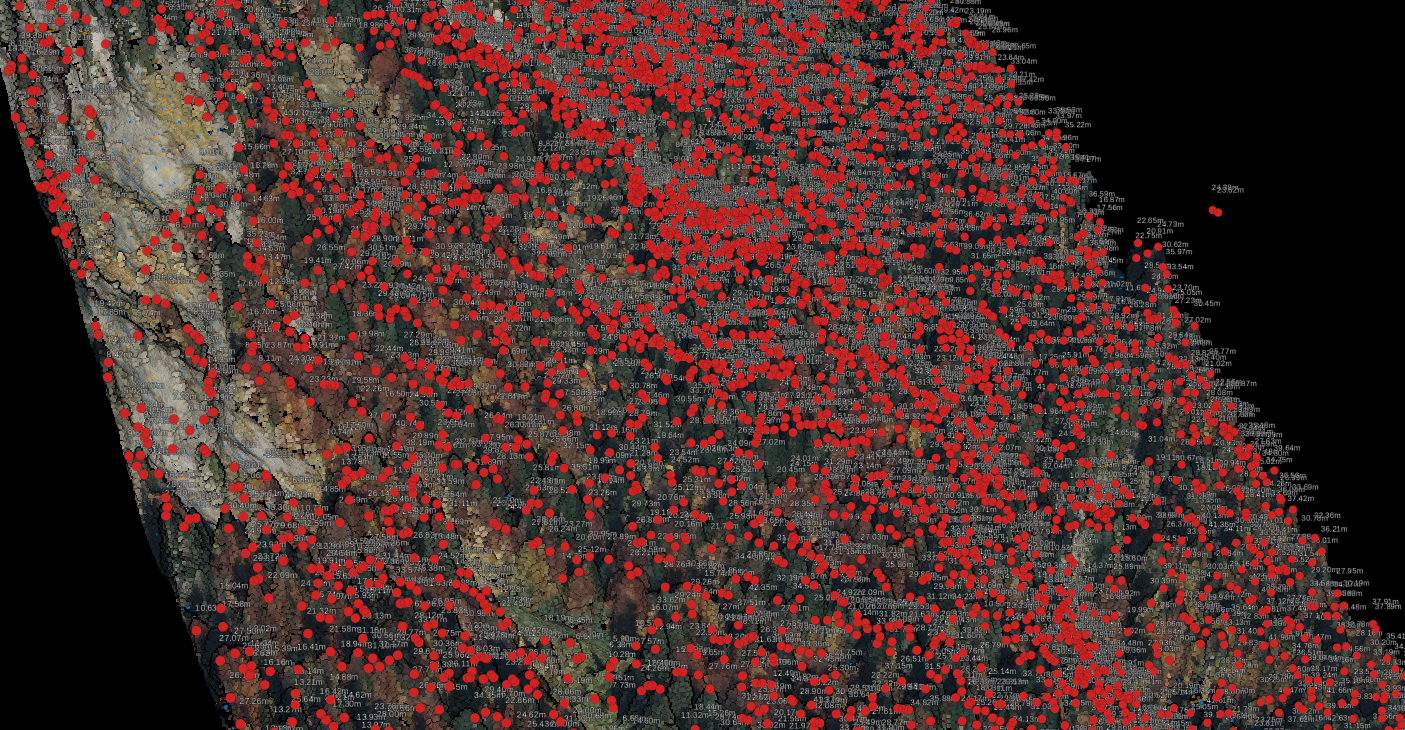
Tree segmentation separates a forest canopy into individual trees so teams can work with tree-level objects instead of one continuous vegetation mass. In practical LiDAR workflows, that usually means locating tree tops, outlining crown extents, and connecting those outputs to terrain and canopy layers such as a DTM and canopy height model.
For forestry teams, that matters because counting trees is only the start. The useful outputs are the ones you can export into inventory, GIS, and planning workflows: tree locations, crown polygons, and height-derived context tied to the surrounding terrain.
When those layers are clean, teams can validate results faster and move into inventory review, canopy analysis, and tree-height estimation without rebuilding the workflow in separate desktop tools.
Why forestry teams use tree segmentation
Use tree segmentation when tree-level outputs will change a decision, not just make the canopy look cleaner
Forest inventory
Estimate tree counts, review crown spread, and prepare tree-level layers for inventory work.
Canopy analysis
Understand canopy structure and relate crown geometry to terrain and vegetation patterns.
Utility vegetation review
Identify individual trees near corridors and combine them with wire, pole, and vegetation context.
Reporting and exports
Export crown polygons, tree tops, and supporting terrain layers in SHP, GeoJSON, DXF, and GeoTIFF formats for downstream use.
Typical tree segmentation workflow
Classify ground and vegetation
Separate ground from vegetation so height-above-ground calculations stay clean.
Build the DTM and CHM
Use the terrain model as the baseline, then derive canopy height context from vegetation relative to ground.
Extract tree tops and crowns
Identify likely tree tops and delineate crown polygons where canopy structure is clear enough to separate individual trees.
Export deliverables
Send the results into GIS, inventory, or reporting workflows using SHP, GeoJSON, DXF, GeoTIFF, PDF, and CSV exports.
Tree segmentation starts with a clean terrain model
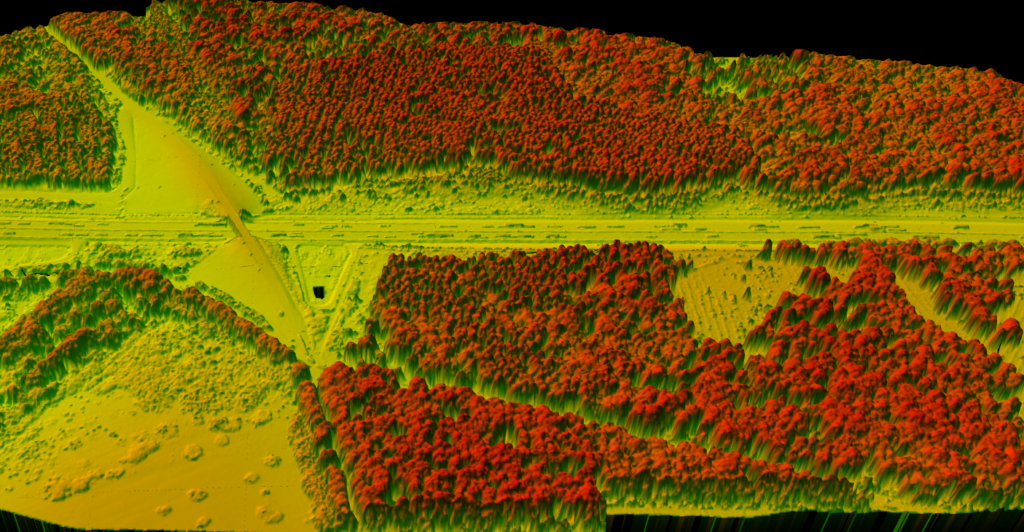
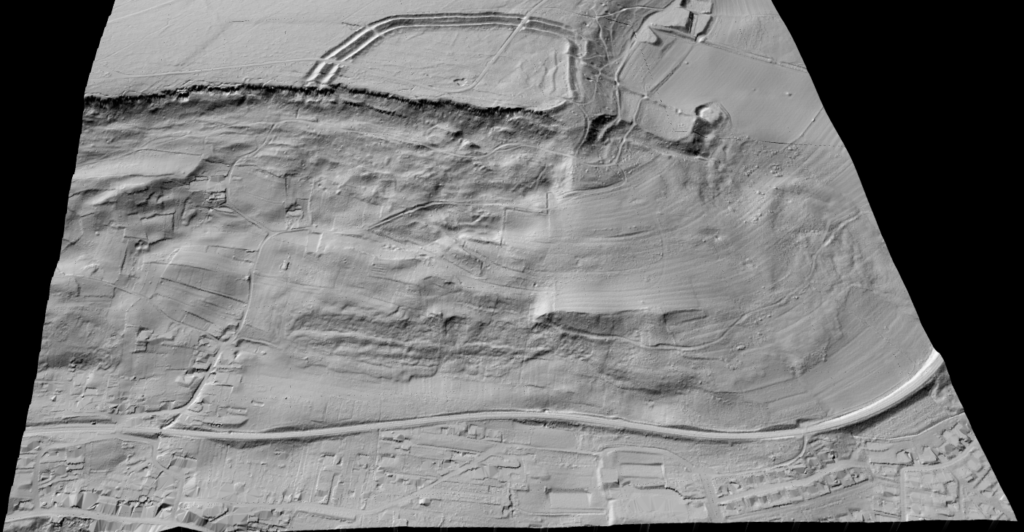
Reliable tree-level outputs depend on the layers you build before extraction starts.
If ground classification is noisy, tree heights become unreliable. If vegetation separation is messy, crowns bleed into other objects.
That is why tree segmentation works best as part of a larger LiDAR production workflow, not as an isolated one-click output.
- A clean DTM keeps height normalization grounded in real terrain.
- Vegetation classification helps isolate the canopy from buildings and other non-tree objects.
- A CHM gives a clearer surface for detecting dominant canopy structure.
COMMON FAILURE MODES
Where tree segmentation gets difficult
Dense forests and mixed canopy conditions can make individual crowns hard to separate cleanly.
Some stands are easy to segment, especially where crowns are well separated. Others are not.
Dense overlap, suppressed understory, and mixed species structure can cause under-segmentation or over-segmentation if the inputs are weak or the canopy is too blended.
- Neighboring crowns may merge into one polygon.
- One broad crown may split into multiple trees.
- Ground errors distort height values and downstream interpretation.
What Lidarvisor outputs for tree segmentation workflows
| Output | Why it matters |
|---|---|
| Tree tops | Support tree counts, spot checks, and height-oriented forestry review. |
| Tree crown polygons | Useful for canopy mapping, inventory layers, and GIS workflows. |
| DTM / DSM / CHM support | Provides the terrain and canopy surfaces that make segmentation interpretable. |
| Vegetation classification | Helps isolate canopy-related inputs from non-tree objects. |
| GIS-ready exports | Supports SHP, GeoJSON, DXF, and GeoTIFF outputs, plus PDF/CSV reporting for downstream workflows. |
Where tree segmentation fits in a larger forestry workflow
Tree segmentation is most useful when it is connected to the outputs forestry teams already need. A segmented canopy can support inventory updates, tree-height review, and forest carbon analysis, but only when the underlying ground model and vegetation classes are reliable.
Related reading: LiDAR for Forest Inventory, How to Measure Tree Height with LiDAR, and Forest Carbon Estimation from LiDAR.
What to check before you trust the result
Ground quality
If the terrain model contains bridges, berm artifacts, or misclassified low vegetation, normalized heights can drift and make crown metrics less useful.
Canopy separation
Mixed stands, dense overlap, and low point density can reduce how cleanly individual crowns separate from each other.
Export goal
Decide early whether the output needs to support GIS polygons, tree-top review, reporting maps, or a follow-on inventory workflow.
Downstream validation
Spot-check segmented crowns against the classified point cloud, DTM, and CHM before sending deliverables to stakeholders.
If you are comparing tree segmentation software, the key question is not whether a tool can draw a crown polygon once. It is whether the workflow produces reliable tree-level outputs that fit the rest of your forestry process, from terrain normalization to export and QA.
That is where many desktop-first and research-first workflows become slow. Teams still have to clean classes, rebuild surfaces, and package outputs before anyone can use the results.
Lidarvisor fits best when the broader workflow matters as much as the segmentation step itself. Ground classification, DTM generation, vegetation separation, and GIS-ready exports all happen in the same browser-based production flow, so forestry teams can move from raw point clouds to tree-level deliverables without stitching together multiple tools for every project.
How to evaluate tree segmentation software
Reliable terrain baseline
Look for software that can produce a clean DTM before canopy metrics are derived. Tree heights are only as good as the ground model underneath them.
Useful tree-level outputs
The workflow should produce tree tops, crown polygons, and supporting canopy context that can move directly into inventory, GIS, and reporting workflows.
Exports without rework
Favor tools that support the deliverables you already owe downstream teams, such as SHP, GeoJSON, DXF, GeoTIFF, and LAS-based review steps.
Frequently Asked Questions
What is the difference between tree detection and tree segmentation?
Tree detection usually focuses on locating trees, often as points or peaks. Tree segmentation goes further by separating the canopy into individual tree-level objects such as crown polygons.
Do I need a terrain model before segmenting trees?
Usually yes. A reliable DTM helps normalize canopy heights and makes tree-level outputs more useful for measurement and interpretation.
Can tree segmentation work in dense forest?
It can, but dense overlap and mixed canopy structure make separation harder. The cleaner the classification and terrain inputs, the better the final output tends to be.
What can I export after a tree segmentation workflow?
Typical downstream outputs include tree tops, crown polygons, terrain products, and mapping layers that can move into GIS or related reporting workflows.
Ready to turn forest LiDAR into tree-level outputs?
Upload your point cloud, generate terrain and canopy layers, and export forestry-ready deliverables from one browser-based workflow.
Create free account50 hectares free. No credit card. No software to install.