
Learn LiDAR
What Is LiDAR? Definition, How It Works, and Surveying Uses
Plain-English LiDAR definition for surveying, mapping, and point-cloud workflows
No credit card required • 50 hectares included
LiDAR stands for Light Detection and Ranging. It is a remote sensing method that uses laser pulses to measure distance and build precise 3D models of terrain, vegetation, buildings, and infrastructure.
Surveying, mapping, forestry, and utility teams use LiDAR to capture dense point clouds, classify ground and vegetation, and produce deliverables such as DTM, DSM, contours, and export-ready vector layers. On this page, you will get a plain-English definition, the main LiDAR system types, and the most common applications.
If you want the step-by-step sensor workflow, see our guide to how LiDAR works.
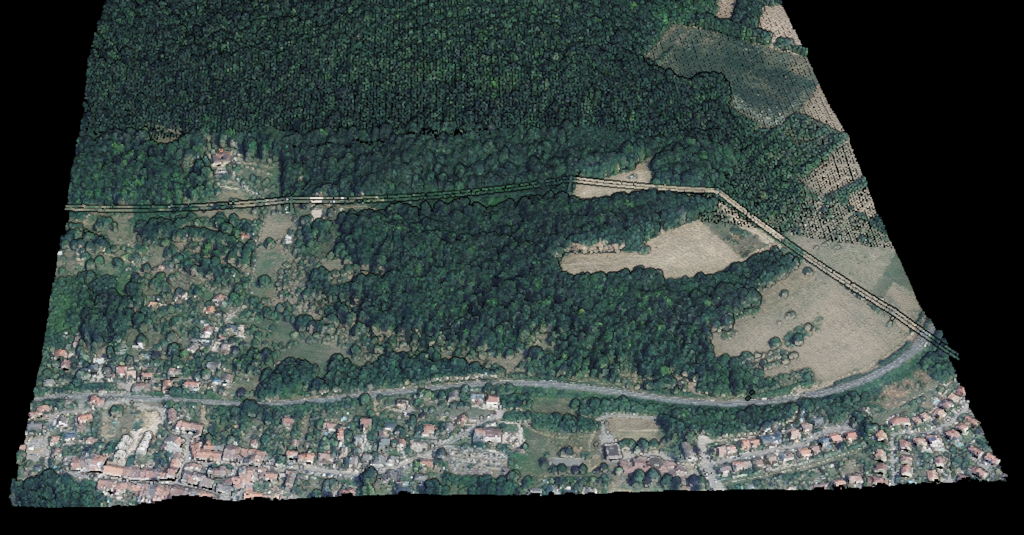
LiDAR (Light Detection and Ranging) is a remote sensing technology that uses laser pulses to measure distances and create precise 3D representations of terrain, vegetation, buildings, and infrastructure.
For surveying and mapping teams, that usually means turning raw point clouds into terrain models, contour lines, classified vegetation, and CAD or GIS-ready exports.
The technology was first developed in the 1960s, shortly after the invention of the laser. Early LiDAR systems were used to measure distances to the moon during the Apollo missions.
Today, LiDAR has become smaller, faster, and more affordable, making it accessible for everything from smartphone depth cameras to city-scale mapping projects.
In practice, LiDAR is used for topographic mapping, corridor surveys, forestry, utility vegetation management, flood-model inputs, and asset inventory. Those applications matter because they turn raw point clouds into usable deliverables such as DTMs, DSMs, contours, tree metrics, and vector layers.
Modern LiDAR sensors fire hundreds of thousands to millions of laser pulses per second. The result is a dense collection of 3D points called a point cloud.
How Does LiDAR Work?
LiDAR works by emitting rapid laser pulses toward a target and measuring how long it takes for the light to return. Here’s the basic process
Pulse Emission
A LiDAR sensor emits a laser pulse (typically near-infrared light)
Surface Contact
The pulse travels at the speed of light until it hits a surface
Return Detection
The light reflects back to the sensor
Distance Calc
Distance = (Speed of Light × Time) / 2
Point Recording
Each measurement becomes a point with X, Y, Z coordinates
Point Cloud Assembly
Returns are combined with GNSS and IMU data into one georeferenced point cloud
What is a Point Cloud?
A point cloud is the raw output of a LiDAR scan: a dataset containing millions (or billions) of individual 3D points. Each point represents a location where a laser pulse hit a surface.
Point clouds can be:
- Visualized in 3D: Navigate through a digital twin of the scanned environment
- Classified: Label points as ground, vegetation, buildings, water, etc.
- Processed into products: Digital Terrain Models (DTM), Digital Surface Models (DSM), contour lines, building footprints, and more
Types of LiDAR Systems
LiDAR systems are categorized by how they’re deployed
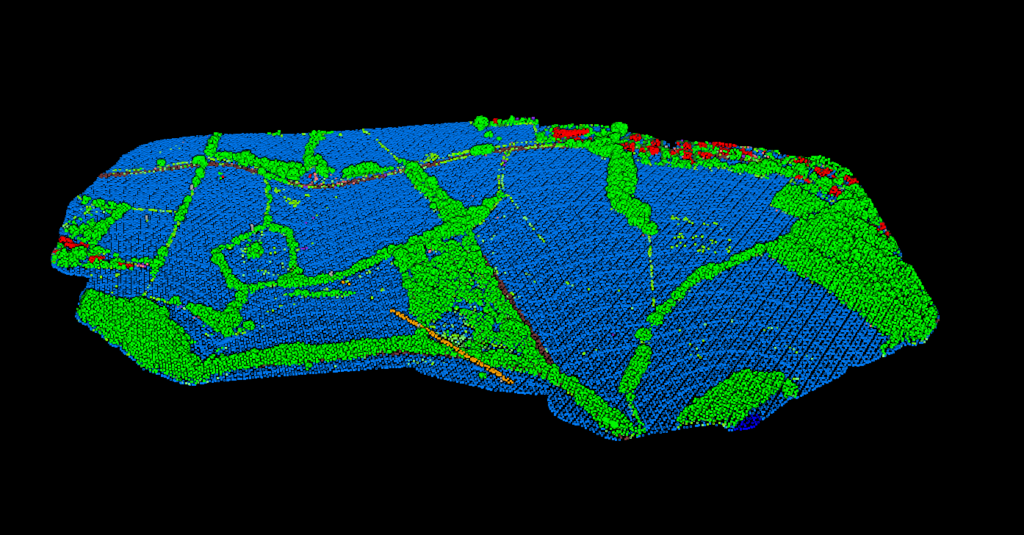
Airborne LiDAR
Mounted on aircraft or helicopters. Best for large-scale terrain mapping, forestry, flood modeling, and transmission line corridors.
Drone/UAV LiDAR
Compact sensors on LiDAR drones. Best for construction sites, quarries, small to medium survey areas, and areas difficult to access by foot.
Mobile LiDAR
Mounted on vehicles, boats, or backpacks. Best for road asset inventory, street-level mapping, railway inspection, and urban planning.
Terrestrial LiDAR
Placed on tripods for extremely detailed scans. Best for building documentation, heritage preservation, forensics, and industrial facilities.
Bathymetric LiDAR
Uses green lasers that penetrate water. Best for coastal zones, shallow water mapping, coral reef studies, and port surveys.
Spaceborne LiDAR
Satellite sensors such as NASA’s ICESat-2. Best for global elevation models, ice-sheet monitoring, and continental forest structure.
LiDAR Applications: Where Is LiDAR Used?
LiDAR technology has transformed dozens of industries
Surveying & Mapping
Topographic maps, terrain measurement, contour lines, and DTMs
Autonomous Vehicles
360-degree obstacle detection for self-driving cars
Forestry
Forest inventory, biomass estimation, and fire risk assessment
Utilities
Power line inspection and vegetation management
Archaeology
Reveal hidden structures beneath vegetation
Flood Modeling
Terrain data for water flow prediction
Construction
Site planning, progress monitoring, earthwork calculations
Urban Planning
City modeling and infrastructure planning
LiDAR vs Photogrammetry vs Radar
| Feature | LiDAR | Photogrammetry | Radar |
|---|---|---|---|
| What it uses | Laser light | Photographs/images | Radio waves |
| Works in darkness | Yes | No | Yes |
| Penetrates vegetation | Yes (multi-return) | No | Partially (SAR) |
| Typical accuracy | 1-5 cm vertical | 5-10 cm | 10-50 cm |
| Captures color | No (intensity only) | Yes (RGB) | No |
| Cost | Higher hardware cost | Lower hardware cost | Varies widely |
Many projects combine LiDAR with photogrammetry: LiDAR provides accurate geometry while photos add color and texture.
Benefits & Limitations
Key Benefits
- High accuracy: Survey-grade vertical accuracy of 1-5 cm
- Speed: Capture millions of points per second
- Vegetation penetration: Multi-return LiDAR captures both canopy and ground
- Works day or night: Active sensor doesn’t depend on sunlight
- Dense data: Point densities of 10-100+ points per square meter
Limitations
- Cannot penetrate water: Requires specialized bathymetric LiDAR
- Weather sensitive: Rain, fog, and snow can scatter laser pulses
- No color data: Only captures intensity, not RGB color
- Processing required: Raw point clouds need classification and filtering
Free LiDAR Data Sources
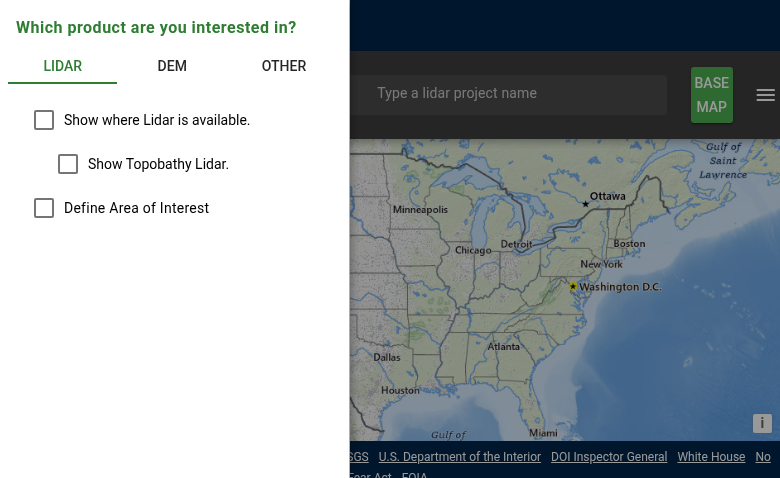
Many countries provide free LiDAR data for public use. Major sources include:
- USGS 3DEP: Nationwide US LiDAR coverage
- UK Environment Agency: England and Wales LiDAR
- OpenTopography: Global LiDAR data archive
- AHN (Netherlands): Complete country coverage
Traditional LiDAR processing requires specialized desktop software, manual parameter tuning, and hours of work. Lidarvisor automates the entire workflow. Upload your point cloud and get classified data, DTMs, DSMs, and contours in minutes — no software to install, no learning curve.
Processing LiDAR Data
Raw LiDAR data needs processing to become useful. Key steps include
Classification
Labeling points as ground, vegetation, buildings, etc.
Filtering
Removing noise and outliers from the data
Product Gen
Creating DTMs, DSMs, contours, and deliverables
Export
Converting to TIFF, DXF, Shapefile, etc.
Frequently Asked Questions
What is the difference between LiDAR and radar?
LiDAR uses laser light (optical wavelengths), while radar uses radio waves. LiDAR achieves higher spatial resolution and accuracy, but radar can see through clouds and some materials that block light.
Is LiDAR the same as 3D scanning?
LiDAR is one type of 3D scanning technology. Other methods include structured light scanning, time-of-flight cameras, and photogrammetry. LiDAR is distinguished by its use of laser pulses and ability to capture data over long ranges.
How accurate is LiDAR?
Modern LiDAR systems achieve vertical accuracy of 1-5 cm under typical conditions. Factors affecting accuracy include sensor quality, flight altitude, ground control, and terrain characteristics.
Can LiDAR see through buildings?
No. LiDAR laser pulses cannot penetrate solid structures like buildings, walls, or roofs. LiDAR maps external surfaces only.
Can LiDAR see through trees?
Yes. Multi-return LiDAR can penetrate tree canopy. Some pulses hit leaves and branches (first returns), while others reach the ground (last returns). This makes LiDAR valuable for mapping terrain beneath forests.
Ready to Process Your LiDAR Data?
You’ve learned what LiDAR is, how it works, and where it’s used. Now put that knowledge to work. Upload your point cloud and get classified data, terrain models, and export-ready deliverables in minutes.
Create free account50 hectares free. No credit card. No software to install.