
Learn LiDAR
Point Cloud Rendering for LiDAR: Real-Time Browser Streaming and QA
Review massive LiDAR datasets in the browser for QA, analysis, and client delivery
No credit card required • 50 hectares included
Point cloud rendering software turns dense LiDAR datasets into usable visuals for QA, analysis, and client review. This guide explains the rendering techniques that matter most in real survey workflows, including color modes, Level of Detail streaming, and browser-based visualization for large LAS and LAZ datasets without forcing every stakeholder into a desktop workflow.
What is Point Cloud Rendering?
Point cloud rendering is the process of displaying 3D point data on a 2D screen while preserving enough detail for interpretation. A typical LiDAR scan contains millions to billions of points with XYZ coordinates plus attributes such as intensity, RGB color, return number, and classification.
The challenge is scale. A single aerial or drone LiDAR survey can produce hundreds of gigabytes of data.
Rendering that data in real time requires techniques such as octree indexing, Level of Detail streaming, and GPU-accelerated shaders so teams can inspect terrain, vegetation, buildings, and powerline corridors without waiting on heavyweight desktop workflows.
Color Modes for Point Cloud Visualization
Different rendering modes highlight different aspects of your data. Choosing the right mode depends on your analysis goals
Elevation (Height-Based)
Assigns colors based on Z-value. Cool colors for low elevations, warm colors for high. Ideal for terrain analysis, drainage patterns, and identifying subtle elevation changes.
Intensity (Return Strength)
Uses laser return signal strength. Different materials reflect differently—useful for distinguishing road surfaces, detecting markings, and QC checks.
Level of Detail (LOD) Rendering
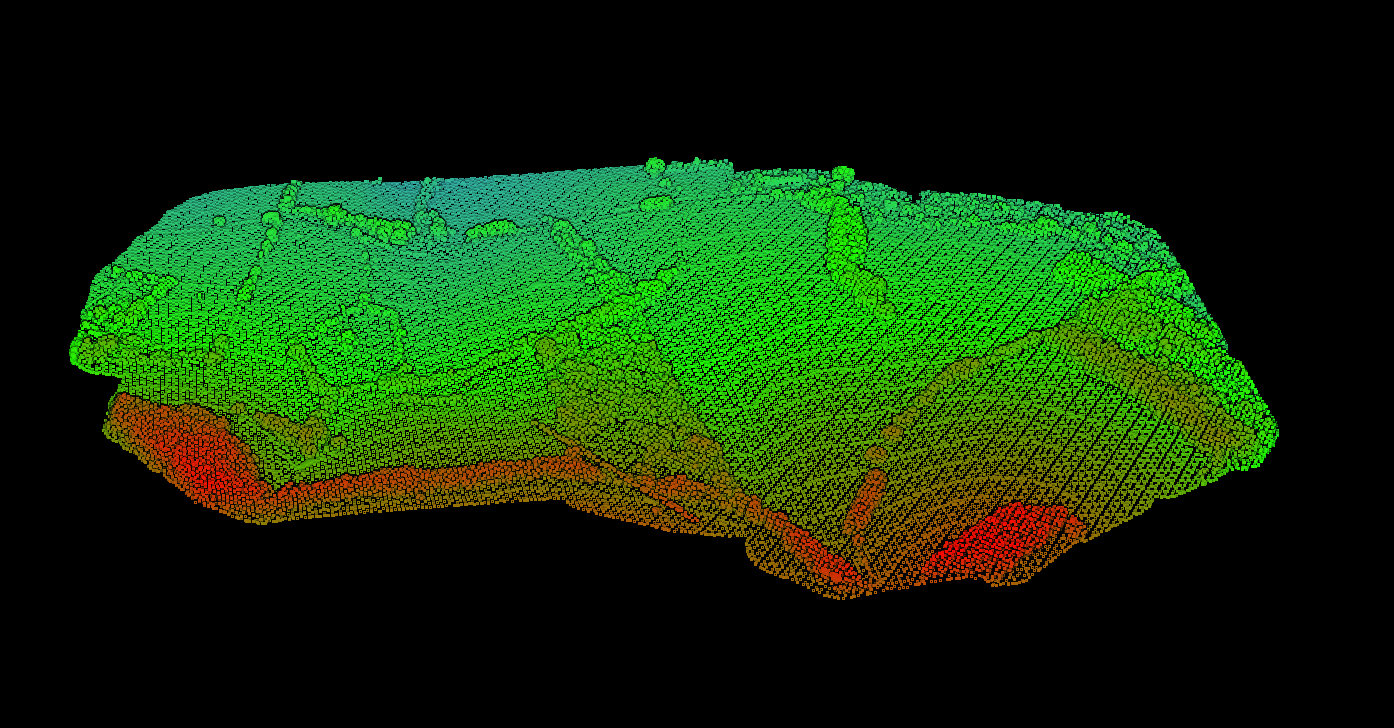
Large point clouds cannot be rendered at full resolution in real-time. Level of Detail systems dynamically adjust point density based on camera distance and view angle.
Modern LOD implementations use hierarchical data structures like octrees. The point cloud is divided into nested cubes, with each level containing a subset of points. The renderer loads only the cubes visible in the current view.
This approach enables rendering of billion-point datasets in web browsers—something that was impossible just a few years ago.
Web-Based Point Cloud Rendering
Browser-based point cloud viewers have transformed how teams share and review 3D data. Using WebGL and streaming tile formats, these viewers can display massive datasets without requiring desktop software.
Key advantages of web-based rendering:
- Accessibility: Anyone with a link can view the data
- No installation: Works in standard browsers
- Streaming: Only loads visible data, not the entire file
- Collaboration: Multiple users can view simultaneously
If your goal is client review, browser-based point cloud rendering works best when the data is preprocessed for streaming instead of shared as a raw LAS or LAZ download. That reduces friction for survey clients, engineering reviewers, and non-technical stakeholders who only need to inspect the corridor, terrain, or extracted features.
Browser Point Cloud Streaming Checklist
- Convert raw LAS or LAZ into a streaming-ready format with Level of Detail hierarchy
- Keep color modes available for elevation, classification, intensity, and RGB review
- Use shareable links instead of shipping massive raw files to every reviewer
- Preserve measurement and filtering tools for QA, not just visual display
- Test performance on a normal office laptop before sending to clients
Lidarvisor Handles It Automatically
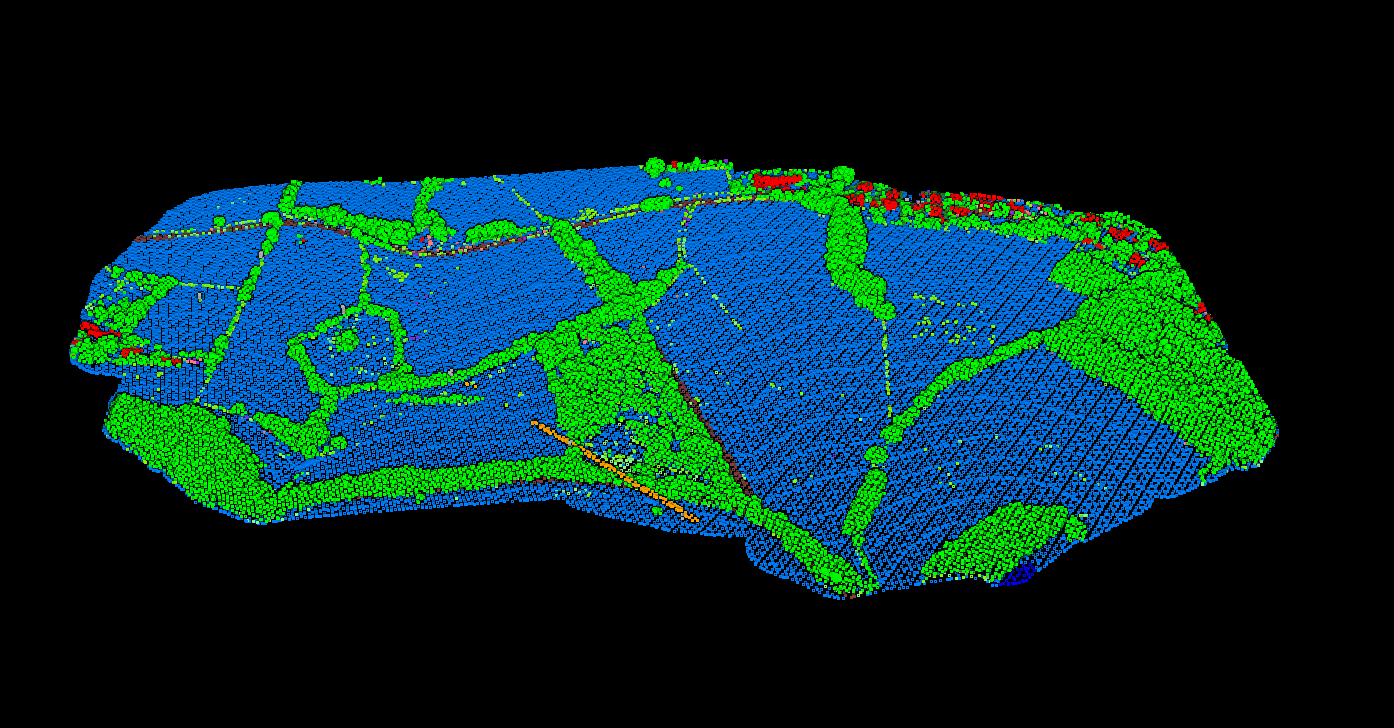
For web rendering to work efficiently, point clouds must be converted to streaming-optimized formats. This preprocessing step builds the LOD hierarchy and tile structure needed for on-demand loading.
Lidarvisor provides automatic cloud-based processing that handles this conversion for you. Upload your LAS/LAZ files, and within minutes you get a web-ready point cloud with built-in classification, elevation coloring, and shareable viewer links.
Point Size and Splat Rendering
Each point in a cloud is rendered as a small shape on screen, typically a circle or square. Point size significantly affects visual quality:
- Too small: Gaps appear between points, revealing the discrete nature of the data
- Too large: Points overlap, obscuring detail and creating a bloated appearance
- Adaptive sizing: Point size adjusts based on local density and camera distance
Advanced renderers use splat-based techniques where points are rendered as oriented disks that blend together, creating a more continuous surface appearance.
Filtering and Class Visibility
Effective rendering includes the ability to filter what is displayed
Classification Filter
Show only ground points, only buildings, or any combination
Elevation Slice
Display only points within a specific height range
Return Number
Show first returns, last returns, or all returns
Intensity Threshold
Hide low-intensity noise points from view
Overlay and Cross-Section Tools
Beyond basic rendering, useful visualization tools include
DTM/Hillshade Overlay
Render derived terrain surfaces alongside the point cloud for context.
Cross-Section Tool
Cut through the data to see vertical profiles and internal structure.
Measurement Tools
Calculate distances and areas directly on the rendered view.
Annotation Layers
Add notes and markers for team communication and documentation.
Choosing the Right Rendering Approach
Your rendering choice depends on your workflow
| Goal | Recommended Approach |
|---|---|
| Quick data review | Web-based viewer with elevation coloring |
| Classification QC | Class-based colors with filtering |
| Client presentation | RGB rendering, shareable links |
| Terrain analysis | Elevation mode with hillshade overlay |
| Feature extraction | Classification mode with class isolation |
Frequently Asked Questions
What is the best color mode for point cloud rendering?
The best color mode depends on your goal. Elevation coloring is ideal for terrain analysis, classification colors help with QC and land cover assessment, intensity reveals material differences, and RGB provides photorealistic visualization for presentations.
How does Level of Detail (LOD) work in point cloud rendering?
LOD systems dynamically adjust point density based on camera distance. Points far from the camera are decimated while nearby points are rendered at full detail. This uses hierarchical data structures like octrees to enable real-time rendering of billion-point datasets.
Can I render large point clouds in a web browser?
Yes, modern web-based viewers using WebGL and streaming tile formats can display massive datasets without desktop software. The point cloud must be converted to a streaming-optimized format first, which Lidarvisor handles automatically.
What affects point cloud rendering performance?
Key factors include total point count, LOD implementation quality, point size settings, GPU capabilities, and data format optimization. Streaming tile formats and octree structures significantly improve performance for large datasets.
How do I host LAS or LAZ so clients can view a 3D point cloud in a browser?
Do not send most clients a raw LAS or LAZ file and expect smooth browser viewing. In practice, the cloud needs to be converted into a streaming-ready format with Level of Detail handling, then delivered through a web viewer that loads only the visible portion of the dataset. That is the step that makes browser-based point cloud review practical for larger LiDAR projects.
Ready to Visualize Your Point Clouds?
Lidarvisor handles classification, rendering, and sharing automatically. Upload your data, get results in minutes—no software installation required.
Create free account50 hectares free. No credit card. No software to install.