

Generate Accurate Topographic Contours from Point Clouds
What Are Contour Lines?
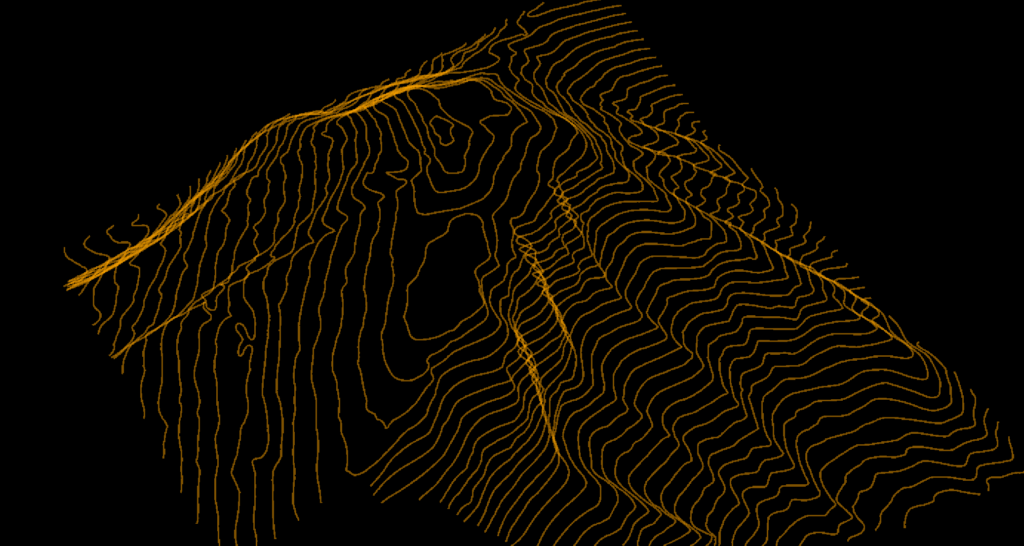
Contour lines are imaginary lines connecting points of equal elevation across a terrain surface. Each line represents a specific height above a reference datum, typically sea level. The spacing between contour lines indicates slope steepness: closely spaced lines mean steep terrain, while widely spaced lines indicate gentle slopes.
Contour maps have been used for centuries, but LiDAR technology brings unprecedented accuracy and detail. Where traditional surveying might capture a few hundred points per hectare, LiDAR collects millions, enabling contour accuracy measured in centimeters rather than meters.
🏔️
Topographic Maps
Visualize terrain shape and slope
🏗️
Civil Engineering
Site grading, drainage, earthworks
📐
Land Surveying
Boundary surveys, volumetrics
🌊
Hydrology
Watershed delineation, flood modeling
Traditional Methods vs. LiDAR
Traditional Surveying
❌ Time-consuming — days or weeks for large sites
❌ Expensive — labor and equipment costs
❌ Sparse data — limited point density, interpolation required
❌ Weather-dependent — field work delays
LiDAR-Derived Contours
✅ High density — millions of ground points for accurate terrain
✅ Fast collection — drone LiDAR covers large areas in hours
✅ Accurate — vertical accuracy of 5-15cm achievable
✅ Complete coverage — no interpolation gaps
✅ Bare-earth — see through vegetation to true ground
BARE-EARTH MAPPING
The LiDAR Advantage
See through vegetation to true ground surface
Through proper point cloud classification, LiDAR contours represent the bare-earth surface beneath vegetation. Unlike photogrammetry that only captures what is visible from above, LiDAR laser pulses penetrate gaps in vegetation canopy to reach the ground.
✦ Penetrates forest canopy gaps
✦ Classifies ground vs vegetation
✦ True terrain regardless of vegetation cover
The Challenge: Point Cloud to Contours
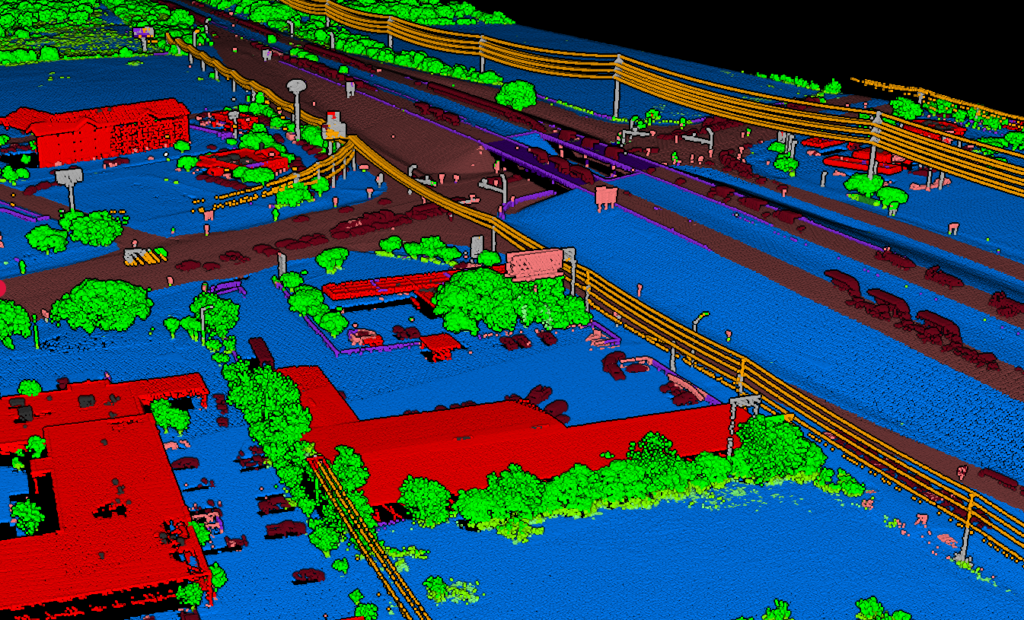
Raw LiDAR point clouds contain everything: ground, buildings, trees, vehicles, and noise. To generate accurate contours, you need a proper workflow that separates true terrain from everything else.
01
Classify Ground
Separate true terrain from vegetation (low, medium, high), buildings, water, and other objects. Poor classification leads to contours that jump between ground level and vegetation height.
02
Create DTM
Generate a Digital Terrain Model from classified ground points. This continuous bare-earth surface is the foundation for contour extraction. Resolution matters: finer captures more detail.
03
Generate Contours
Extract contour lines at specified intervals. Major contours (5m or 10m) with elevation labels, minor contours (1m or 2m) for detail. Interval choice depends on terrain steepness.
04
Export to CAD
Deliver in DXF for AutoCAD and Civil 3D, SHP for ArcGIS and QGIS, or GeoJSON for web mapping and programmatic workflows.
AUTOMATED WORKFLOW
How Lidarvisor Generates Contours
AI-powered classification and extraction in minutes
Lidarvisor uses AI-powered classification to automatically process your point cloud and extract contour lines.
✦ Upload your LAS/LAZ file — any drone or airborne LiDAR
✦ Automatic ground classification with AI
✦ DTM generation from classified points
✦ Contour extraction at custom intervals
✦ Download DXF, SHP, or GeoJSON
Contour Export Options
| Format | Use Case |
|---|---|
| DXF | AutoCAD, Civil 3D, MicroStation — standard CAD deliverable |
| Shapefile (SHP) | ArcGIS, QGIS — standard GIS format |
| GeoJSON | Web mapping, programmatic workflows |
Best Practices for LiDAR Contours
Industry Applications
📐
Land Surveying
Topographic surveys, ALTA/NSPS
🏗️
Civil Engineering
Site grading, cut/fill calculations
🌲
Forestry
Terrain analysis under canopy
🌊
Hydrology
Watersheds, flood zones
⛏️
Mining
Pit design, stockpile volumes
🌾
Agriculture
Drainage planning, irrigation design
Frequently Asked Questions
For detailed site work, 1m or 2m intervals are typical. For regional mapping or steep terrain, 5m or 10m intervals reduce visual clutter. Match the interval to terrain steepness and your project requirements.
Jagged contours usually indicate poor ground classification — the contours are following vegetation or noise points instead of true ground. Verify your classification separates ground from low vegetation, and consider applying smoothing to your DTM.
Always use DTM (Digital Terrain Model) for topographic contours. DTM represents bare-earth elevation, while DSM includes buildings, trees, and other surface features. DSM contours would show building rooftops and tree canopy heights, not true terrain.
Yes, but with limitations. Photogrammetry captures visible surfaces only, so in vegetated areas you’ll get canopy-level contours, not bare-earth terrain. LiDAR penetrates vegetation to capture true ground elevation, making it superior for terrain mapping in forested areas.
With quality drone or airborne LiDAR data, vertical accuracy of 5-15cm is achievable. This translates to contour accuracy meeting or exceeding traditional survey standards. Accuracy depends on LiDAR hardware, flight parameters, ground control, and classification quality.