

From Point Cloud to CAD & GIS Deliverables in Minutes
Transform your LiDAR point clouds into professional DTMs, contour lines, slope maps, and vector exports in DXF, SHP, and GeoJSON. No desktop software required.
Why LiDAR Processing Slows Down Your Projects
Traditional Tools
Expensive software licenses, hours of manual classification, and a steep learning curve. You need a DTM by Friday, but you’re still figuring out ground classification parameters. Desktop solutions like TerraScan require training, maintenance, and workstation-class hardware.
Lidarvisor AI
Upload your point cloud, get classified terrain data automatically. No parameter tuning, no desktop installation. Your CAD technician gets DXF files, your GIS analyst gets Shapefiles, and your web team gets GeoJSON — all while the coffee is still hot.
TERRAIN MODELS
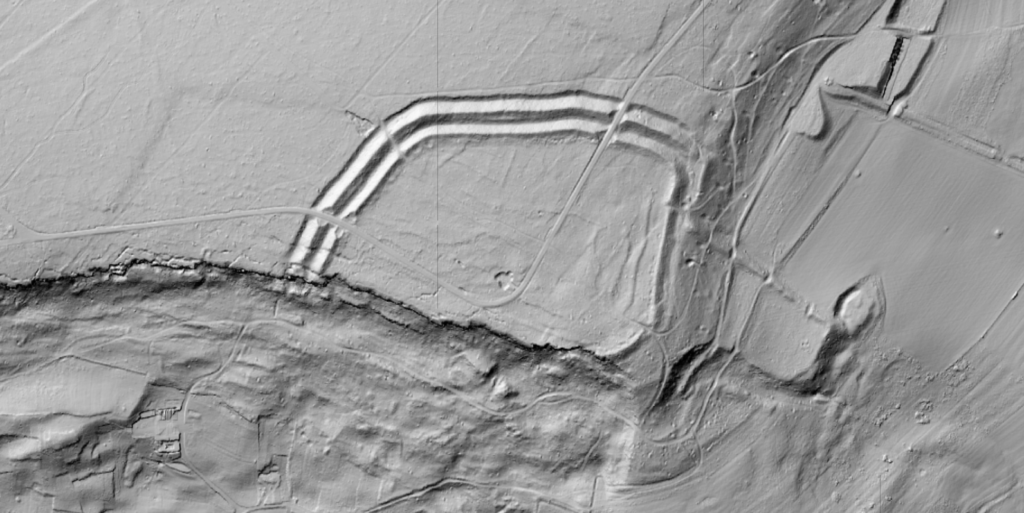
Automatic Ground Classification for DTM/DSM
Clean terrain models you can trust
Upload your point cloud and get classified ground points automatically. Lidarvisor separates ground from vegetation, buildings, and noise without manual parameter tuning. Ready for engineering and design work.
✦ AI-powered ground extraction
✦ Works on flat and steep terrain
✦ High-resolution DTM/DSM output
VECTORIZATION
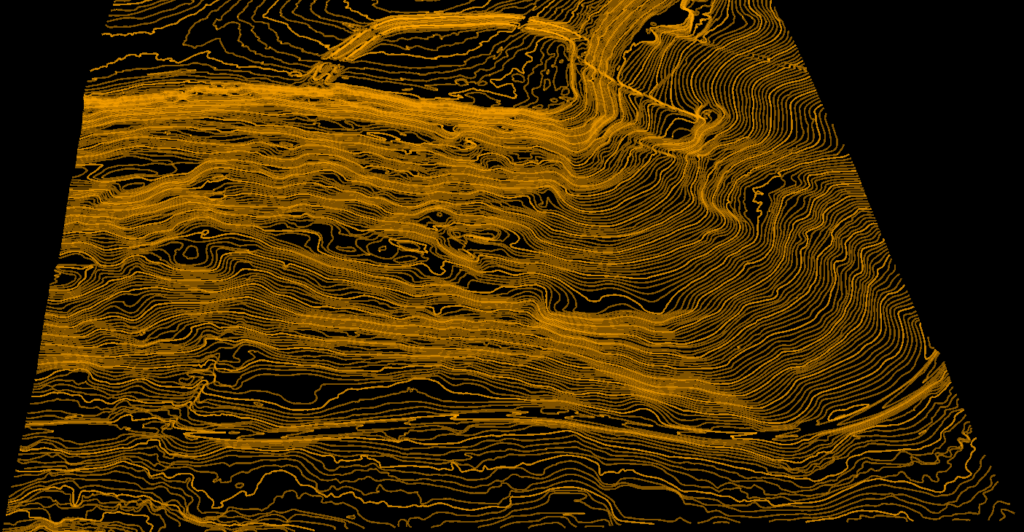
Contour Line Generation
From elevation data to contour maps
Generate contour lines directly from your processed terrain data. Choose your contour interval, download in your preferred format, and deliver to your client. Works with CAD, GIS, and web platforms.
✦ Custom contour intervals
✦ Export to DXF, SHP, or GeoJSON
✦ CAD, GIS, and web-ready output
TERRAIN ANALYSIS
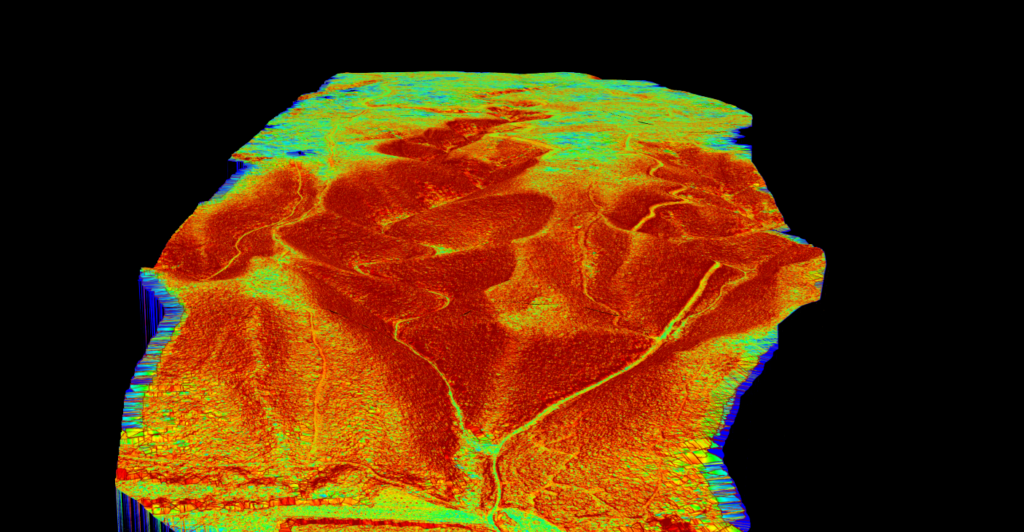
Slope Maps & Surface Analysis
Complete terrain characterization
Visualize terrain slope for drainage analysis, erosion assessment, and site suitability studies. Slope outputs complement your elevation data for complete terrain characterization.
✦ Drainage analysis ready
✦ Site suitability assessment
✦ GeoTIFF export
AUTOMATIC VECTORIZATION
7 Vector Output Types — All From Your Point Cloud
Lidarvisor extracts multiple vector types from your LiDAR data — not just contours. Every output is CAD and GIS-ready in DXF, Shapefile, or GeoJSON.
📏
Contour Lines
Customizable intervals from 0.1m to any spacing you need
DTM → Vector
🏢
Building Footprints
Orthogonalized polygons with clean right angles
Point Cloud → Polygon
🌳
Tree Crowns & Tops
Crown polygons and tree top point detection
CHM → Vector
⚡
Power Lines
3D cable vectorization with sag modeling
Point Cloud → Line
🗼
Tower Vectorization
Transmission tower locations and footprints
Point Cloud → Point/Polygon
🛣️
Road Vectorization
Road centerlines and edge extraction
Point Cloud → Line
📊
Gridded DTM
Regular grid points for direct CAD import
DTM → Point Grid
Vector Export Formats
Export any vector output in the format your workflow requires — CAD, GIS, or web
📐
CAD Workflows
DXF Export
Industry-standard format for CAD software. Open directly in AutoCAD, Civil 3D, MicroStation, and other CAD platforms without conversion.
✦ AutoCAD & Civil 3D
✦ MicroStation
✦ BricsCAD & DraftSight
✦ No format conversion
🗺️
GIS Workflows
Shapefile Export
The universal GIS format. Import directly into ArcGIS, QGIS, and enterprise GIS platforms with full attribute data and projection support.
✦ ArcGIS Pro & ArcMap
✦ QGIS & GRASS GIS
✦ Full attribute tables
✦ CRS/projection support
🌐
Web & Modern Workflows
GeoJSON Export
The modern standard for web mapping. Use with Mapbox, Leaflet, OpenLayers, and any web-based GIS platform. Perfect for sharing and collaboration.
✦ Mapbox & Leaflet
✦ Google Earth & Maps
✦ Easy web integration
✦ Human-readable format
Use Cases for Land Surveyors
📐
Topographic Surveys
Accurate terrain models from drone or terrestrial LiDAR for boundary surveys, site plans, and ALTA/NSPS surveys.
🏗️
Construction Layout
DTMs and contour lines for grading plans, earthwork calculations, and construction staking.
🌊
Floodplain Mapping
High-resolution terrain data for drainage studies and flood risk assessment.
📊
Volume Calculations
Process stockpile and excavation surveys with accurate ground classification for cut/fill analysis.
Frequently Asked Questions
Upload your point clouds in LAS or LAZ format (compressed LAS). These are the industry-standard formats for LiDAR data. Export your results as LAS, DTM/DSM rasters (GeoTIFF), or vector contours in DXF (for CAD software like AutoCAD and Civil 3D), Shapefile (for GIS platforms like ArcGIS and QGIS), and GeoJSON (for web mapping and modern workflows).
Choose based on your workflow:
- DXF — Best for CAD users. Opens directly in AutoCAD, Civil 3D, MicroStation, and similar software.
- Shapefile (SHP) — Best for GIS professionals. Works with ArcGIS, QGIS, and enterprise GIS systems with full attribute support.
- GeoJSON — Best for web developers and modern workflows. Use with Mapbox, Leaflet, Google Maps, and web-based collaboration tools.
You can download all three formats from the same processed dataset — no need to reprocess.
Lidarvisor extracts 7 types of vector outputs from your point cloud:
- Contour lines — With customizable intervals (0.1m, 0.5m, 1m, etc.)
- Building footprints — Orthogonalized polygons with clean right angles
- Tree crowns & tree tops — Crown polygons and tree top point detection
- Power lines — 3D cable vectorization with sag modeling
- Towers — Transmission tower locations and footprints
- Roads — Centerlines and edge extraction
- Gridded DTM — Regular grid points for direct CAD import
All vectors export to DXF, Shapefile, or GeoJSON.
Lidarvisor uses deep learning models trained on diverse aerial LiDAR datasets. Our classification achieves high accuracy across terrain types, from flat urban areas to steep forested slopes. The AI handles edge cases that trip up rule-based systems, delivering reliable results on the first try without manual adjustment.
Yes. When generating contour lines, you can specify your desired contour interval (e.g., 0.5m, 1m, 5m). The contours are generated directly from your terrain model and exported in your choice of DXF, Shapefile, or GeoJSON.
Processing time depends on file size and point density, but most datasets are classified within 5-15 minutes. Large projects may take longer. You’ll receive an email notification when processing is complete.
No. Lidarvisor is 100% web-based. Just open your browser, upload your file, and start processing. No plugins, no installations, no configuration. Works on any modern browser.