

TERRAIN MODELING
Trusted by Survey Professionals Worldwide
"The powerful classification is the best feature. It saves a lot of time and money compared to manual classification or expensive solutions."

Emilio Segovia
Head of Operations, PDM 4 Cero
"We saved a lot of time classifying our point clouds. Not only classified data, but also DEM, DSM, DXF exports we could use directly in our analysis software."

Marcel Aertssen
Survey Analyst, SkySense UAV Solutions
"Excellent software. Processing is extremely fast and highly accurate. Exemplary DSM and DTM outputs."

Theoharis Papadiamantis
Surveying Engineer, Geodimetro
"Lidarvisor has transformed my LiDAR post-processing workflow. The speed of results is impressive, all the useful data is correlated, and what I find exceptional is the DXF export function."

Carolina Collaro
Architect | University of Jaén, Spain
"We used to outsource our LiDAR processing. With Lidarvisor, we brought it in-house and cut our costs significantly while keeping full control over the workflow."

Bodie Lloyd Kirori
Managing Director | Geolens Engineering, Papua New Guinea
"We tested Lidarvisor and achieved excellent results using a single platform. Previously, we needed up to three different programs to get similar results, which took us far more time and effort."

Eduardo Bonilla
Project Manager | Topcom S.A. de C.V., El Salvador
BARE EARTH EXTRACTION
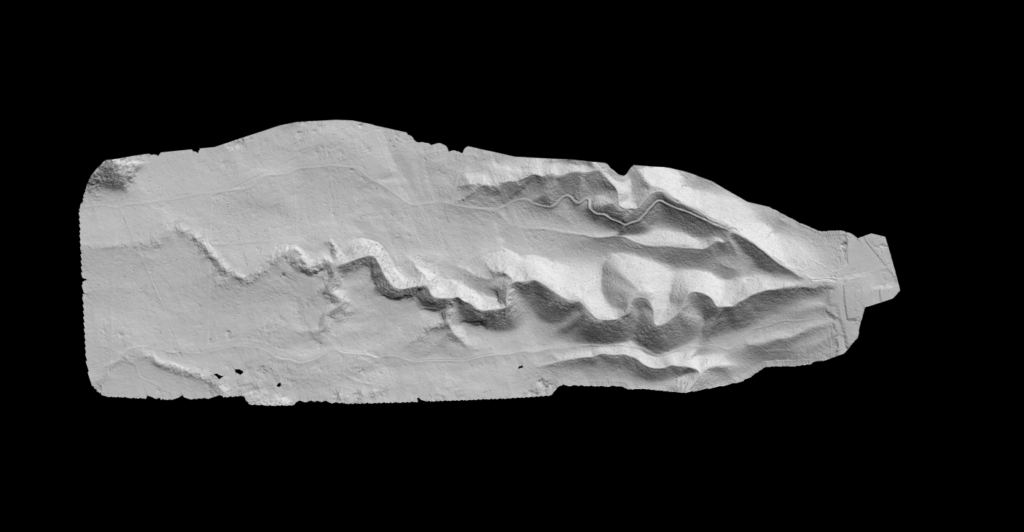
Digital Terrain Model (DTM)
See the ground beneath the clutter
Lidarvisor automatically isolates ground points from vegetation, buildings, and noise to generate a clean bare-earth surface. The result includes hillshade colorization for instant terrain visualization, ready for engineering analysis or topographic mapping.
✦ Automatic ground classification removes above-ground features
✦ Hillshade visualization reveals terrain relief at a glance
✦ Export as TIFF at your chosen resolution for GIS or CAD
SURFACE ELEVATION
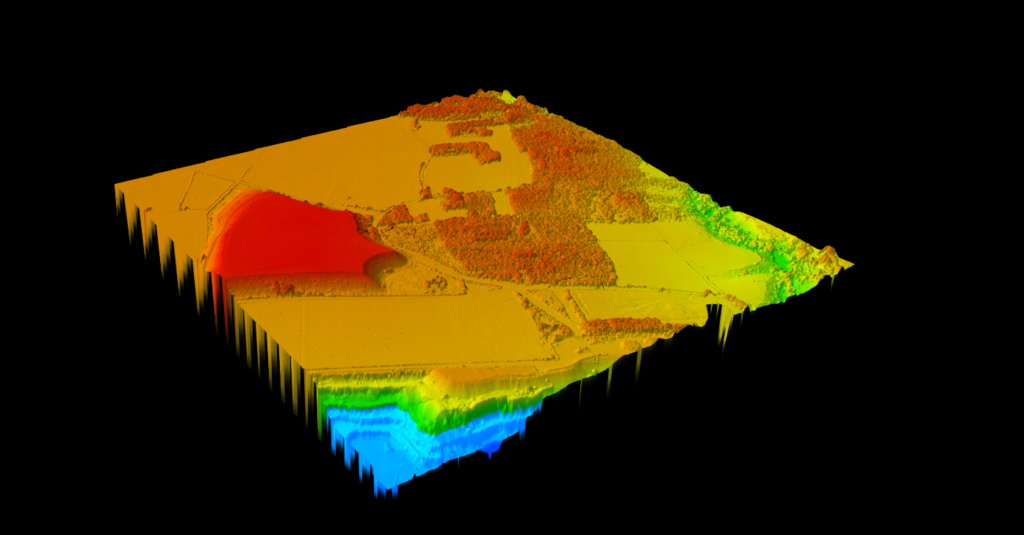
Digital Surface Model (DSM)
Capture everything above ground level
The DSM preserves the highest elevation at each point, including buildings, trees, and infrastructure. Lidarvisor applies a smooth color gradient for immediate visual interpretation of surface heights, making it easy to identify structures and canopy patterns across your survey area.
✦ Preserves all above-ground features for complete surface mapping
✦ Color gradient visualization highlights elevation differences
✦ Adjustable resolution from detailed urban studies to large-area mapping
VEGETATION ANALYSIS
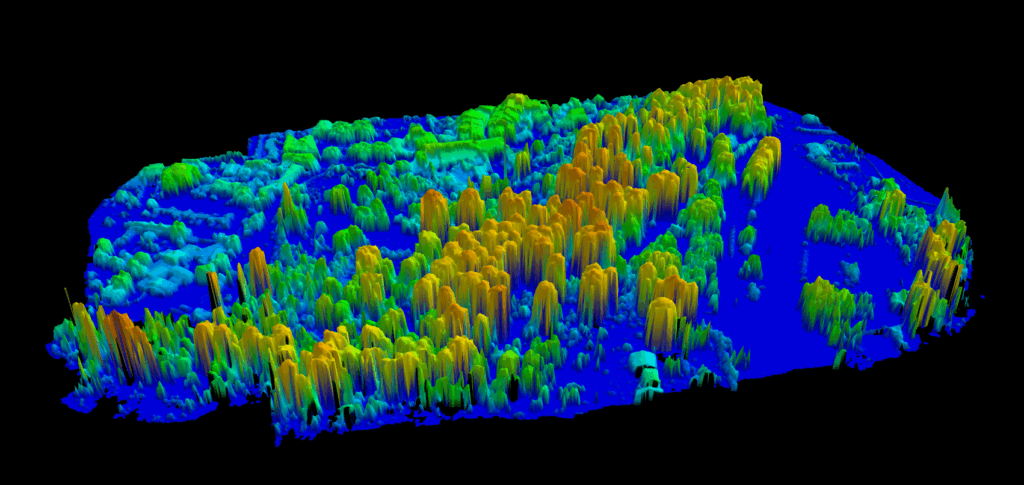
Canopy Height Model (CHM)
Measure vegetation height across your entire site
The CHM reveals the height of vegetation, buildings, and structures above ground level. Lidarvisor automatically computes CHM by subtracting DTM from DSM, then applies a color gradient for clear interpretation. Essential for forestry, utility corridor analysis, and vegetation management.
✦ Automatic DTM/DSM subtraction calculates true feature heights
✦ Color gradient visualization for quick canopy assessment
✦ Export raw CHM data and colorized visualization as separate TIFFs
TERRAIN ANALYSIS
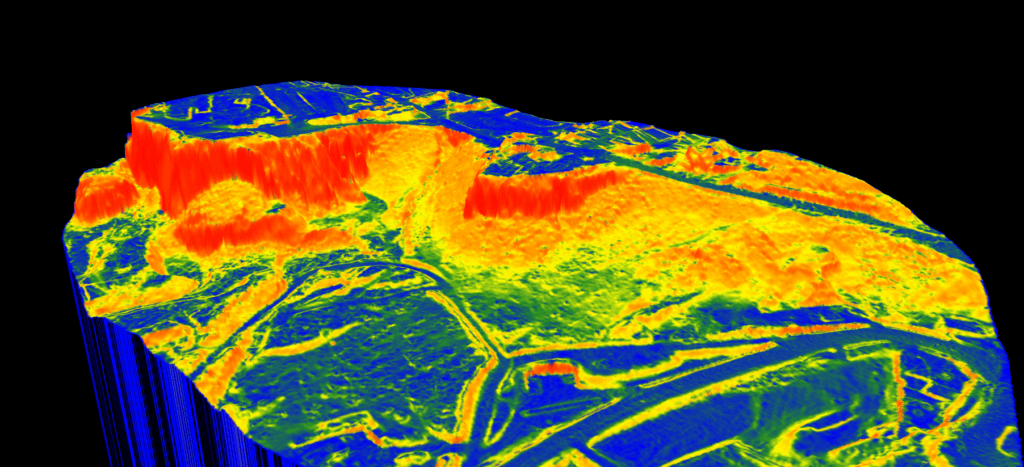
Slope Map
Visualize terrain steepness in one click
Generate slope calculations instantly from your DTM to understand terrain gradients across your project site. Lidarvisor applies a color gradient showing slope intensity, perfect for construction planning, erosion analysis, drainage studies, and accessibility assessments.
✦ Automatic slope calculation from DTM data
✦ Color-coded visualization shows steepness at a glance
✦ Export slope data and colorized map as separate TIFF files
3D MESH GENERATION
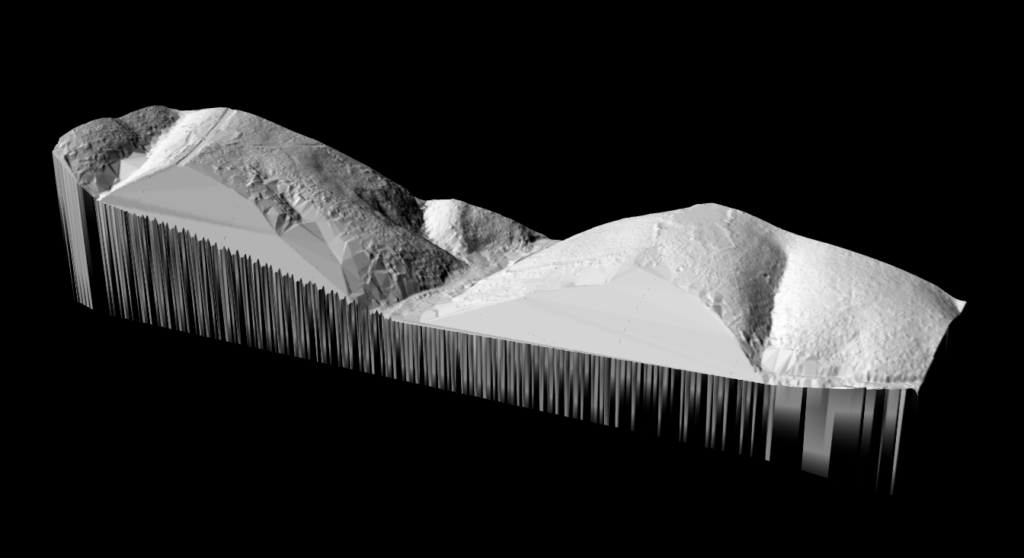
Triangulated Irregular Network (TIN)
Create accurate 3D terrain meshes from your point cloud
TIN represents your terrain as a mesh of connected triangles that adapt to elevation changes, providing a highly accurate 3D surface model. Lidarvisor generates the TIN automatically and applies hillshade for clear visualization, then exports to raster or vector formats for CAD integration.
✦ Adaptive triangulation follows natural terrain contours
✦ Hillshade visualization reveals surface relief and features
✦ Export as TIFF (raster) or DXF, SHP, GeoJSON (vector)
THE DIFFERENCE
Why Automated Processing Wins
Traditional terrain modeling requires hours of manual work. Lidarvisor does it in minutes.
Manual Terrain Modeling
❌ Manually filter and classify ground points
❌ Configure interpolation parameters for each output
❌ Separate workflows for DTM, DSM, CHM, Slope
❌ Hours spent tweaking settings for each dataset
❌ Expensive desktop software licenses ($5,000+/year)
Lidarvisor Automated Processing
✓ Automatic ground classification, no parameters needed
✓ Generate all five output types in a single workflow
✓ Consistent, repeatable results across all projects
✓ Processing complete in minutes, not hours
✓ Cloud-based, no software to install or maintain
USE CASES
Built for Your Workflow
Terrain models for every industry and application
📐
Land Surveyors
Generate survey-grade DTMs for topographic mapping, cut/fill calculations, and construction site planning
🌲
Forestry Professionals
Use CHM to assess canopy heights, calculate timber volumes, and monitor vegetation growth
⚡
Utility Companies
Analyze CHM for vegetation encroachment, plan clearance corridors, and prioritize maintenance
🏗️
Civil Engineers
Create slope maps for drainage analysis, site grading, and accessibility planning
Frequently Asked Questions
The DTM (Digital Terrain Model) represents the bare earth surface with all vegetation, buildings, and other features removed. The DSM (Digital Surface Model) captures the highest point at each location, including all above-ground features. Both are useful depending on your application: DTM for grading and earthwork calculations, DSM for obstruction analysis and visibility studies.
Lidarvisor lets you choose your output resolution based on your project needs. Higher resolution provides more detail for small-area analysis, while lower resolution is suitable for large-area mapping where file size matters.
All raster outputs (DTM, DSM, CHM, Slope) export as GeoTIFF files compatible with any GIS or CAD software. TIN can be exported as a raster TIFF or as vector formats including DXF, Shapefile (SHP), and GeoJSON.
The Canopy Height Model is automatically calculated by subtracting the DTM (ground surface) from the DSM (top surface). This gives you the height of all features above ground level, including trees, buildings, and other structures.
No. Lidarvisor handles all processing automatically. Simply upload your LAS file, and the system generates all terrain outputs without any parameter configuration. The algorithms are optimized to work with any standard aerial LiDAR dataset.
Start Creating Terrain Models Today
Upload your LAS file and generate DTM, DSM, CHM, Slope Maps, and TIN in minutes.
Questions? Contact our team or check our pricing plans