
Tutorials,Industries
Detecting Vegetation Risk with Lidarvisor
A Step-by-Step Guide to Automated Power Line Vegetation Analysis
No credit card required • 50 hectares included
Trees growing too close to power lines cause outages, spark wildfires, and lead to regulatory penalties. Lidarvisor automates the entire vegetation risk detection process, from point cloud upload to actionable reports.
Utility vegetation management (UVM) is critical for keeping electrical networks reliable, compliant, and safe. Traditional methods rely on visual inspections from the ground or helicopter, but these are labor-intensive, subjective, and often miss risks until it is too late.
LiDAR offers a high-resolution, 3D view of both infrastructure and surrounding vegetation, detecting clearance violations, encroachments, and fall-risk trees with accuracy and consistency.
Why LiDAR for Vegetation Management?
Outage Prevention
Detect encroachments before they cause service disruptions
Wildfire Safety
Identify vegetation that could ignite near conductors
Regulatory Compliance
Meet clearance standards with precise spatial data
Faster Inspections
Replace weeks of field work with automated cloud processing
How Lidarvisor Works
Lidarvisor is a cloud-based platform designed specifically for utility vegetation management. Upload your LiDAR point cloud, configure vegetation risk settings, and receive detailed reports and spatial data outputs, all without needing GIS or LiDAR processing expertise.
The platform automatically classifies power lines, poles, vegetation, ground, and buildings, then analyzes risk based on your custom corridor and clearance settings.
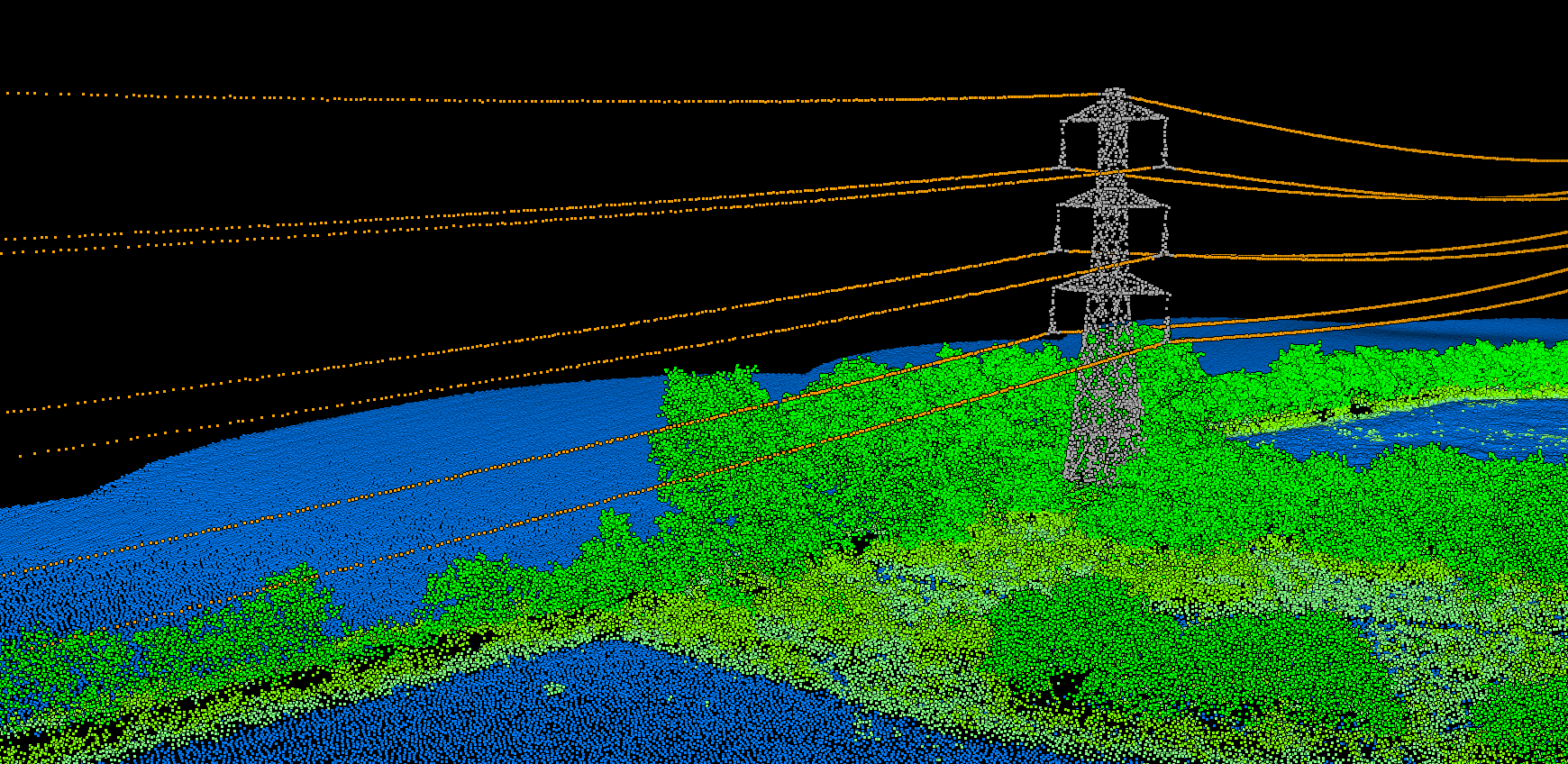
Follow this workflow to go from raw LiDAR data to a complete vegetation risk assessment with exportable deliverables.
- Power lines and conductors
- Poles and towers
- Vegetation, ground, and buildings
5 Steps to Vegetation Risk Detection
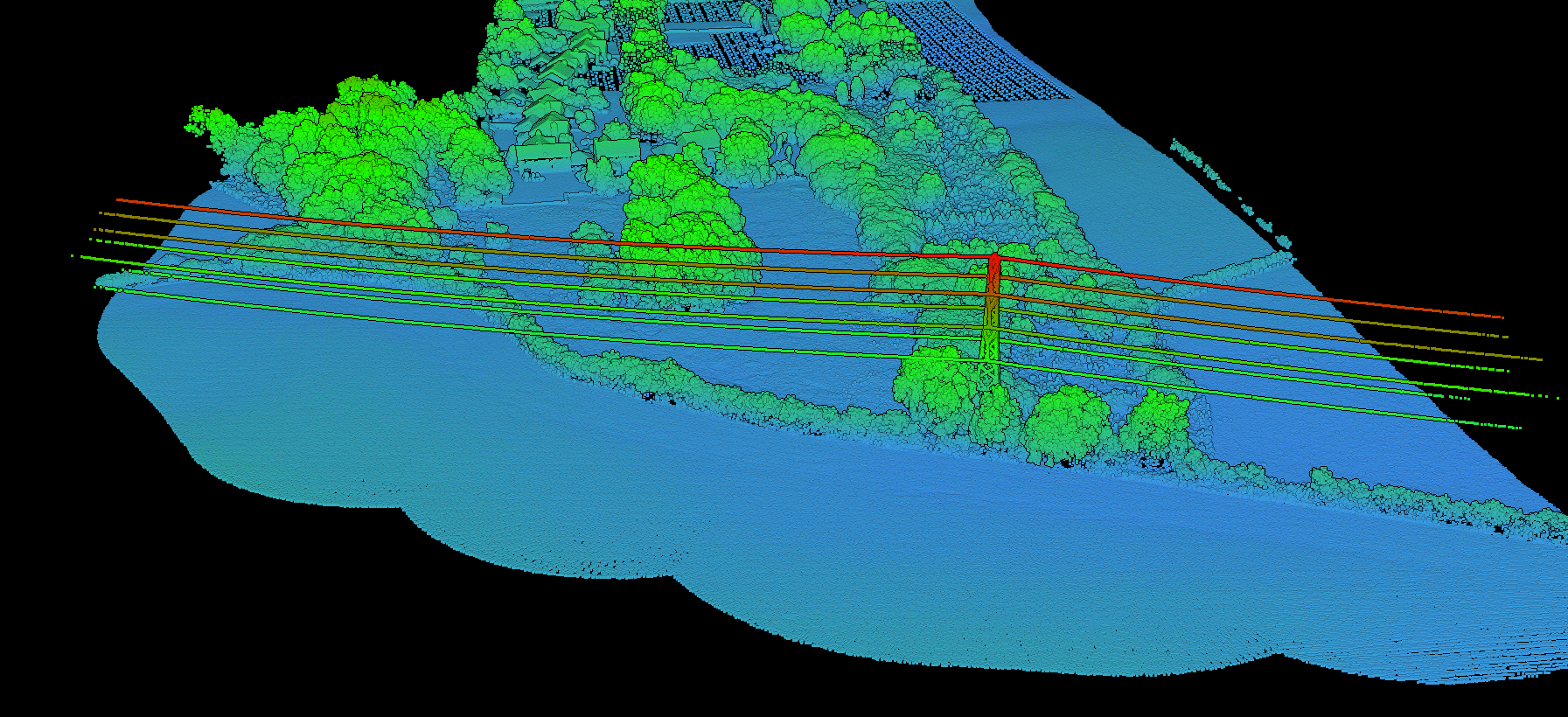
Upload Your LiDAR Point Cloud
Create a project in Lidarvisor and upload your LiDAR dataset in LAS, LAZ, or COPC format. No pre-classification is needed. The platform automatically segments:
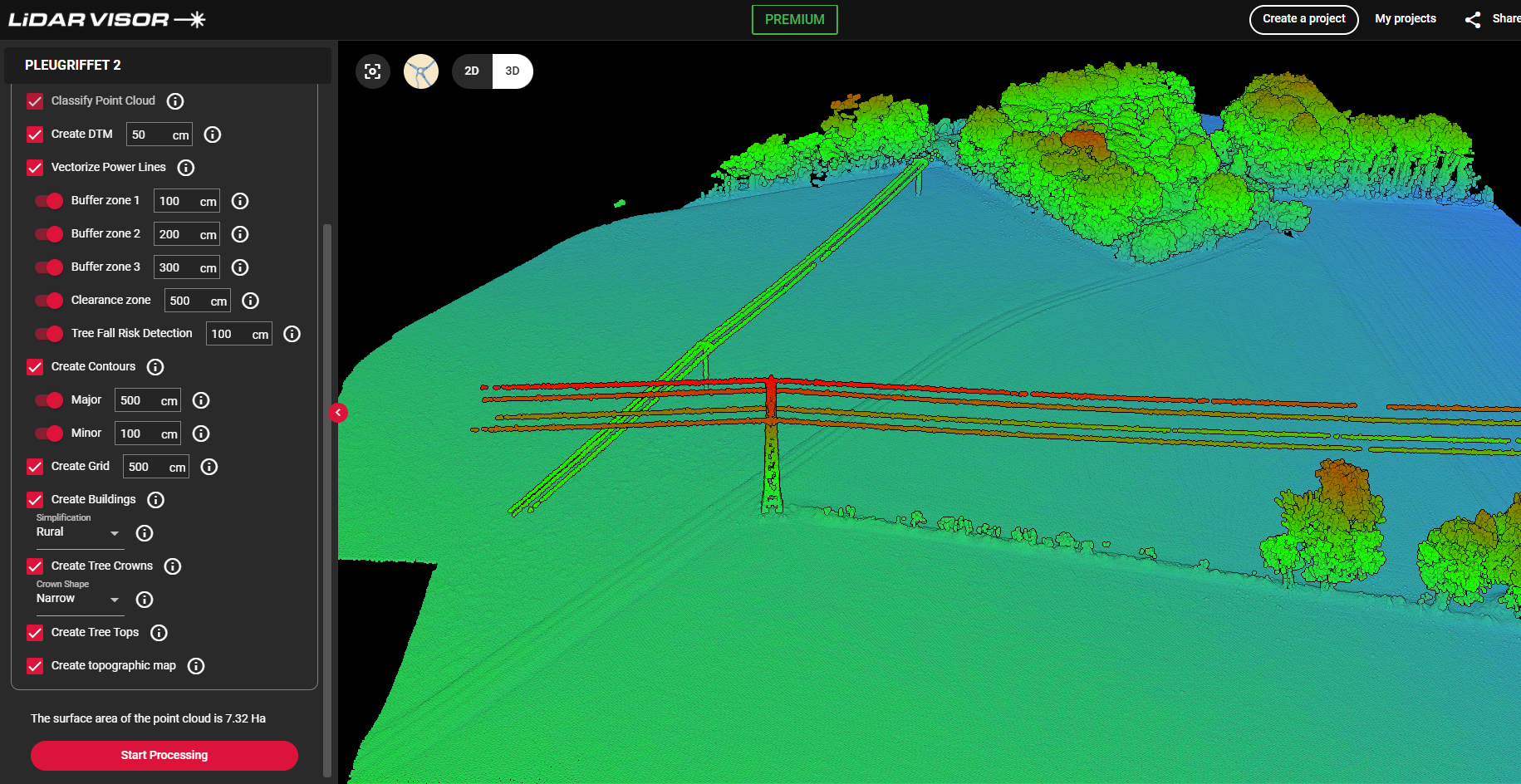
- Power Line Vectorization: detect and model conductors in 3D
- Buffer Corridor Setup: define up to 3 corridor widths (e.g., 3m, 5m, 10m)
- Clearance Thresholds: set minimum safe vertical distances between wires and vegetation
- Fall-Risk Margin: identify trees outside corridors that could strike conductors if they fall
After setup, Lidarvisor performs classification, vectorization, and vegetation risk analysis in one go.
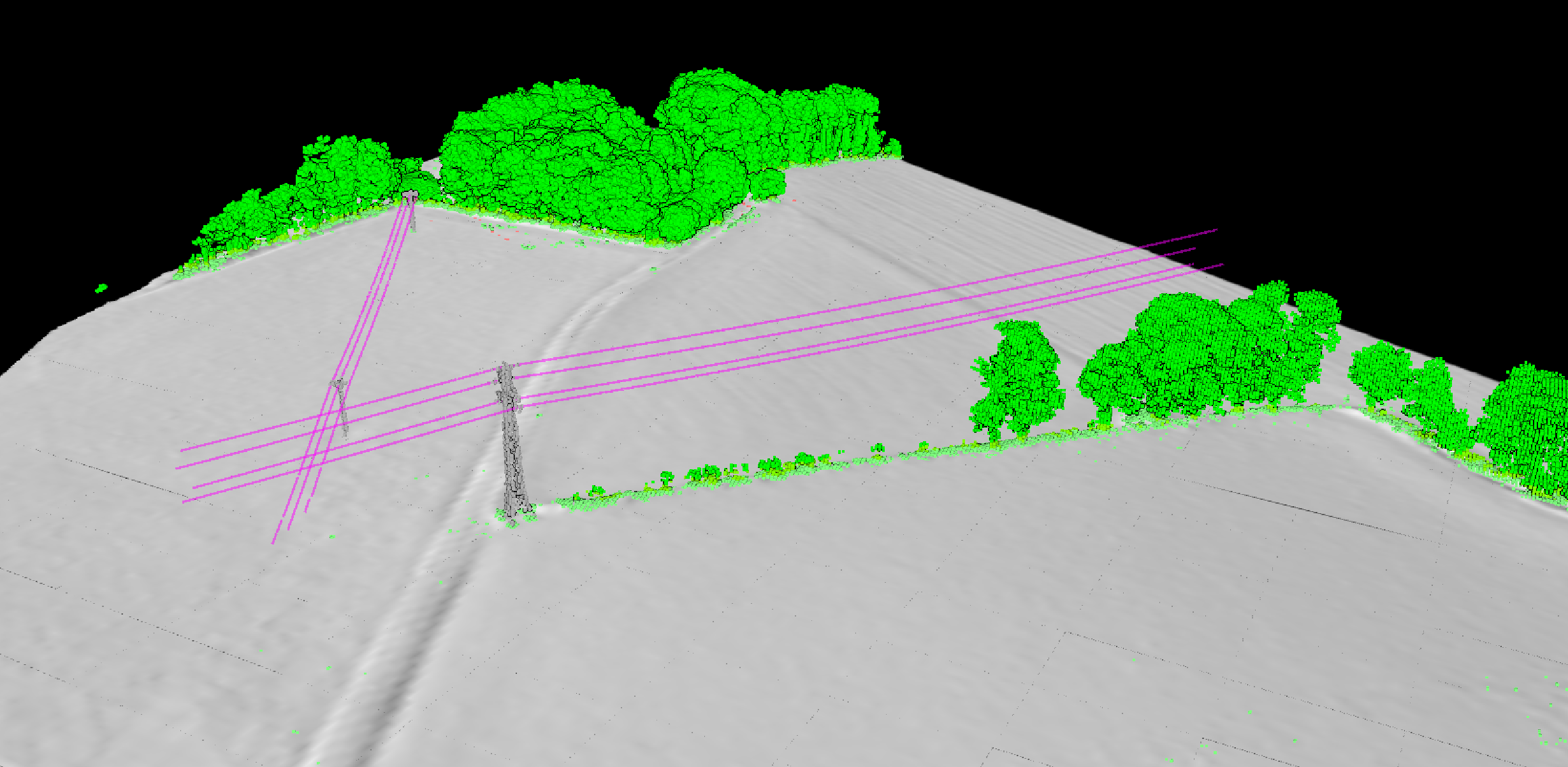
- Visualize the classified and vectorized point cloud
- Inspect vegetation relative to power lines
- Confirm asset segmentation and classification accuracy
Risk zones and fall-risk trees appear in the downloadable report rather than the viewer.
Configure Processing Options
Select the vegetation risk analysis options relevant to your project:
Explore the Classified Point Cloud
Once processing is complete, use Lidarvisor’s web-based 3D viewer to explore the results:
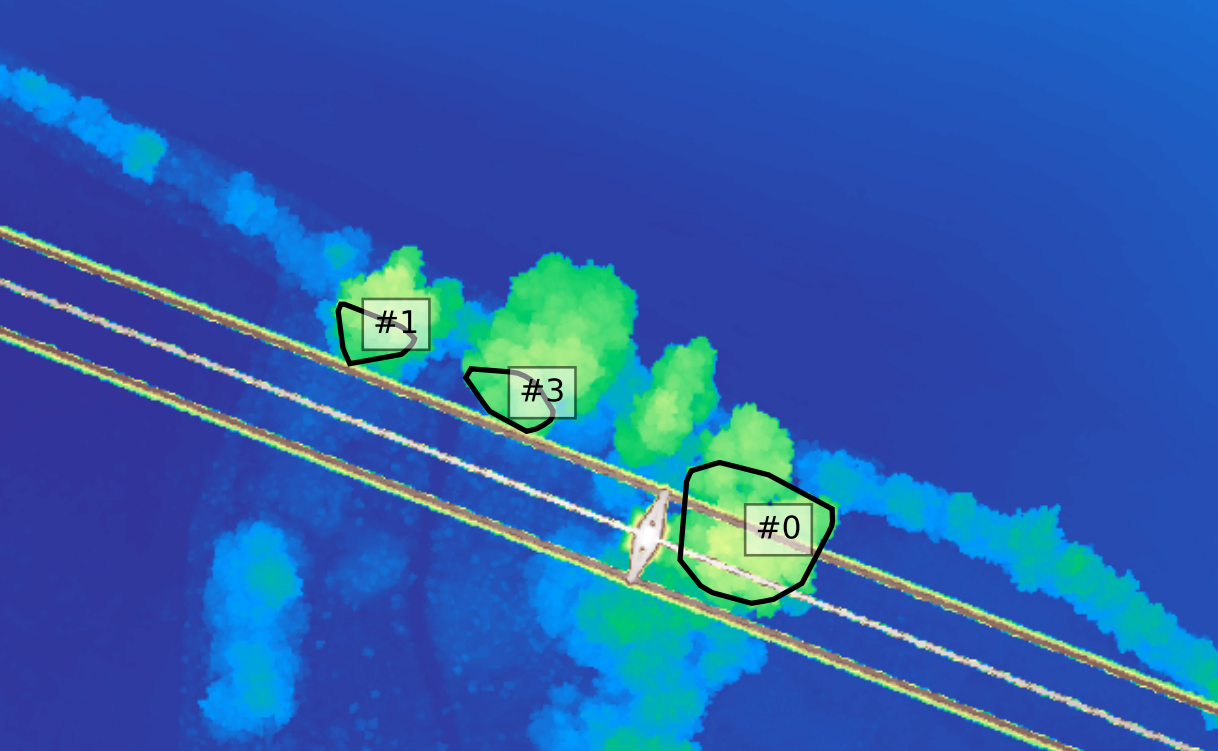
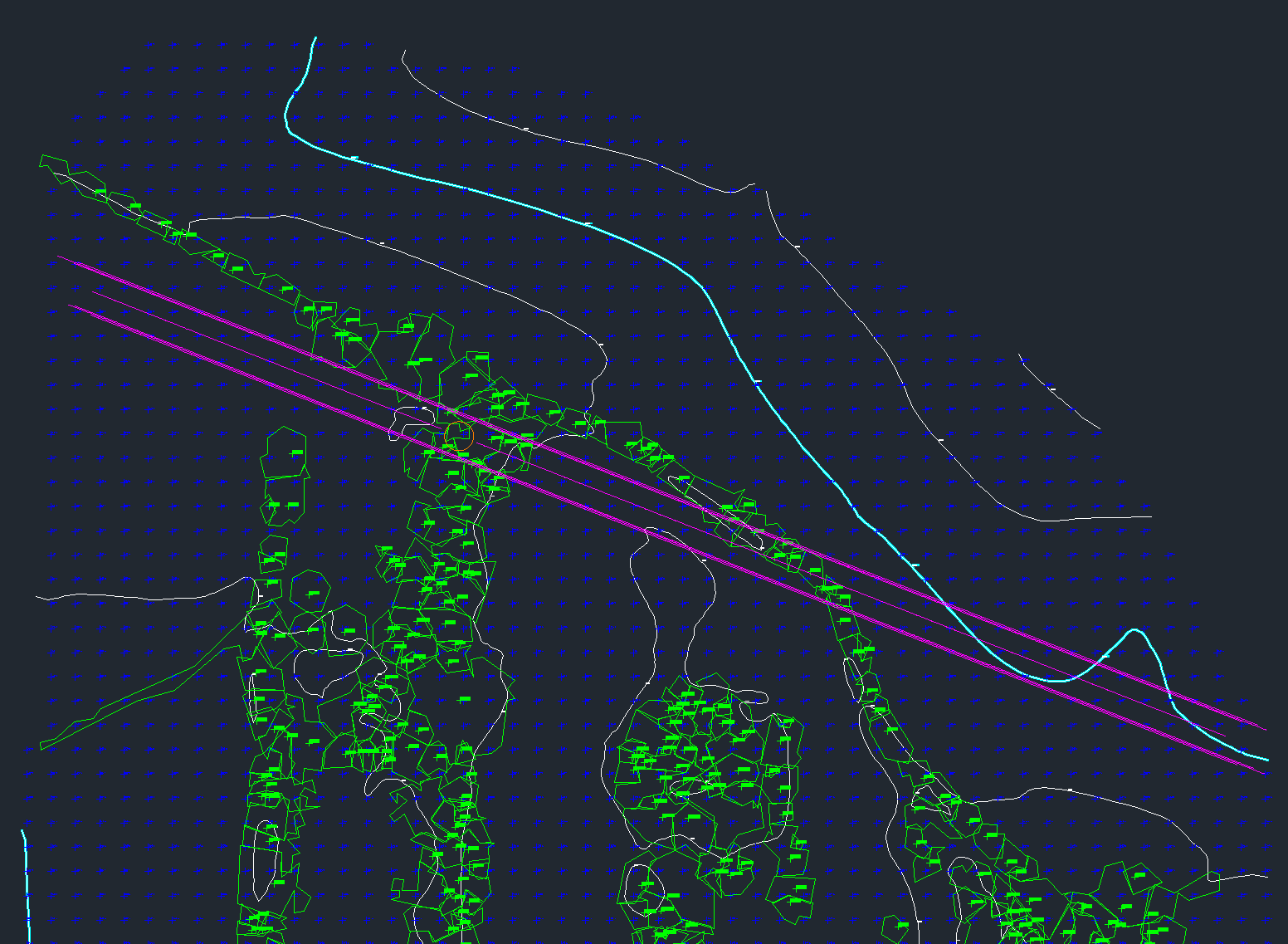
- SHP files for GIS systems
- DXF files for CAD environments
- CSV tables for risk summaries and reporting
Each export includes risk clusters, classified features, and spatial buffers.
Review the Vegetation Risk Report
Lidarvisor generates a detailed PDF report outlining all vegetation risks detected:
Export Data for CAD and GIS
Export your results in multiple formats ready for further analysis or integration:
From Raw LiDAR to Actionable Insights
LiDAR is quickly becoming a cornerstone of modern utility vegetation management, but only when paired with tools that make it actionable. Lidarvisor offers a fast, scalable way to detect vegetation risk without manual processing or specialized software.
From line classification to fall-risk analysis and report generation, it transforms raw LiDAR into decisions you can act on immediately.
Related Industry Applications
Infrastructure
• Bridge & Road Inspection
• Powerline Extraction
• Construction
Natural Resources
• Forest Inventory
• Forest Guide
• Vegetation Management
Geospatial
• Surveying
• Terrain Mapping
• Archaeology
Create a FREE account now and start processing your point cloud
Get 5 GB of storage space and classify up to 50 hectares for free.
Create free account50 hectares free. No credit card. No software to install.