
01
Upload
Drag and drop your LAS or LAZ file. No installation, no setup.
Features
Point Cloud Viewer Point Cloud Preprocessing Point Cloud Classification Point Cloud Rasterization Point Cloud Vectorization Processing APIIndustry
Land Surveying Utility Vegetation Management Forestry Hydrology & WaterMore
Pricing Contact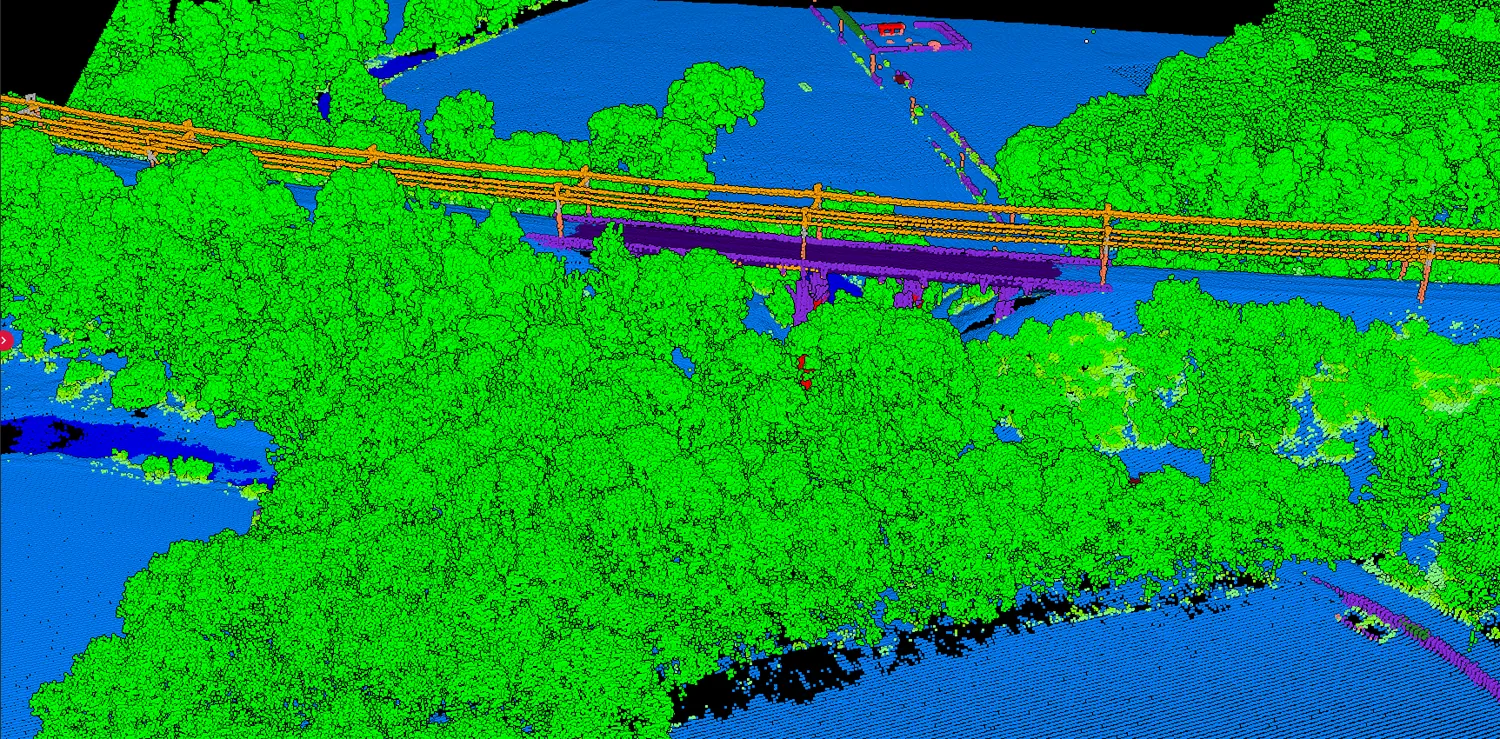
AI classification
No parameter tuning. No steep-terrain headaches. Upload your LAS file and get 12+ classes automatically: ground, vegetation, buildings, water, wires and more.
No credit card required • 50 Ha of free classification
How it works
Drag and drop your LAS or LAZ file. No installation, no setup.
The AI analyses the cloud and classifies it into 12+ categories. No parameters to tune.
Fix edge cases with brush selection, class permutation and filtering, then export the cloud, DTM, DSM or contours.
Coverage
Standard LAS classes, assigned with a single click.
| Group | Classes | Typical use |
|---|---|---|
| Terrain | Ground | DTM, contours, volumes |
| Vegetation | Low · Medium · High, Hedge | Forestry, encroachment, CHM |
| Structures | Building, Roof object, Bridge deck | Footprints, urban planning |
| Utilities | Wire, Tower, Pole | Corridor analysis, clearance |
| Surfaces | Water | Hydrography, shoreline |
| Other | Vehicle, Fence / Wall | Site inventory, site context |
Where it earns its keep
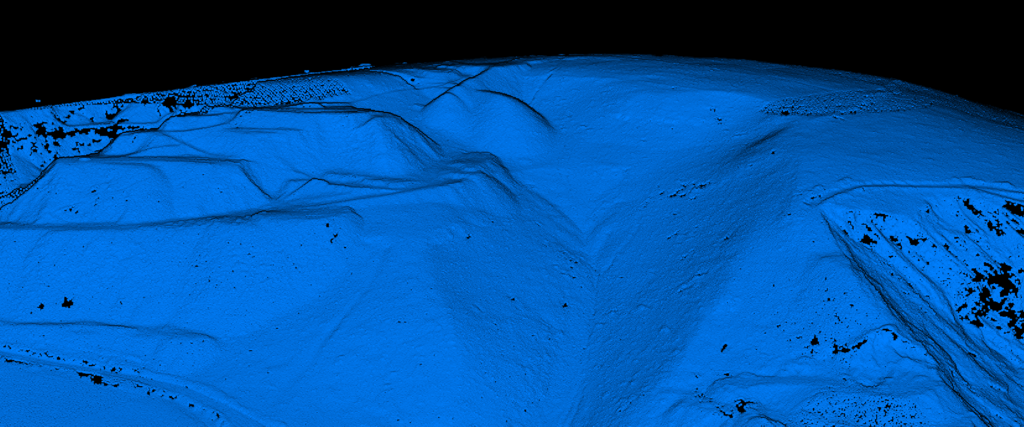
Terrain
Flat areas and mountain slopes, equally well, out of the box.
The AI separates ground from vegetation, buildings and noise without manual adjustment. Traditional software needs careful parameter tuning on steep terrain; this does not.
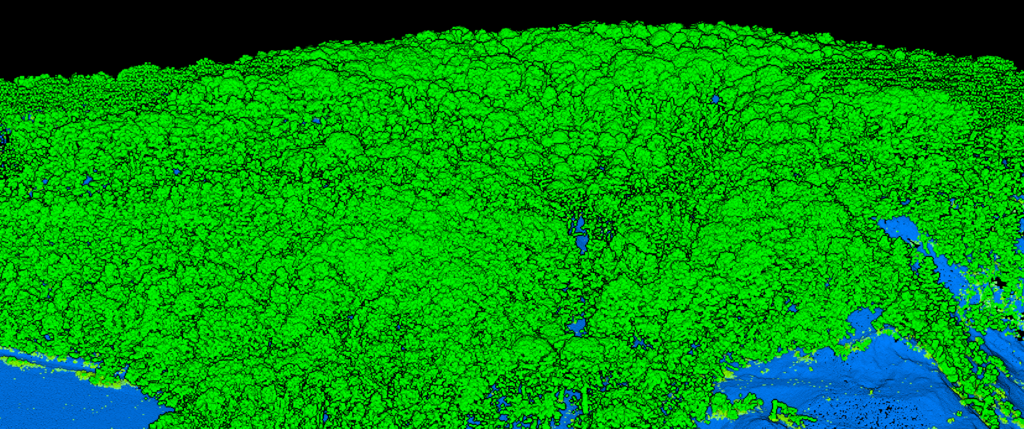
Vegetation
Low, medium and high vegetation, separated automatically.
Built for forestry analysis, vegetation management and environmental monitoring, where the split between storeys is the whole point.
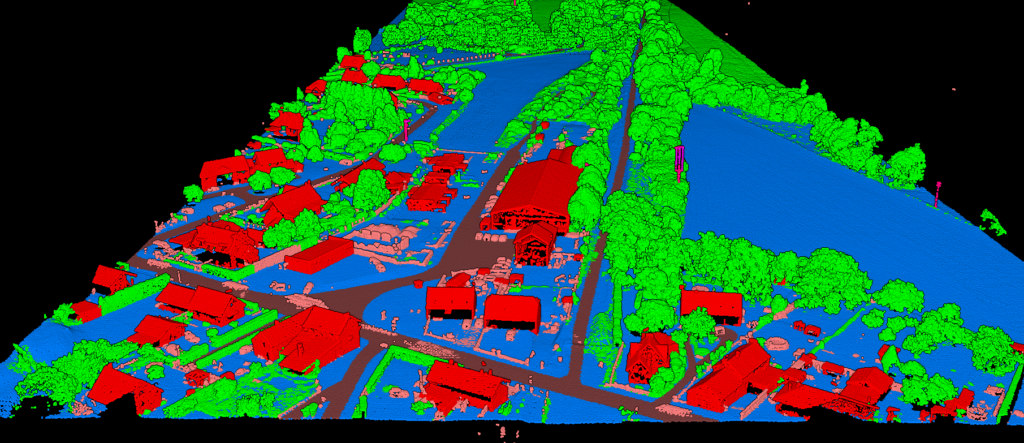
Infrastructure
Dense urban and utility corridors, without hand-tuning.
Buildings and roof objects are classified accurately even in dense urban environments, and the AI distinguishes structures from vegetation and adjacent terrain. Wires, towers and poles come out cleanly for corridor analysis.
Customer stories
The powerful classification is the best feature. It saves a lot of time and money compared to manual classification or expensive solutions.
 Emilio Segovia
We saved a lot of time classifying our point clouds. Not only classified data, but also DEM, DSM, DXF exports we could use directly in our analysis software.
 Marcel Aertssen
Excellent software. Processing is extremely fast and highly accurate. Exemplary DSM and DTM outputs.
 Theoharis Papadiamantis
Lidarvisor has transformed my LiDAR post-processing workflow. The speed of results is impressive, all the useful data is correlated, and what I find exceptional is the DXF export function.
 Carolina Collaro
We used to outsource our LiDAR processing. With Lidarvisor, we brought it in-house and cut our costs significantly while keeping full control over the workflow.
 Bodie Lloyd Kirori
We tested Lidarvisor and achieved excellent results using a single platform. Previously, we needed up to three different programs to get similar results, which took us far more time and effort.
 Eduardo Bonilla
Questions
Lidarvisor uses deep learning models trained on diverse aerial LiDAR datasets, and achieves high accuracy across terrain types from flat urban areas to steep forested slopes. It handles edge cases that trip up rule-based systems, and results are reliable on the first try without manual adjustment.
Yes. Brush selection picks points, class permutation reassigns them to any class, and filtering isolates a class for focused editing. These tools are built in, so fixing edge cases after AI classification never means exporting to another application.
Yes. Unlike traditional classification software that needs careful parameter tuning for steep slopes, the model was trained on diverse terrain and handles it automatically. There are no slope thresholds or filtering parameters to adjust.
Upload point clouds in LAS, LAZ (compressed LAS) or COPC, the industry-standard formats. Export classified results as LAS, or generate DTM and DSM rasters and contours in DXF, SHP or GeoJSON.
It depends on file size and point density, but most datasets classify within 5 to 15 minutes. Large projects can take longer, and you get an email when processing is complete.
No. Lidarvisor is entirely web-based. Open your browser, upload your file and start processing. No plugins, no installation, no configuration, on any modern browser.
Documentation
How to classify your LiDAR point clouds with Lidarvisor.
Start with 50 Ha of free classification. No credit card required. See results in minutes.
Create free accountQuestions? Contact our team or check our pricing plans