
ARCHAEOLOGICAL DISCOVERY
LiDAR Archaeology
LiDAR helps archaeologists inspect terrain features hidden by forest canopy, subtle topography, or visual noise on the ground.
No credit card required • 50 hectares included
With the right terrain outputs, buried ruins, earthworks, terraces, and site patterns become easier to interpret before field teams step on site.
Canopy Penetration
Reveal terrain context beneath vegetation where standard imagery struggles
Micro-Relief Detection
Expose subtle ridges, ditches, mounds, terraces, and earthworks
Terrain Products
Use DTM, hillshade, and slope views to inspect potential archaeological patterns
Survey Prioritization
Focus fieldwork on the places where terrain evidence is strongest
Why LiDAR Helps Archaeologists Find Hidden Ruins and Earthworks
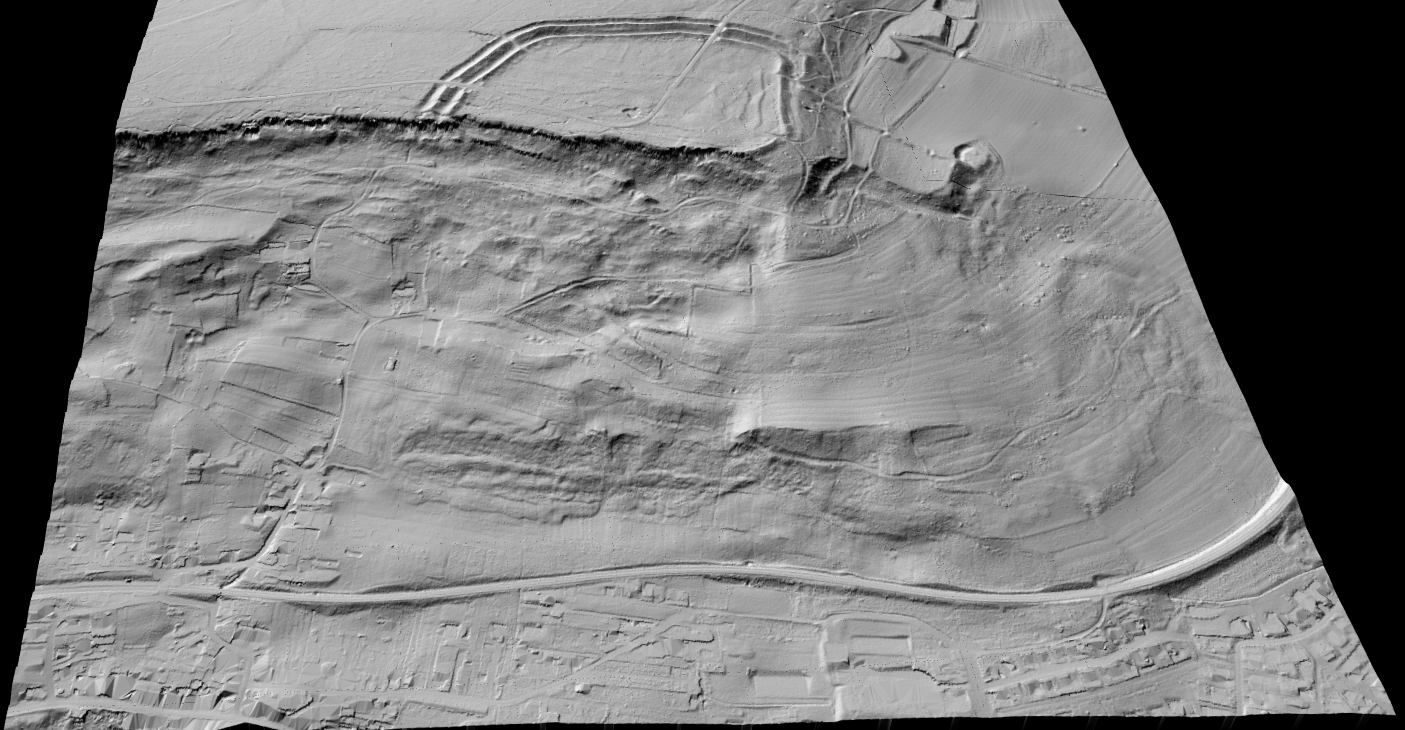
Archaeological landscapes often hide in plain sight. Forest canopy, modern land use, and subtle terrain variation can make important features nearly invisible from the ground or standard aerial imagery.
LiDAR helps separate terrain from visual clutter so researchers can inspect bare-earth shapes, low embankments, old road traces, and buried site outlines more clearly.
That makes it especially useful for landscape archaeology, site prospection, and pre-fieldwork interpretation.
Key LiDAR Products for Archaeological Analysis
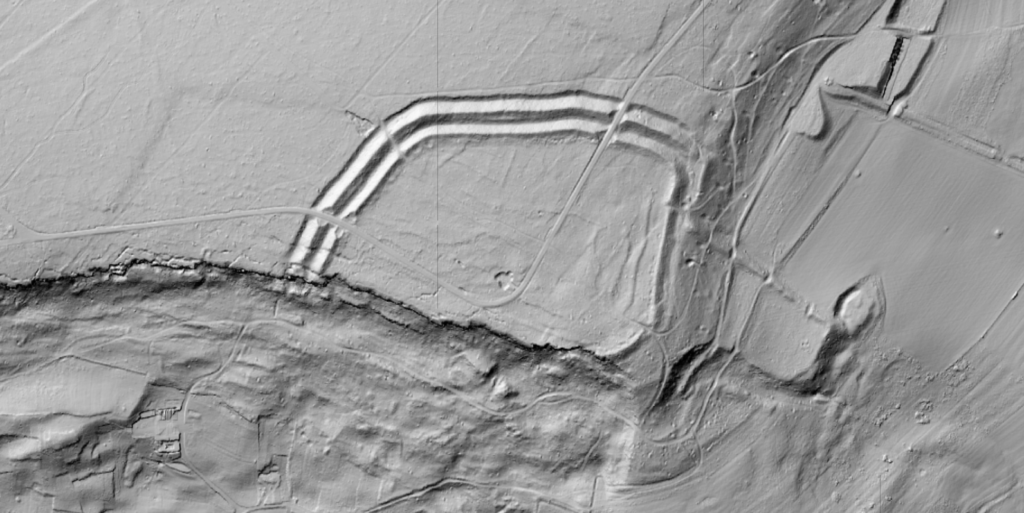
Archaeologists rarely work from a raw point cloud alone. The value usually comes from terrain-focused visual products that make subtle landforms easier to interpret.
Lidarvisor helps turn LiDAR data into the terrain views that are useful for archaeological inspection and hypothesis building.
- DTM for bare-earth surface interpretation
- Hillshade to emphasize subtle terrain relief and edge patterns
- Slope maps for identifying breaks, terraces, embankments, and feature boundaries
- Point cloud context where vegetation and above-ground structure interpretation still matters
APPLICATIONS
Archaeological Applications of LiDAR
LiDAR is useful wherever subtle terrain evidence can change how a site or landscape is understood
Buried Structures
Reveal earthworks, building traces, and site outlines hidden by terrain or vegetation.
Forested Sites
Inspect terrain under canopy where conventional imagery offers weak visibility.
Landscape Archaeology
Study large terrain systems such as terraces, roads, field boundaries, and settlement patterns.
Field Prioritization
Use terrain evidence to decide where survey teams should focus first.
LiDAR Processing Workflow for Archaeology
A practical archaeology workflow focuses on terrain interpretation first, then field validation where the patterns look promising
Acquire LiDAR
Start with LiDAR that covers the study area or suspected site landscape.
Generate DTM
Remove above-ground clutter and produce a bare-earth terrain surface.
Create hillshade
Use terrain shading to reveal subtle forms and linear patterns more clearly.
Interpret terrain
Look for unusual shapes, breaks, alignments, or relief patterns worth investigating.
Target fieldwork
Focus ground verification and archaeological survey where the terrain evidence is strongest.
Best Practices for Archaeological LiDAR
- Use multiple terrain views because no single visualization reveals every type of feature equally well.
- Interpret cautiously because natural landforms, forestry traces, and modern disturbance can mimic archaeological patterns.
- Prioritize validation by treating LiDAR as a discovery and targeting tool, not proof by itself.
- Preserve context by studying features in relation to broader landscape structure, not as isolated anomalies.
Frequently Asked Questions
Why is LiDAR useful for archaeology?
Because it helps researchers inspect terrain that is hard to read from the ground or from standard imagery. Subtle topographic patterns can become much clearer after terrain processing.
Can LiDAR see through forests?
LiDAR can capture ground-relevant returns beneath canopy better than standard imagery, which is why it is so valuable for forested archaeological landscapes.
What outputs matter most for archaeology?
DTM, hillshade, and slope products are especially important because they make subtle terrain features easier to interpret. The point cloud itself can still be useful for broader context.
Does LiDAR replace archaeological fieldwork?
No. It helps prioritize and guide fieldwork, but interpretation still needs validation on the ground and within the wider archaeological context.
Can I process archaeological LiDAR in the browser?
Yes, for standard LAS or LAZ workflows. Lidarvisor is designed to help you generate terrain-focused outputs without depending on a heavy local desktop workflow for routine processing tasks.
Related Articles
Terrain Products
• Digital Terrain Model Guide
• Create Accurate Terrain Models
Related Uses
• Terrain Mapping with LiDAR
• LiDAR Surveying
More Processing
• Point Cloud Viewer
• Point Cloud Vectorization
Create a free account and start processing archaeological LiDAR
Start with 5 GB of storage and process up to 50 hectares for free. Upload archaeological LiDAR and turn it into DTM, hillshade, and slope outputs in one browser-based workflow. No credit card required • 5 GB included on free signup
Create free account50 hectares free. No credit card. No software to install.